The Small Business Marketer's Guide to Understanding Your Customer

5 Use Cases to Give Your Customers Tailored Experiences, Fast

Customers want companies to meet them where they are. That means consistent interactions across departments and channels and experiences that are tailored to their wants and needs. So how do small businesses with fewer resources meet these customer expectations and stand out from the competition? They need to embrace new channels, use time-saving technologies like AI, and adopt new ways to personalize experiences.

88% of small business marketers believe they must continually innovate in order to remain competitive.

State of Marketing Report, 2024.
To meet these rising expectations, small businesses need a single view of the customer across departments. However, this is impossible if marketing, sales, service, and commerce use different platforms and point solutions. Without a single view of the customer, small businesses can’t use new technology to personalize customer interactions, they can’t use AI to automate processes, and they can’t deliver consistent experiences that customers demand.

39% of small business marketers say they don’t have real time data access to execute campaigns.

State of Marketing Report, 2024.

Use Case 1

Create a Strong Data Foundation

Challenge:

Small businesses often work in multiple point solutions, making it difficult to create cross-channel connected journeys with data from marketing, sales, service, and commerce.

Business Goals:

Get a complete view of your customers, personalize their journey, and close deals faster with marketing, sales, service, and commerce data and teams working in one place.

Having marketing, sales, service, and commerce teams on one platform, powered by Data Cloud, means all teams can access and action on data across the entire organization. It also means marketing can pull from sales, service, and commerce data to create better, more personalized customer journeys.
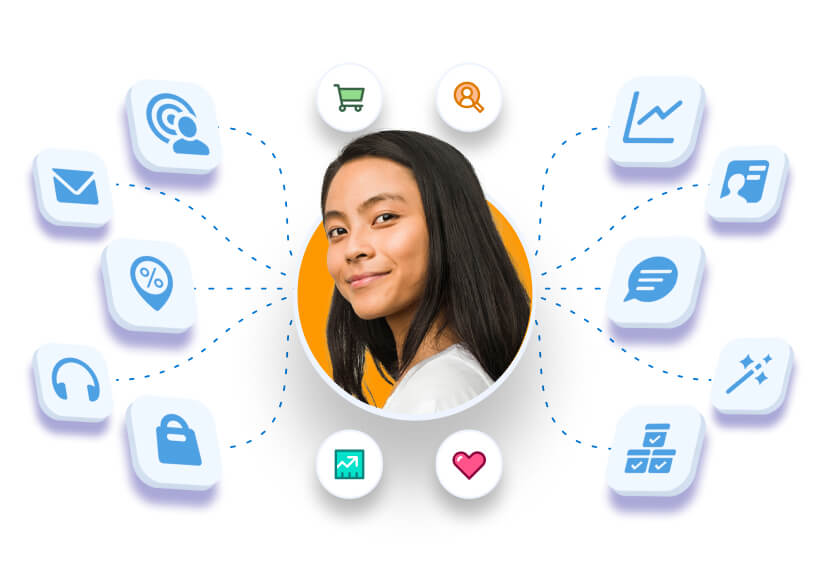
Marketing Cloud Growth and Advanced Editions are built to help small businesses grow efficiently with Data, AI and CRM. Data Cloud allows businesses to bring customer data from different sources together to build a customer profile. With this foundation for marketing automation, small business marketers can work on the same platform as other departments, increase personalized interactions with customers, and save time by using AI.

Three-Step Process to Achieving Your Goals

Step 1: Identify which data sources you use.

It is important to understand which data sources you use to understand your customer. For example, are you pulling customer data from webinar platforms? Advertising platforms? Accounting and shipping data? Marketing Cloud Growth and Advanced Editions are powered by Data Cloud, allowing you to unify all sources to build an operational customer profile

Step 2: Create a single source of truth across teams.

For small businesses to create connected, personalized experiences for their customers, it is critical that marketing, sales, service, and commerce teams access the same customer data. The easiest way is to get them working on an integrated platform. Marketing Cloud Growth and Advanced Editions can make that happen.

Step 3: Segment with precision.

Once your data is unified across applications and teams, you can start activating it. However, building segments has traditionally been challenging for small businesses. It requires small teams to be trained up on technical processes. Some teams might need to run a SQL query to access all their data. Even if a team is using marketing automation tools to pull segments, it still requires marketers to be trained up on the tool itself and to understand what fields correspond to which data pieces. AI can help by taking the technical barriers to entry out of the equation. Instead of training people on the marketing automation platform or running queries, all marketers need to do is describe the segment they want to create in the prompt and AI does the rest. Segment creation in Marketing Cloud Growth and Advanced Editions allows small businesses to use AI to build customer segments based on all of their data.

Real-World Example:

Let’s say you work for a small tech company. You likely have a number of different data sources you use to understand your customer. This could include your sales CRM data, any marketing data from your email and advertising engagements, transactional commerce data, and service case data. You might also bring in data outside of these teams to understand your customer, including product usage data, shipping data, and ERP data. All of these touchpoints are important to understand how your customer is interacting with your company."

Once you get all of your data in one place, it’s easier for all teams – marketing, sales, commerce, and service – to get a single view of how your customer interacts with your company and your product. It also makes it easier to organize your data into segments.

Use Case 2

Use Data to Better Understand Your Customer
Challenge:

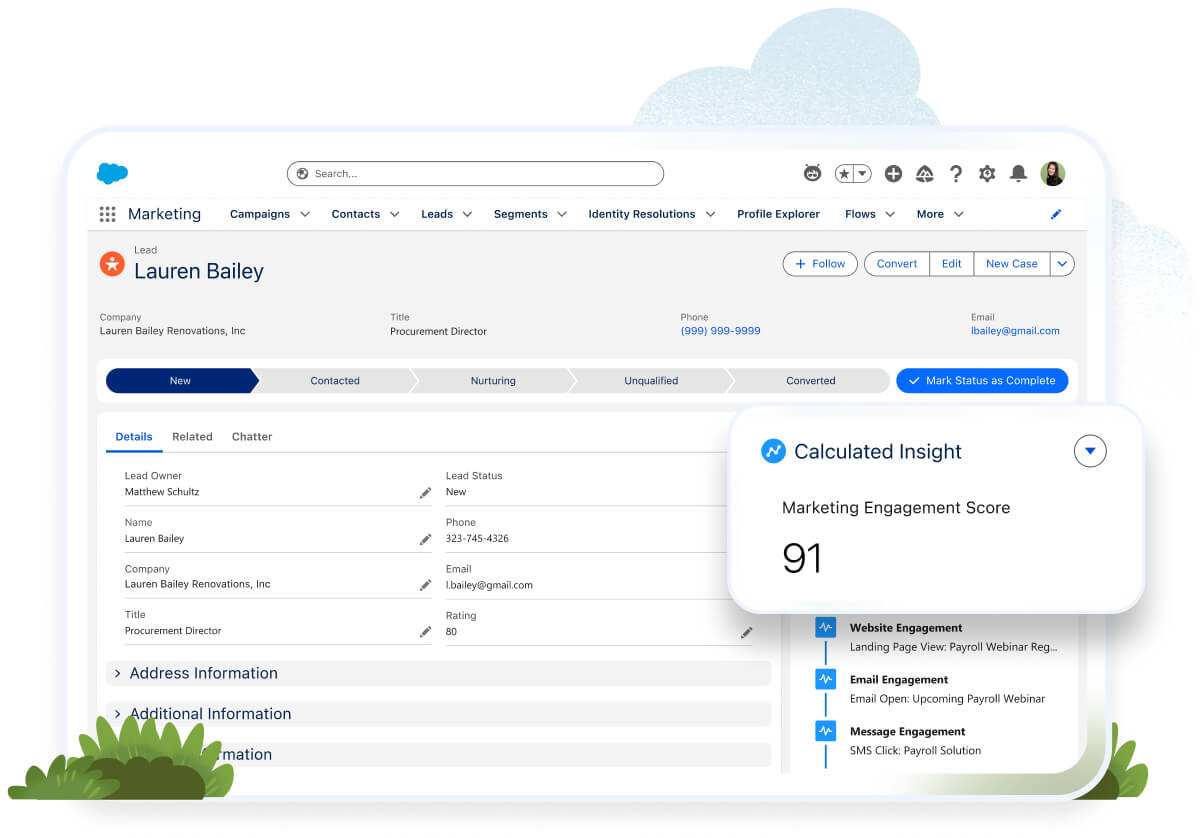
When building out campaigns, it can be difficult to identify which customers are most engaged. Doing this manually often requires hours of sorting through reports, making it difficult to locate data points for individual customers across different campaigns.

Business Goals:

Use AI-powered scoring to help teams across all departments understand who is most engaged with your brand, who needs additional nurturing, and who should be on an accelerated track for sales-focused outreach.

Step 1: Capture both engagement and fit.

When understanding which leads are likely to buy, it is important to focus on two metrics: engagement (how a lead interacts with your marketing efforts) and fit (how much a lead fits your ideal customer profile). With people scoring, small business marketers can customize their scoring model to account for both fit and engagement, allowing them to weigh different factors to create an ideal customer profile.

Step 2: Use AI to understand which customers are most engaged.

While there are benefits to building out your own scoring model (including customizing to fit your needs), it does require marketers to monitor and adjust from time to time to ensure it keeps up with changing customer behaviors and business needs. AI allows small business marketers to understand customer behavior without any manual work. Einstein Engagement Scoring uses predictive AI to surface which customers are most engaged with marketing efforts, allowing small businesses to quickly determine which ones are ready for a conversation with sales.  

Step 3: Use AI to pinpoint customers who are oversaturated with messaging.

Customers don’t want to be bombarded with messages. With multiple campaigns running at once, it is easy for small businesses to over-send. With Einstein Engagement Frequency, small businesses can use predictive AI to surface which customers are oversaturated with messaging, and put them on a suppression list to give them a break, without the guesswork. 

Real-World Example:

The tech company from our previous example has been promoting a new product and wants to determine which customers are ready for sales outreach. You use people scoring to determine which customers are not only highly engaged but also a good fit for the product. Since you are hiring for a number of roles, the fit component in people scoring helps weed out any job seekers doing research for interviews. For the customers who are not ready for sales outreach, you use people scoring to determine which ones need additional nurturing and which ones you can send on an automated journey.

Use Case 3

Create Campaigns Faster with Agentforce
Challenge:

Campaign creation can be a big pain point for teams that are strapped for time. There are often many steps involved when it comes to setting up the campaign — from building out the campaign brief to creating the email to creating the accompanying customer journey.

Business Goals:

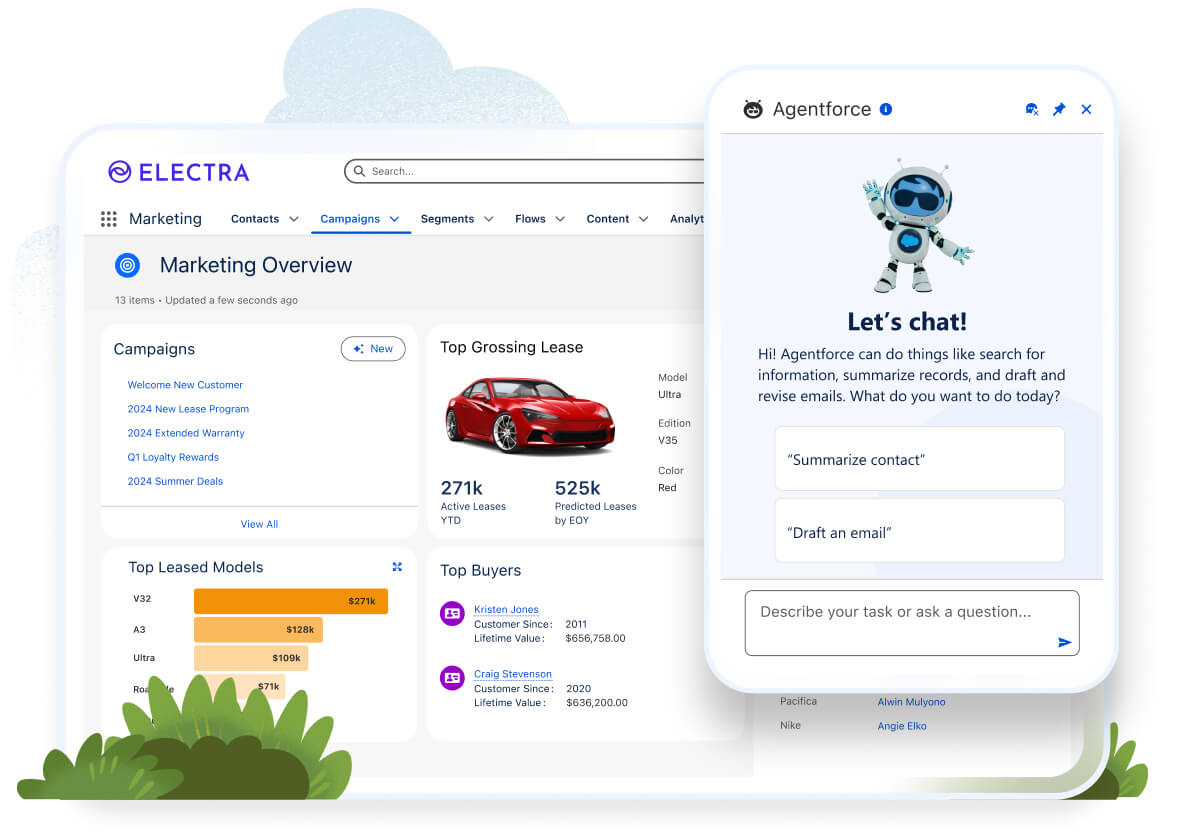
Save time and get to market faster with a trusted AI agent assisting with campaigns, end-to-end. Use Agentforce to build a campaign, campaign brief, an email, and a segment in minutes.

Step 1: Craft a powerful prompt.

List out your goals for the campaign, as well as key KPIs. Listing this out will help you create a prompt to communicate with the AI agent. The Agent will ground that prompt in data from Data Cloud, as well as the company brand guidelines, to create a complete campaign brief.

Step 2: Leverage the Agent to build a segment

Use the Agent to remove the technological barriers to entry with regard to segmentation. Instead of training people on marketing automation tools or running a SQL query, small business marketers can use natural language prompts. Instead, the Agent translates natural language prompts into the appropriate segment attributes.

Step 3: Personalize faster.

In your messages, generate trusted and brand-forward copy and to customize every single message and audience efficiently. The Agent generates numerous on-brand email subject lines, body copy, and SMS messages for each audience.

Real-World Example:

Let’s go back to our tech company example. You only have two people on your marketing team, but business is booming. You need to create 10 email campaigns that correspond to new product launches — and fast. Agentforce Campaigns helps get the process started. In the prompt, describe the first campaign you want to create. Agentforce Campaigns then creates the campaign brief, summarizing the campaign’s scope, goals, and audience. Agentforce Campaigns also builds out segments fast, instead of taking hours to do manually. You accept the brief, and Agentforce Campaigns then creates the campaign and a draft email — getting the process started in minutes.

Use Case 4

Personalize Every Interaction with Connected Data
Challenge:

Not having a single view of the customer makes it difficult, if not impossible, to personalize interactions.

Business Goals:

Engage customers with connected multichannel journeys across digital and human touchpoints.

Step 1: Personalize email outreach with data.

Customers want relevant, personalized messaging. Once you have your data in order, it’s easier to personalize messages and journeys based on specific attributes. Features like Cross-object Merge fields and Rule-based Dynamic Content help small businesses pull in content blocks personalized to recipients. This essentially allows them to templatize emails to save time while ensuring that all customers get personalized messages.

Step 2: Message customers on the channels where they are most likely to engage.

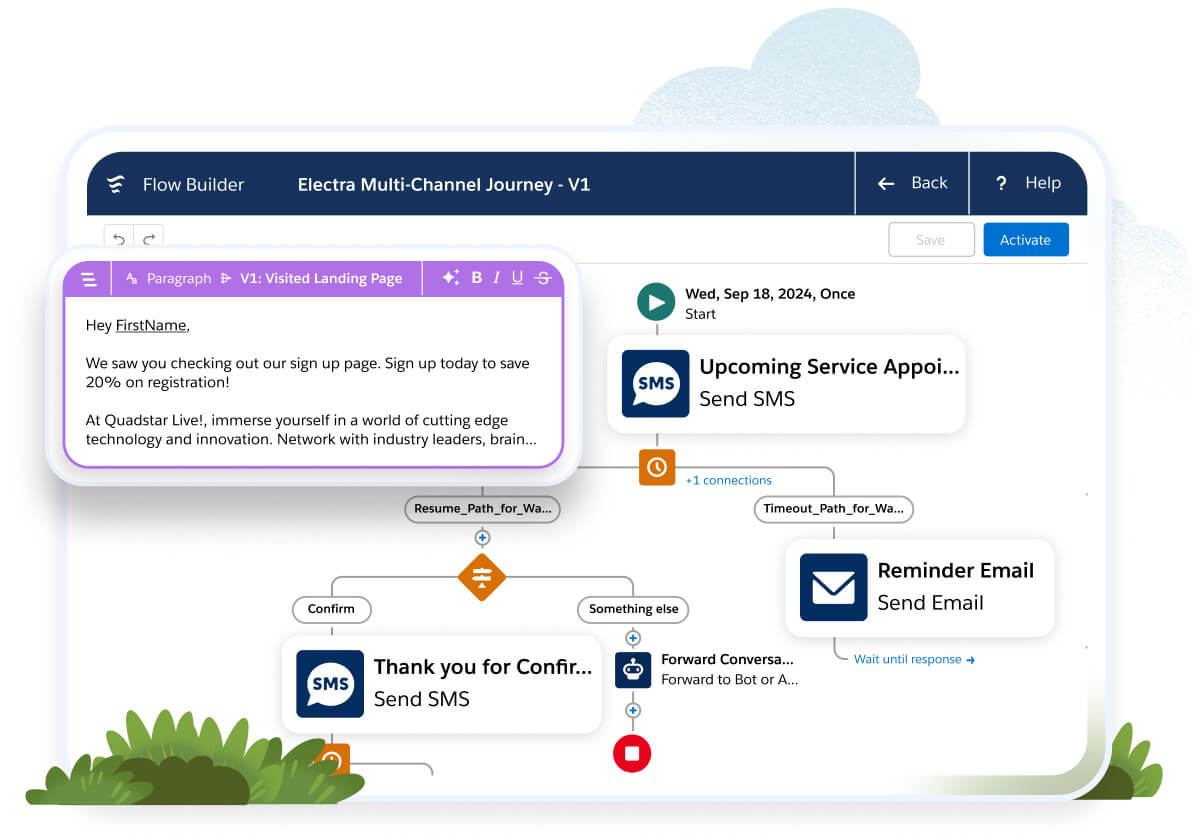
Personalized messaging includes reaching people where they are most likely to engage. Increasingly, customers are not just looking at emails, but text messages as well. In fact, according to our “State of Marketing Report,” 65% of customers expect companies to adapt to their changing needs and preferences. With Flow for Marketers, small businesses can send customers on multichannel journeys, including email and SMS.

Step 3: Connect sales and service service touchpoints (Salesforce Flow).

As small businesses build out automated journeys, human touchpoints are just as important as digital touchpoints. With marketing, sales, and service working on one platform, it is easy to create these connected experiences. Flow for Marketers allows small businesses to automate sales and service touchpoints within the customer journey, helping small businesses close deals faster and prevent churn.

Real-World Example:

Let’s go back to our tech company example. You now want to build out an automated customer journey. The first step is to  make sure the content you’re sending out is personalized to the individual customers. Let’s say you want to pull in information related to their most recent purchase, with the goal of helping them get the most out of their investment. Because you have a strong data foundation and all teams work on one platform, you can easily pull in commerce data and create content blocks related to the product they recently purchased. 

From there, you can build out an automated journey using SMS and email, with sales and service touchpoints to make sure your customer is getting the most of their purchase. In your automated journey, you send out a text message asking if everything is okay with their recent order. If they respond that they have an issue, your automated journey can send them to the service team. This is the power of having all your teams work on the same platform.

Use Case 5

Take a Data-Driven Approach to Optimizing Marketing Efforts
Challenge:

Small businesses often struggle to understand how customers are interacting with their marketing and whether or not marketing efforts are working.

Business Goals:

Reporting on marketing assets and tying efforts back to revenue allows marketers to quickly identify whether customers are engaging and to adjust their strategy if needed.

Step 1: Get a view of marketing performance on the asset level.

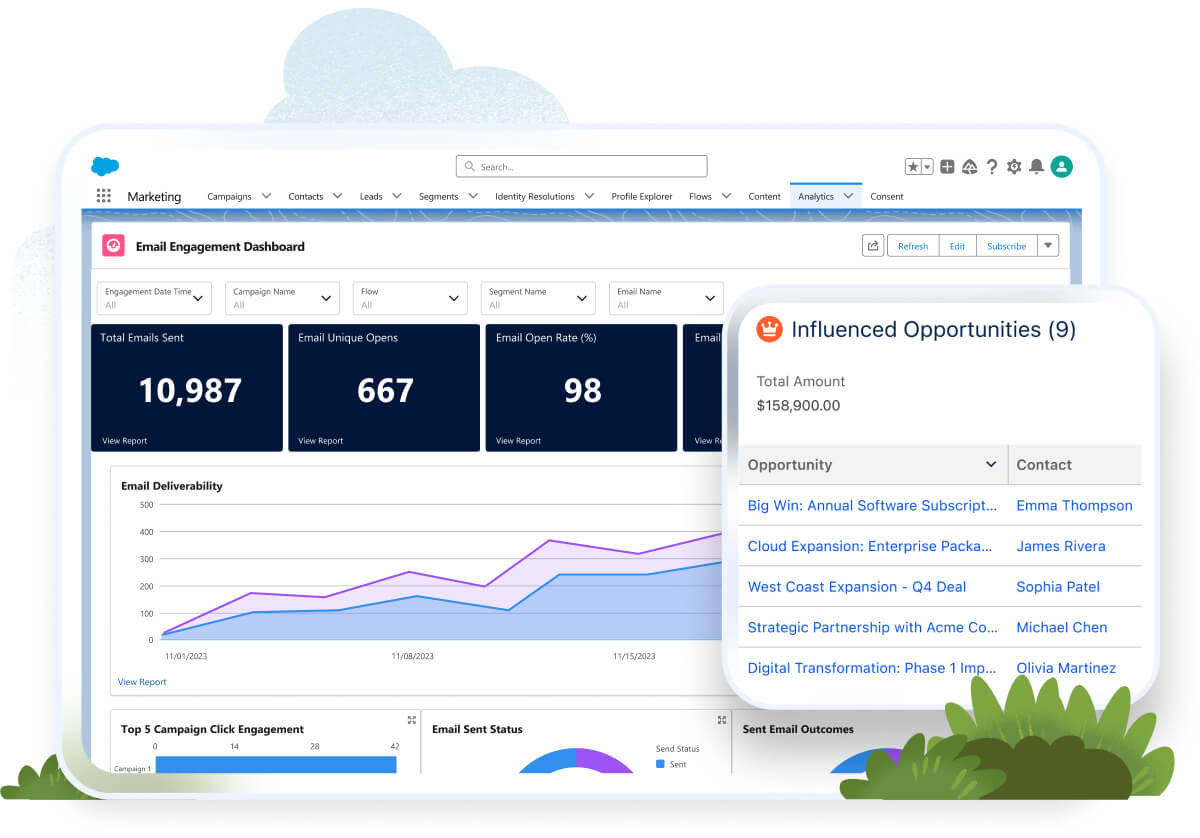
When it comes to optimizing marketing efforts, it’s crucial small businesses understand which assets are performing and which are not. If small businesses can quickly see if an email or landing page is underperforming, it makes it easier to investigate what went wrong and then pivot the strategy. Understanding performance at the asset level helps marketers focus on and replicate efforts that are working, helping them save time. Reporting dashboards in Marketing Cloud Growth and Advanced Editions give marketers insight as to how emails, landing pages, forms, and text messages are performing, so they can replicate success. In addition to this, Post-launch, Agentforce Campaigns summarizes performance so marketers can quickly take action to optimize campaign KPIs.

Step 2: Test automated journeys.

When building automated nurtures, it can be difficult for small businesses to understand how customers and leads actually interact with the different journey steps. Without the right technology, it can be difficult to take an unbiased approach to this, which results in guesswork on the part of the marketer. Testing automated journeys before making them live can help ensure customers get an optimal experience when going through your nurture flows. With Path Experiment, small business marketers can test campaign paths in Marketing Cloud Growth and Advanced Editions, helping them preemptively understand how customers will interact with journeys.

Step 3: Tie campaign efforts back to revenue.

It is more important than ever for marketers to justify their seat at the revenue table. And with limited resources and time, this is even more crucial for small business marketers. The easiest way to prove marketing impact is by tying it back to revenue and pipeline. With the Opportunity Influence feature in Marketing Cloud Growth and Advanced Editions, small business marketers can connect campaign engagement to sales opportunities, allowing them to put marketing efforts in the context of closed-won sales.

Real-World Example:

Let’s go back to our tech company example. You’re getting ready to do a new product launch but want to understand how previous launches performed. You pull up the campaign report and see that the previous product launch campaign didn’t influence as many opportunities as expected. Why did the campaign not perform? You open up email and landing page reports and see that the product launch email had a ton of opens, but that didn’t translate into people clicking on and filling out the sign-up form on the landing page. With this information, you triage what went wrong with that initial launch email and improve it for the current launch.
Blog

What is Marketing Cloud Advanced Edition?

Blog

Say Goodbye to Blast Emails -- How AI Helps Your Personalized Email Marketing

Blog

9 Ways AI Can Save Marketers Time, Money -- and Grief

More resources

Get timely updates and fresh ideas delivered to your inbox.