Key Takeaways
- Slackbot is the “last mile” that makes AI truly useful at work.
- The advantage is not so much the AI model as the fact that Slackbot lives where people already work and has the context, conversations, and permissions to surface and synthesize information quickly.
- Adoption is happening rapidly and with high user satisfaction.
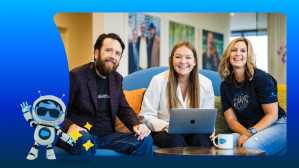
It was a blizzardy morning in Pittsburgh as Haley Gault logged into Slack to get started on her day. A cold brew coffee sat within reach on her desk, weather notwithstanding, and an apple-and-clove-scented candle flickered on the shelf behind her. Gault, an account executive at Salesforce, was wrestling with a contract rewrite when she noticed the little Slackbot face — a small smile on a square — displayed at the top of her workspace. Normally, she used Slackbot for tasks like setting reminders; had something changed?
“I clicked, and the chat window prompted me to ask it questions,” Gault said. “I asked about one of my accounts and got the answer back in an instant.”

Gault had just become one of thousands of Salesforce employees to discover a new AI-powered version of Slackbot. It can pull data from Salesforce records, surface insights from past conversations, and synthesize information that would have previously required toggling from one window to another and waiting for colleagues to respond.
“It saved me from having to go through 10 different channels asking if anyone knows what this customer is requesting,” Gault said. “I started using it more and more throughout the day.”
Gault was part of an ambitious internal experiment. For months, Salesforce has been its own Customer Zero for a new vision of Slackbot, testing and refining it based on feedback from employees, two-thirds of whom have tried the new Slackbot. When they do try it, 80% of users keep using it, saving between two and 20 hours a week; internal satisfaction rates hit 96%, the highest of any AI feature Slack has shipped.
People really like Slackbot.
Slack has the context that turns it from a tool into a teammate – the last mile that makes AI truly useful at work.
The core idea is simple. What happens when you connect a large language model to the context of your Slack conversations, channel-wide posts, your calendar, your Salesforce records, your Google Drive? All without layering on another agent or tool. The pitch for AI assistants has always been that they’ll save you time. But most of them don’t know much about you. Slackbot knows a lot. It knows how you work, how you communicate, and what you’re working on. It’s a multi-player experience: all your colleagues are there too, having conversations and sharing information. That context turns it from a tool into a teammate – not just an assistant but an agent. This is the last mile that makes AI truly useful at work.
Slack started as a productivity tool but has transformed into an agentic work operating system, a place where humans and AI agents work side by side, handing off tasks to each other. Everything happens in the platform people are already working in, so they never have to leave the interface to get things done. The way Salesforce employees work with Slack and Slackbot has already changed. On January 13, it’s everyone else’s turn.
More Than a Chatbot
Gault’s clients range from tech companies to property management firms to car washes. Each comes with its own jargon, its own challenges, and its own set of Salesforce products that may be a good fit.
Now, when a customer emails a question Gault can’t immediately answer, she drops it into Slackbot. When one client asked about challenges communicating with contacts associated with multiple accounts, Slackbot identified the relevant product without Gault having to poll her colleagues.
She uses it to prepare for calls: Slackbot can summarize an account and surface everything it knows, like employee count, annual recurring revenue, recent purchases, and the customer’s full tech stack. Then it layers on industry challenges and ties them back to potential solutions. “It gives me a 30,000-foot view of who the customer is, what their industry is facing right now, and how we could potentially support them,” she said.

Gault has become a power user, tapping Slackbot to dig up customer context five or six times on busy days, but it’s not all business. Inspired by Spotify Wrapped, Gault asked Slackbot to surface her goofiest one-liners from the year. It returned categories like “corporate jargon struggle” and “emotional selfie mission,” that she copied and shared with her team channel. Soon everyone was sharing their own.
These kinds of discoveries have been happening across Salesforce. Kurt Kemple, who leads developer strategy at Slack, tends to organize Slackbot’s skills into categories: communication and context surfacing, calendar and scheduling, Salesforce data, external sources like Google Drive and Gmail, and research and analysis.
“All of that is information Slackbot already has about you. With most AI tools, you have to explain what you’re working on before they can help. Other tools, I have to prepare for,” Kemple said. “Slackbot, I just use it.”
What strikes Kemple most is how Slackbot learns. Recently, he asked it what new capabilities it had picked up and Slackbot referenced their past conversations about productivity metrics and economics research, tailoring its answer to work they’d actually done together. “The more you use Slackbot, the more it understands what you’re working on,” he said.
A lot of people stand to benefit. Tens of millions of people use Slack every day. If Slackbot shaves 10 minutes from someone’s day — or turns a 30-minute task into a two-minute one — the potential time savings become clear. “When you see it laid out like that, you realize the scale of what we’re talking about,” said Kemple.
Lessons from the Inside
Kate Crotty had a hypothesis. As a principal UX researcher at Salesforce, she expected to find employees using Slackbot for traditional workflow automation. What she found was that people weren’t just processing work faster. They were preparing for interactions differently, using Slackbot as a personal agent for work. Employees were asking Slackbot to ground them before cross-functional meetings: Give me context on what the engineering team is doing in terms I can understand. “How wonderful to walk into a meeting and everybody has the right context, everybody has the right historical knowledge, and everybody’s aligned so we can get straight into workshopping,” Crotty said. “Slackbot can do that.”
During performance review season, HR distributed specific prompts employees could use to have Slackbot compile their accomplishments from a year’s worth of posts, decks, and canvases.
Crotty’s research did surface a consistent barrier. People were afraid of asking the wrong question. They’d try a prompt, get an imperfect answer, and assume the problem was them. The solution, Crotty found, is simple. Share what works. Teams started passing around what worked for them. Leaders asked employees to share their use cases openly. (Salesforce has a dedicated Slackademy channel full of prompts and training modules, and 73% of internal adoption of Slackbot is driven by social sharing; Salesforce has learned the most about Slackbot and what it does by promoting sharing and creating opportunities for employees to talk about it.)
For example, during performance review season, HR distributed specific prompts employees could use to have Slackbot compile their accomplishments from a year’s worth of posts, decks, and canvases. The more people saw what was possible, the more they tried.
“Everybody is there to help each other learn and communicate hacks,” Crotty said. The internal experiment wasn’t just about refining the product. It was about learning how people adopt it and incorporating those insights into future user experiences.
What Comes Next
Slackbot just works, with no setup needed. The permissions, access controls, context, and conversations are already there. Slack is already there. Give Slackbot instructions and it figures out what to do and what tools to use. No need to remember which agent in your ecosystem does what or where it lives. No need to pay the “toggle tax” of switching between tools and trying to stitch together workflows across different platforms. Just ask for what you want and it routes the request behind the scenes.
Kemple describes what this looks like in practice today. Imagine that a marketing team needs a landing page for an upcoming event. Members are in a Slack thread with a designer, who’s working with a Figma agent to generate mock-ups. Once the design is ready, they hand it off to a coding agent like OpenAI’s Codex or Vercel’s v0 to build the page. An SEO agent checks it against best practices. Slackbot verifies the GitHub pull requests and communicates everything back to the team in a canvas.

“Slack lets you accomplish an entire workflow, not just one piece of it,” Kemple said. “The thing that makes Slack an agentic OS is that we’re truly building the surfaces and interactivity that allows people to collaborate together with AI. That multiturn, multiparty, multiagent collaborative experience is very difficult to re-create.”
Looking ahead, Kemple expects the interfaces themselves to start changing. Right now, most AI interactions are conversational. But sometimes a form with drop-downs is faster than typing out every detail. Sometimes a visual display beats a wall of text. Slack’s design framework, called Block Kit, already lets developers build rich, interactive components. The goal is to let agents generate those experiences dynamically, tailoring the interface to what you’re actually trying to do.
“We’re kind of saturating what we can do with purely conversational UIs,” Kemple said. “I think we’ll start to see agents building an interface that best suits your intent, as opposed to trying to surface something within a conversational interface that matches your intent.”
The January launch is a foundation, not a finish line. Search and Slackbot will converge into a single entry point. No more toggling between “search Salesforce” and “ask Slackbot.” The experience will become richer too, with in-line previews for PDFs, emails, and web content so users aren’t constantly bounced out to browsers or separate apps.
Gault, the account executive in Pittsburgh, wouldn’t give it up.
“It’s amazing to have our customer conversations, our team conversations, an LLM, all in one spot,” she said, “I honestly can’t imagine working for another company and not having access to these types of tools. This is just how I work now.”
Learn More
- Read how conversation design enables the Agentic Enterprise
- Find Salesforce’s position on where AI stands today: In 2025, AI Grew Up — and Learned to Play by the Rules