



With businesses growing ever more fragmented, sending a quick email isn’t the low-stakes communication method it used to be. Australian enterprises now run 1,081 apps, on average; of these, only 22% are integrated. When workflows are scattered across disconnected systems, teams spend more time chasing updates and less time being able to focus on work.
A team collaboration tool smooths out this friction by giving your teams a unified platform to communicate in context, share information, and stay organised throughout the working day. Some tools also offer additional features, like AI automation and deep integrations, so teams can view updates and take action without constantly switching between systems.
This is why it’s important to know what you’re looking for in an app before you commit to a purchase. In this guide, we’ll break down the key features to seek out and offer some advice on getting the most out of your chosen platform to accelerate your team’s productivity.
What you’ll learn:
- Why effective team collaboration matters more than ever
- Great collaboration software offers more than messaging
- Key features: channels and threads
- Key features: integrations and centralised workflows
- Key features: advanced search and knowledge retention
- Key features: workflow builders and automation
- Key features: security and admin controls
- 5 online collaboration platforms to consider
- How agentic AI revolutionises collaboration
- How Slack helps Nine keep breaking news moving
- Salesforce + Slack redefines the agentic enterprise
- FAQs
Why effective team collaboration matters more than ever
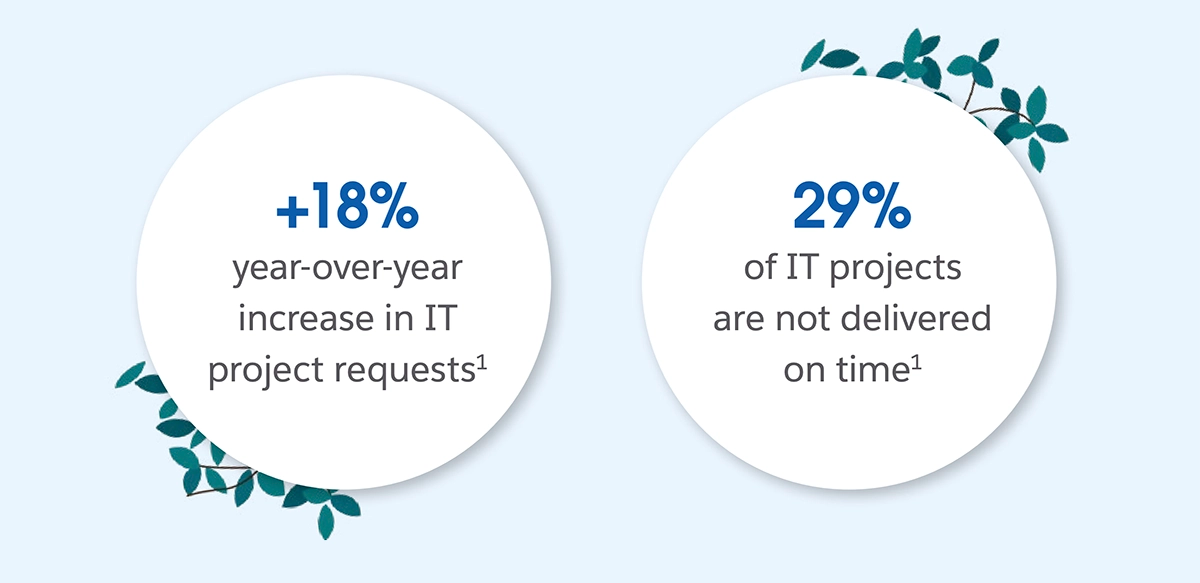
Today’s teams are being asked to deliver more in less time, and the cracks are starting to show. IT project requests have increased 18% year-on-year, and 29% of projects now miss their deadlines. In sales, the capacity gap is just as clear, with 42% of reps saying they lack the bandwidth to do adequate cold outreach.
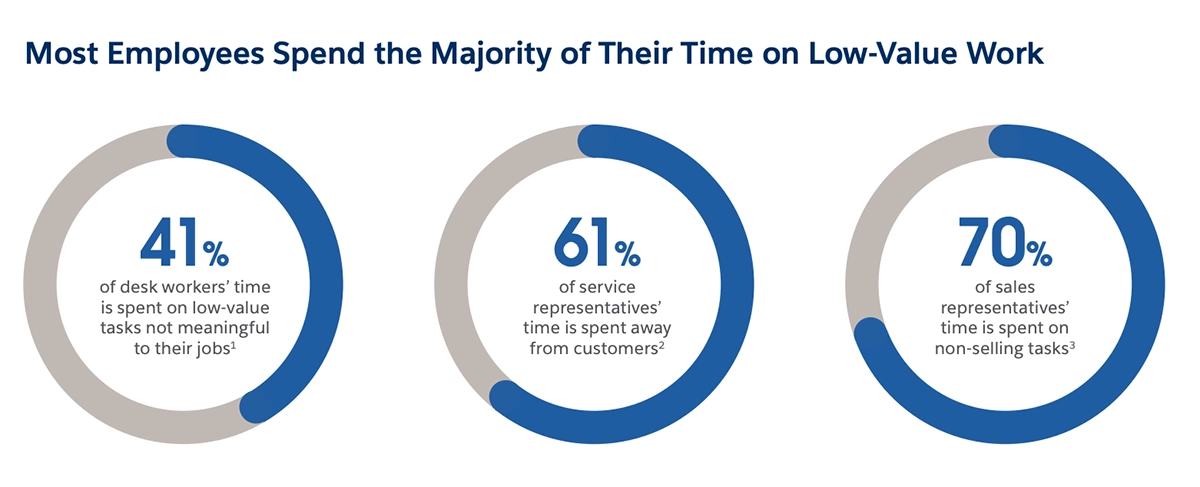
When demand increases, the ability to stay productive depends on how quickly work can move between teams and systems, but this is where many organisations are falling short. Desk workers report spending 41% of their time on low-value work, like unnecessary meetings and managing emails, and 70% of sales reps’ time is spent on non-selling tasks.
The more thinly work is spread across systems and departments, the harder it is to keep everyone aligned. Async and remote teams can make this gulf even wider. When you have teammates all over the world who aren’t online at the same time, a “quick question about this report” becomes a 24-hour delay, with every chance the message gets buried in an inbox.
Team collaboration platforms reduce the drag of manual coordination by giving teams a shared space to organise communication and keep important work visible as it moves between departments and apps. Done well, this provides the foundation for real work orchestration that connects people, apps, customers, and workflows in one place.
Orchestrate work across connected applications and digital agents.
Empower people to work with agents using controlled access to your enterprise apps and data, building a foundation to automate processes and even delegate work.
Great collaboration software offers more than messaging
There’s a misconception that team collaboration tools are just business instant messaging platforms where you send files or ping the occasional company update. Modern solutions offer much more than basic chat features.
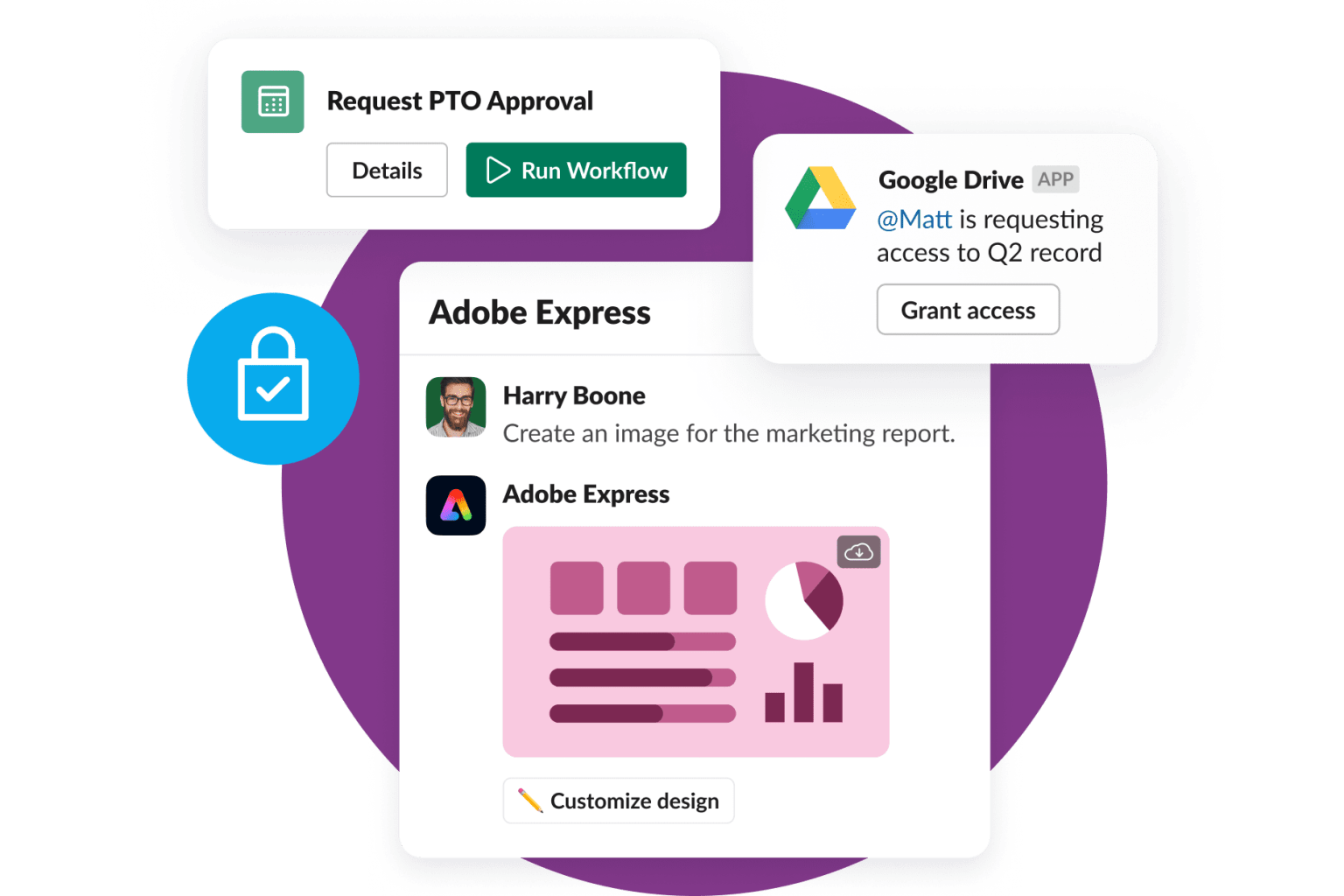
For instance, many platforms now have features like organised channels for projects and integrations so employees can view apps, review docs and take action in one place. Some, like Slack, also offer deeply-embedded AI agents to summarise conversations, schedule meetings, and surface insights, meaning teams don’t need to context-switch constantly to get work done.
It can be helpful to think big and look beyond the basics when choosing your collaboration platform. A solution that aligns team communication, data, AI and everyday workflows in one place will help you improve collaboration, while also delivering advanced features that streamline every aspect of your business productivity.
With this in mind, let’s take a look at some of the features you should prioritise when evaluating a team collaboration solution for your own business.
Key features: channels and threads
The first feature you should look for is a way to organise your messaging.
Features like channels and threads let you separate conversations by team, project, or task, so people don’t need to scan through a wall of clutter before they reach the updates that actually matter to their role.
Channels give every department and project a home
To start, look for a strong channel system that gives each department, project, or initiative a clear hub. Make sure these channels are easy to name, and that you can set permissions to control what’s visible to each user. Also, check that you can add as many members as you need for large projects, so the platform keeps up when your business scales.
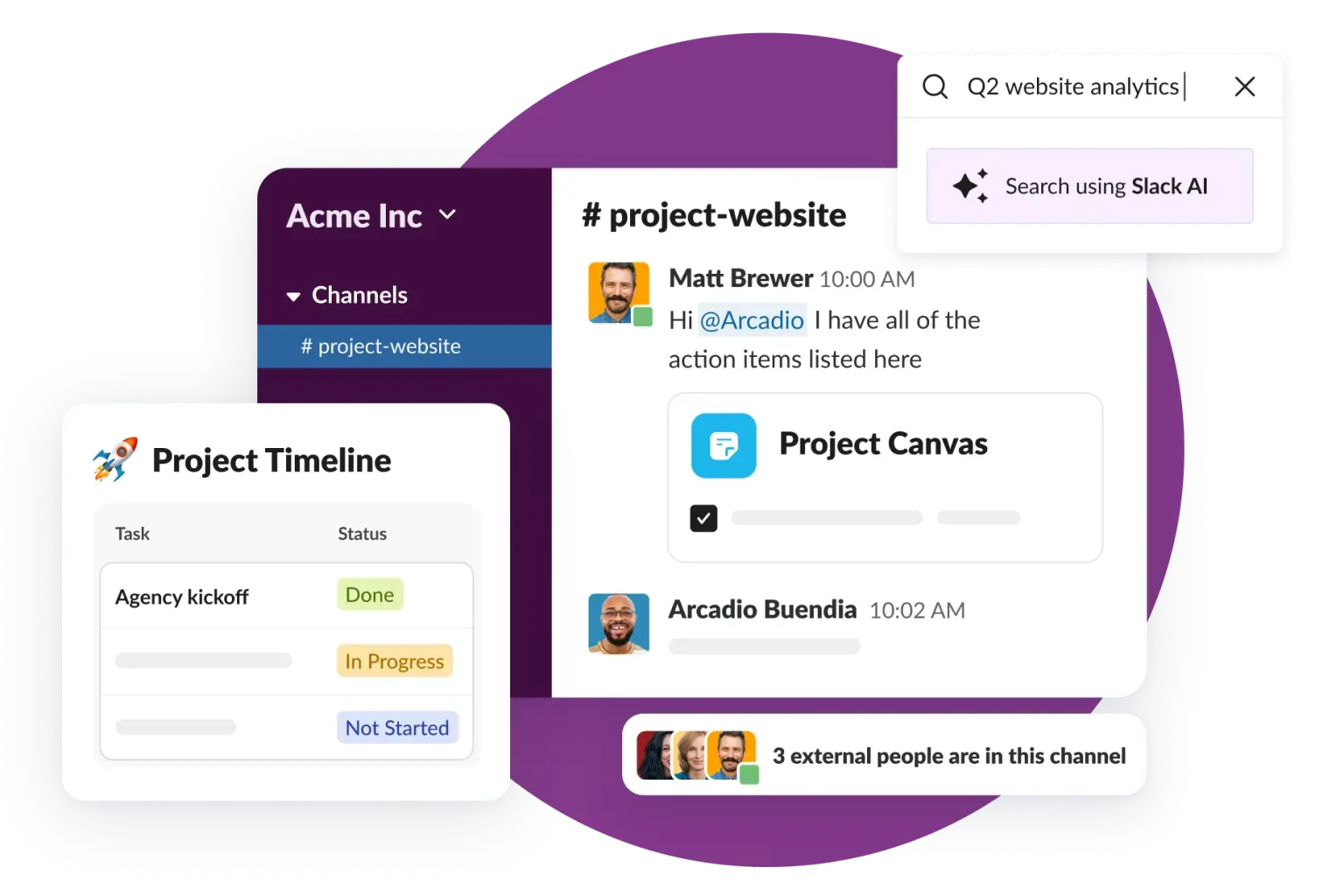
As a bonus, choose a tool that lets you securely bring external partners into your operation. For instance, Slack Connect lets you add external vendors to new or existing channels, helping you improve your external communication and build more personalised relationships while still keeping internal channels separate and protected.
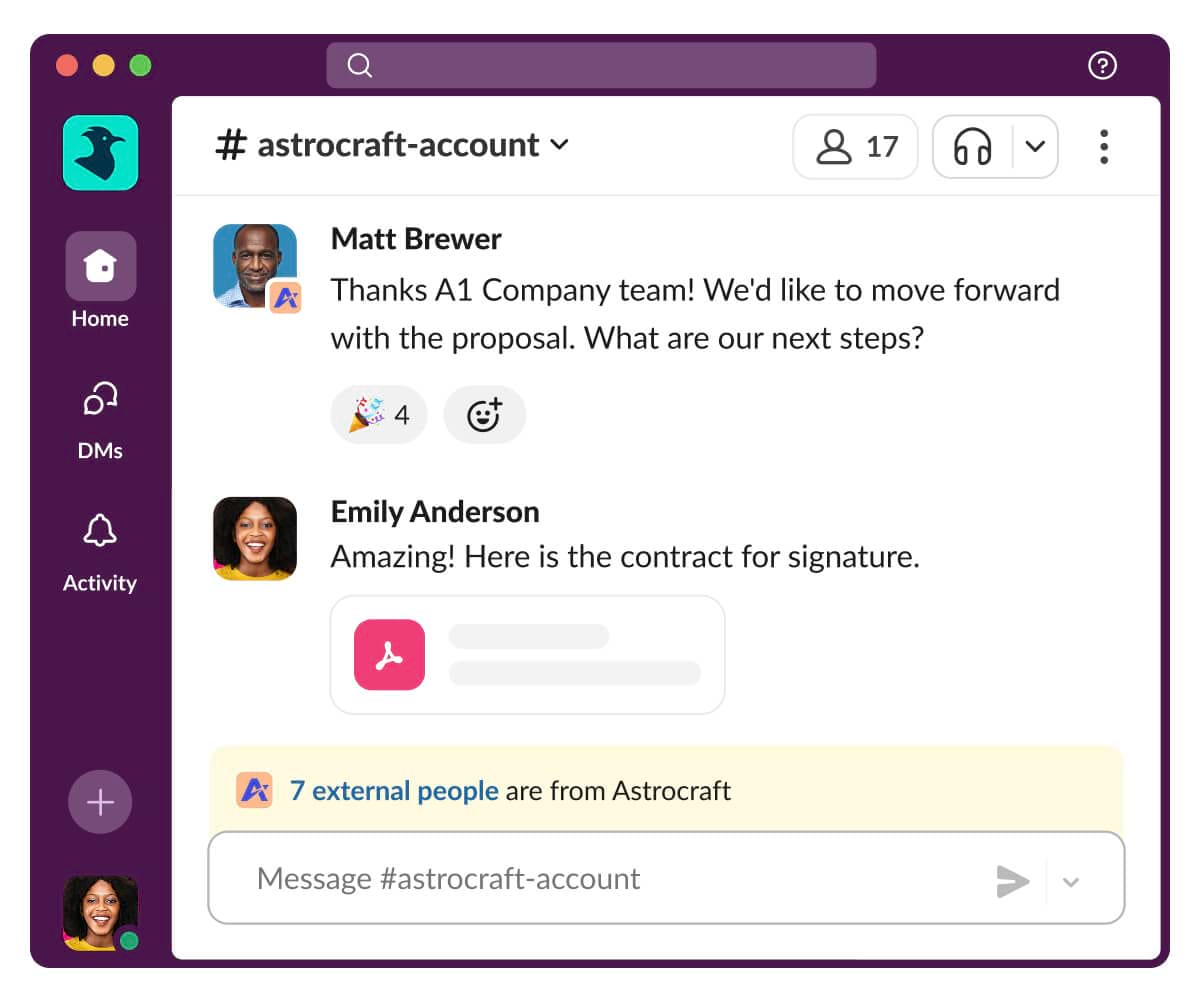
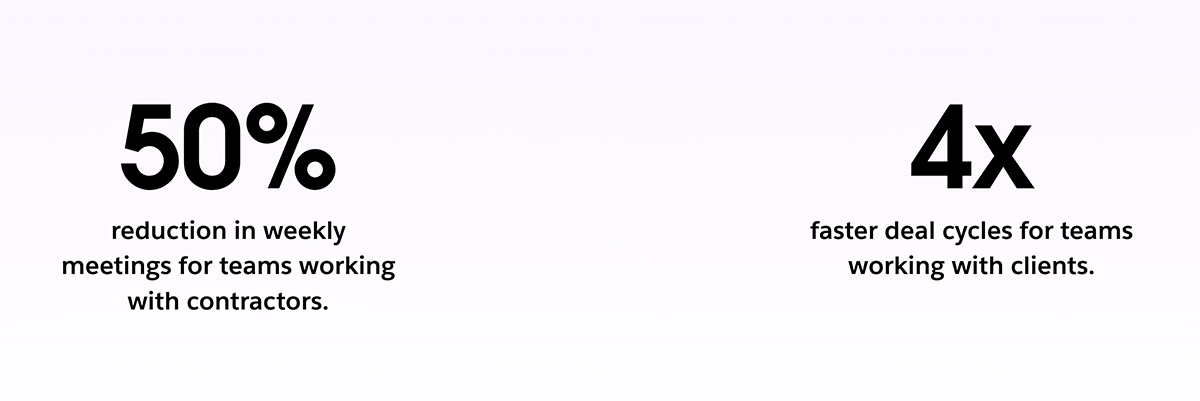
Bringing external agencies into your channels saves time and keeps all communications in one central space. This has been shown to lead to a 50% reduction in weekly meetings for teams working with contractors and four-times faster deal cycles for organisations managing clients.
Threads reduce clutter and keep discussions contextual
Next, you’ll want to ensure the online collaboration software lets people continue in-depth discussions without derailing the main feed or burying key updates.
Threads keep replies attached to the original message. For instance, if a project manager asks the sales and marketing teams for an update on a launch plan, each relevant employee can reply to this directly without derailing the primary channel conversation.
Aside from keeping the primary feed clean and clutter-free, threads also give every discussion its own searchable record, making it easier for teams to see what’s changed since they were last online and what still needs input.
Work smarter and get more done with Slack.
Unify people, projects, knowledge and culture in a user-friendly work operating system. Give teams flexibility, backed by the security and reliability your business depends on.
Key features: integrations and centralised workflows
Hundreds of disconnected systems mean teams often find themselves stuck in a loop: check apps, copy updates between systems, paste info to teammates, align on a decision, and repeat. This eats into productivity and means key details often get missed.
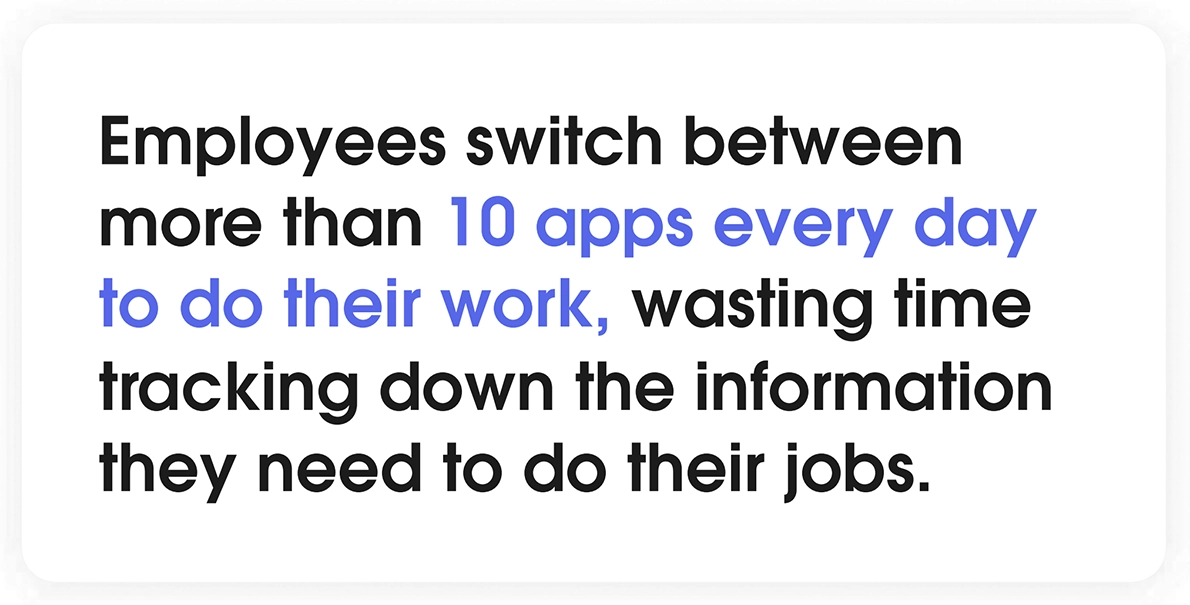
On average, employees switch between more than 10 apps per day. Aside from delaying workflows, this kind of tool sprawl can also lead to “context switching fatigue”. Sixty-four per cent of desk workers say they experience burnout once a month or more, and a third say they regularly feel stressed about work. When work is spread across platforms, simple tasks become a chore as teams need to spend tedious time piecing together information.
Strong collaboration platforms can reduce this drag by pulling customer information, app data, status updates, and actions into one place. Here’s what to look for:
A strong integration library keeps teams in the flow of work
A good starting point is to look for a deep integration library that links with the apps you already run. This ensures teams can keep using the platforms they already rely on.
From there, select a collaboration tool that lets you view work and take simple actions, such as previewing a doc or approving an access request directly in the platform. This is the key to minimising context-switching and keeping work centralised throughout the day.
To give you some idea of what’s possible, here’s a table outlining some of the different integrations you should look for, and how they’ll benefit your business.
Collaboration tool integrations and how they support productivity
| Integration | Examples | How it helps |
|---|---|---|
| Project management | Asana, Monday.com, Trello | Keeps deadlines and upcoming tasks visible without the need to switch apps |
| CRM | Salesforce, HubSpot, Zoho | Gives real-time visibility of lead opportunities and customer records |
| Video conferencing | Zoom, Google Meet, Microsoft Teams | Lets team members join video meetings without having to open up a separate tool |
| File sharing | Google Drive/Docs, Dropbox, OneDrive | Teams can view, upload and download files directly from the collaboration platform |
| Calendars | Google Calendar, Outlook Calendar | People can schedule meetings and see availability in real-time |
| Analytics | Tableau, Power BI | Keeps metrics visible so teams can make decisions without pulling up reports |
| Customer support | Zendesk, ServiceNow | Helps teams route issues and share context fast without copy-pasting customer information |
In essence, the goal is to reduce the number of times employees need to jump between tools to complete tasks, saving time while centralising vital updates. To get some more inspiration about the potential for integrations, see the Slack Marketplace, which contains more than 2,600 apps across categories like CRM, analytics, developer tools and more.
APIs and webhooks support flexible customisation
Out-of-the-box integrations cover most common tools; as processes evolve, however, you should also look for a platform that supports building and connecting custom integrations.
APIs and webhooks will let your online collaboration software “talk” to the rest of your tech stack. In practical terms, this means you can push and pull updates automatically, like sending an alert to the right channel when a high-priority ticket is created, or gathering details from an internal system when someone asks a question. This ensures you can always link up your workflows even when your tools and processes change over time.
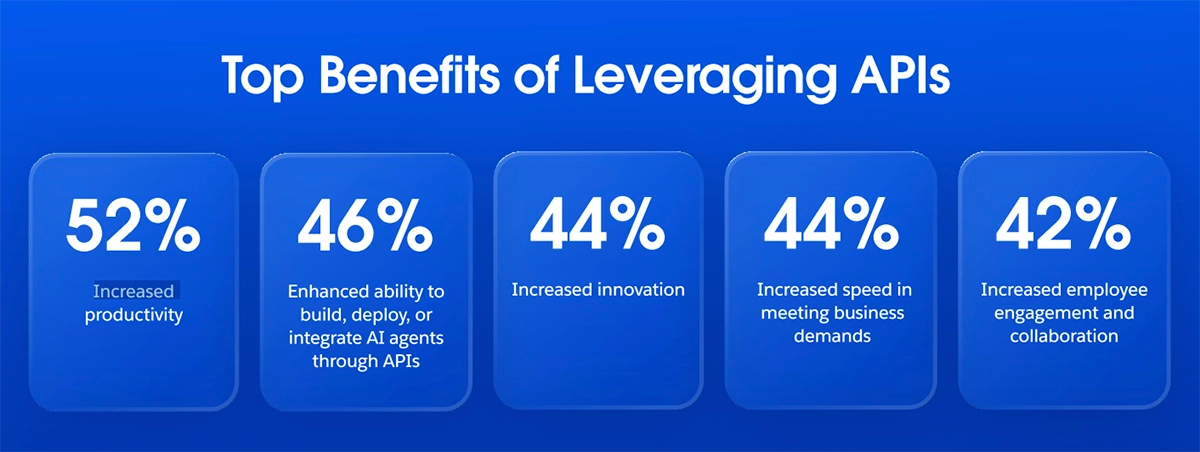
This flexibility can have a huge impact on efficiency. As per the Mulesoft Connectivity Benchmark Report 2026, organisations using APIs achieved a 52% increase in productivity and a 44% speed increase in meeting business demands, among several other benefits.
As an example, Slack API lets businesses build custom apps and automations that bring internal tools and workflows directly into Slack. Alongside thousands of prebuilt integrations, this helps your collaboration tool become a central hub for your work rather than just another app in an already crowded tech stack.
Key features: advanced search and knowledge retention
One key challenge with collaboration tools is locating updates and messages that happened last week or “around a month ago”. If people can’t quickly find the information they need, they need to spend valuable time searching, or pause to ask questions and get up to speed.
This is why it’s vital to choose a tool that helps team members find information faster without starting every conversation from square one.
What advanced search features look like in a collaboration tool
Strong collaboration tools for teams should let you find information in multiple ways. At a minimum, you should be able to search by:
- Keyword (entering words or phrases from the message)
- Channel (searching within a specific channel or direct message)
- Date (before, after, or during a specific timeframe)
- People (searching by sender)
- File (searching for docs within messages)
Some platforms also offer advanced ways to narrow your search results, such as searching only within threads or through an AI-assisted search that can find previous messages based on natural language inputs. Choose a solution that aligns with what your business needs.
Ensure message history and retention meet expectations
Search can’t help you find messages that no longer exist. Make sure your chosen platform has a message retention period that makes sense for your business.
For example, Slack’s Free Plan provides 90-day access to messages from the point they’re sent. This works well for most businesses, but for those needing a longer retention period, paid plans offer lifetime access.
Make sure it’s easy to save what matters as you go
The best online collaboration tools will help you transform important updates into channel-wide reference points that everyone can see at a glance.
Look for a platform that lets you pin messages, bookmark critical links, and save updates to your own personal archive for later use. This saves time by making sure teams can find vital details without constantly searching through past messages.
Key features: workflow builders and automation
A surprising amount of business time is spent completing ‘work in between the work’, like chasing approvals and sharing forms. This can quickly turn into a coordination tax that makes high-value goals harder to achieve.
To help with this, look for a collaboration platform that offers built-in workflow automation to speed up tedious tasks. This will save time that your teams can invest in high-value projects, like delivering personalised customer experiences.
Look for a no-code workflow builder that anyone can use
A workflow builder lets you turn common processes like routing requests, creating forms, and handling approvals into fully automated, repeatable flows. For instance, you could set up an onboarding workflow that shares the right links as soon as someone joins a channel, or a design request workflow that routes the brief to the right designer automatically.
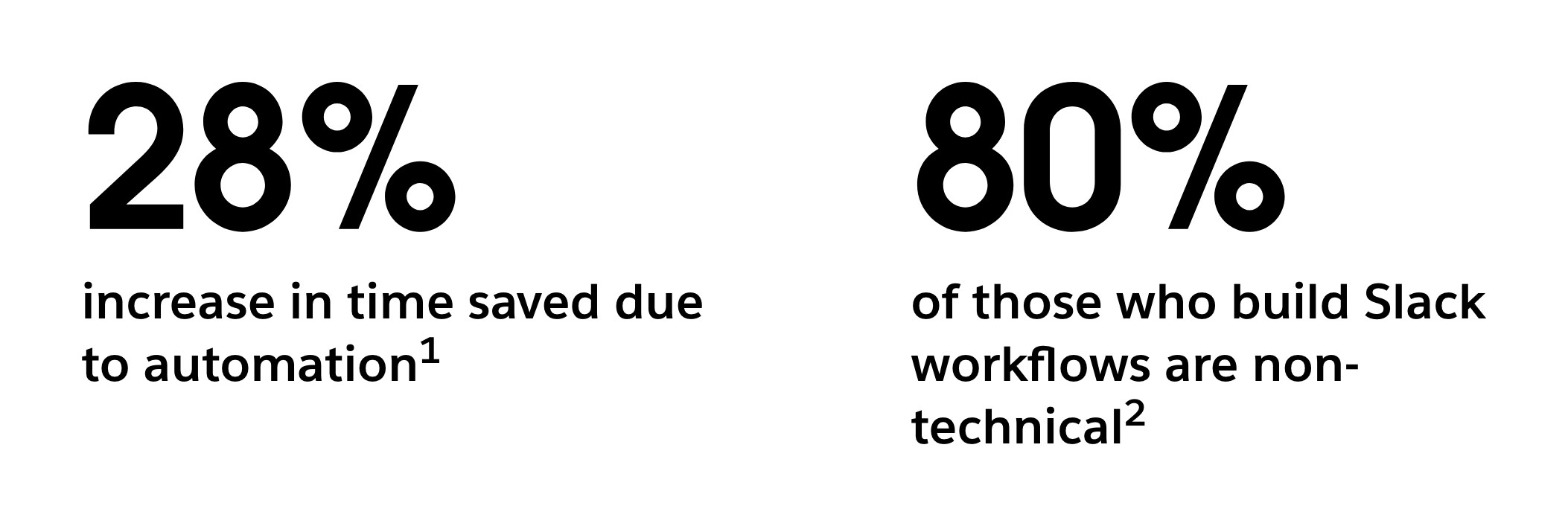
It’s a good idea to look for a workflow builder that’s no- or low-code, with prebuilt templates to get started, as well as AI-assisted coding using natural language. This means anyone can get started regardless of their skill level. Take Slack, for instance, where 80% of those who build workflows on the platform are non-technical and lack direct coding expertise.
Prioritise trigger-based automation
Automated workflows lose their impact if someone has to remember to start them each time. Instead, look for a platform that lets you set up triggers like:
- Scheduled automations (like weekly reminders and daily check-ins)
- Message-based triggers, such as when someone joins a channel for the first time.
- Automatic routing that sends every form to the right place once it’s been submitted.
This ensures automations will keep running and delivering value even when teams aren’t actively hitting the start button.
Get the most out of AI as a productivity tool
AI automation is beneficial for productivity because it significantly reduces the time teams spend digging for information and drafting up messages.
For instance, in the right collaboration tool, you could have an AI model summarise long message chains, turn documents into key takeaways for easier referencing, take meeting notes when you’re in a call, or draft up quick replies with relevant context included.
Usually, you’d need to rely on external tools for each of these tasks, but AI solutions like Slackbot can handle everything in one place within your primary tool, all based on the natural language prompts you provide.
Here’s a look at what AI can do in a tool like Slack:
Key features: security and admin controls
Lastly, choose a platform that takes data protection seriously. Sensitive information lives on collaboration tools, so security shouldn’t be an afterthought, especially when you’re handling machine learning and AI. Here’s what to look for:
- Identity and access management: Look for SAML-based single-sign-on, strong MFA support, role-based permissions, and the ability to manage session duration for added security.
- Data protection: Seek out tools with encryption, GDPR-ready controls like data handling and retention, and security assurances like SOC 2 and ISO. This proves the platform is designed to meet enterprise-grade privacy and security standards.
- Audits and governance: Make sure the platform provides audit logs so you can trace actions. Also, look for configurable data retention policies and support for legal holds if your business has compliance obligations.
- Admin functionalities: Choose a platform with a centralised admin dashboard that gives visibility across the entire organisation, along with controls for managing channels, integrations and external access as you scale.
Ultimately, scalable governance and security should feel like they’re built into the platform’s architecture at every stage. This keeps customer data safe and also provides a secure foundation for leveraging trusted AI.
5 online collaboration platforms to consider
Now that we’ve discussed the features you should be looking for, let’s take a closer look at some of the platforms that meet those expectations. Here are our top five:
1. Slack
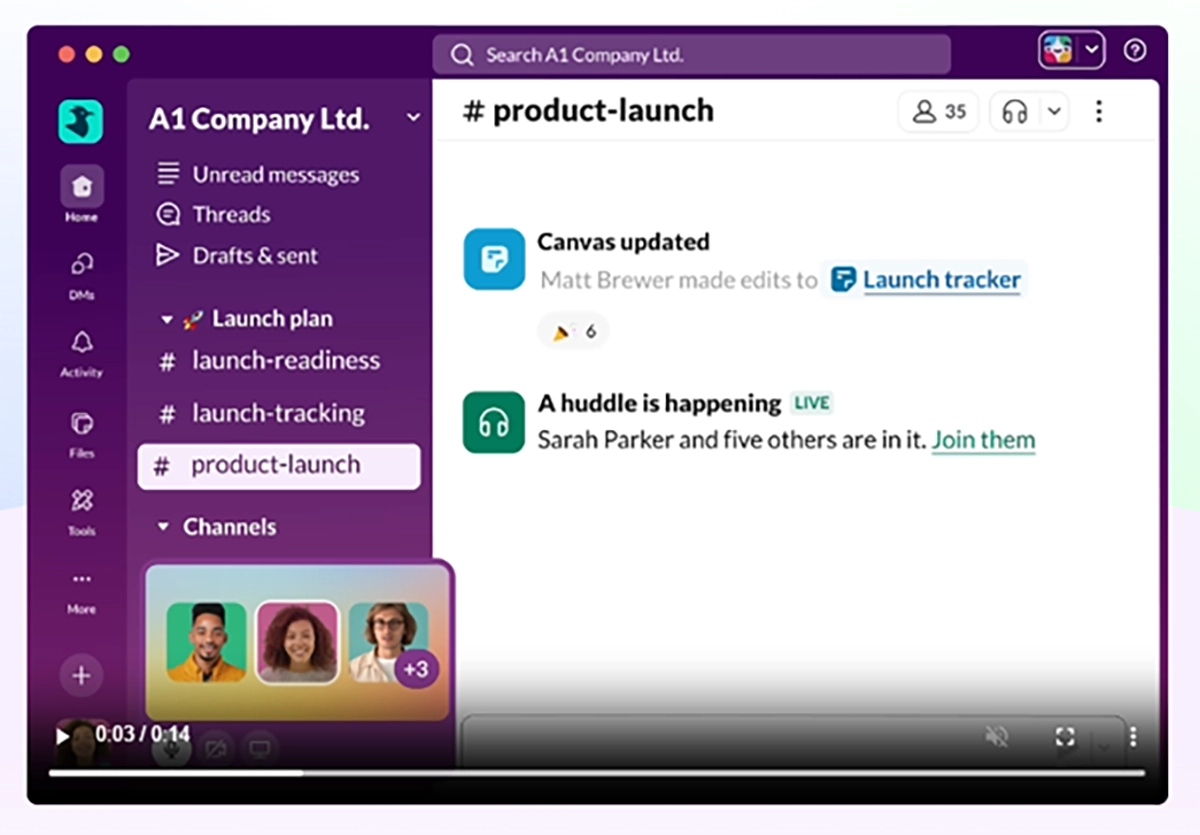
Slack combines channel-based messaging, deep integrations, workflow automation, and agentic AI in one place, helping teams coordinate projects and take action across tools without leaving the main platform. For day-to-day workflow orchestration without constant context-switching, it’s the ideal choice.
- Pros
- An enormous integration network covering hundreds of use cases
- Support for working with external partners via Slack Connect
- Ideal for project collaboration without context-switching
- AI agent capabilities to automate routine workflows and surface insights
- Built-in huddles for quick video calls
- Deeply embedded security and compliance guardrails
- Cons
- 90-day message retention period without a paid plan.
2. Notion
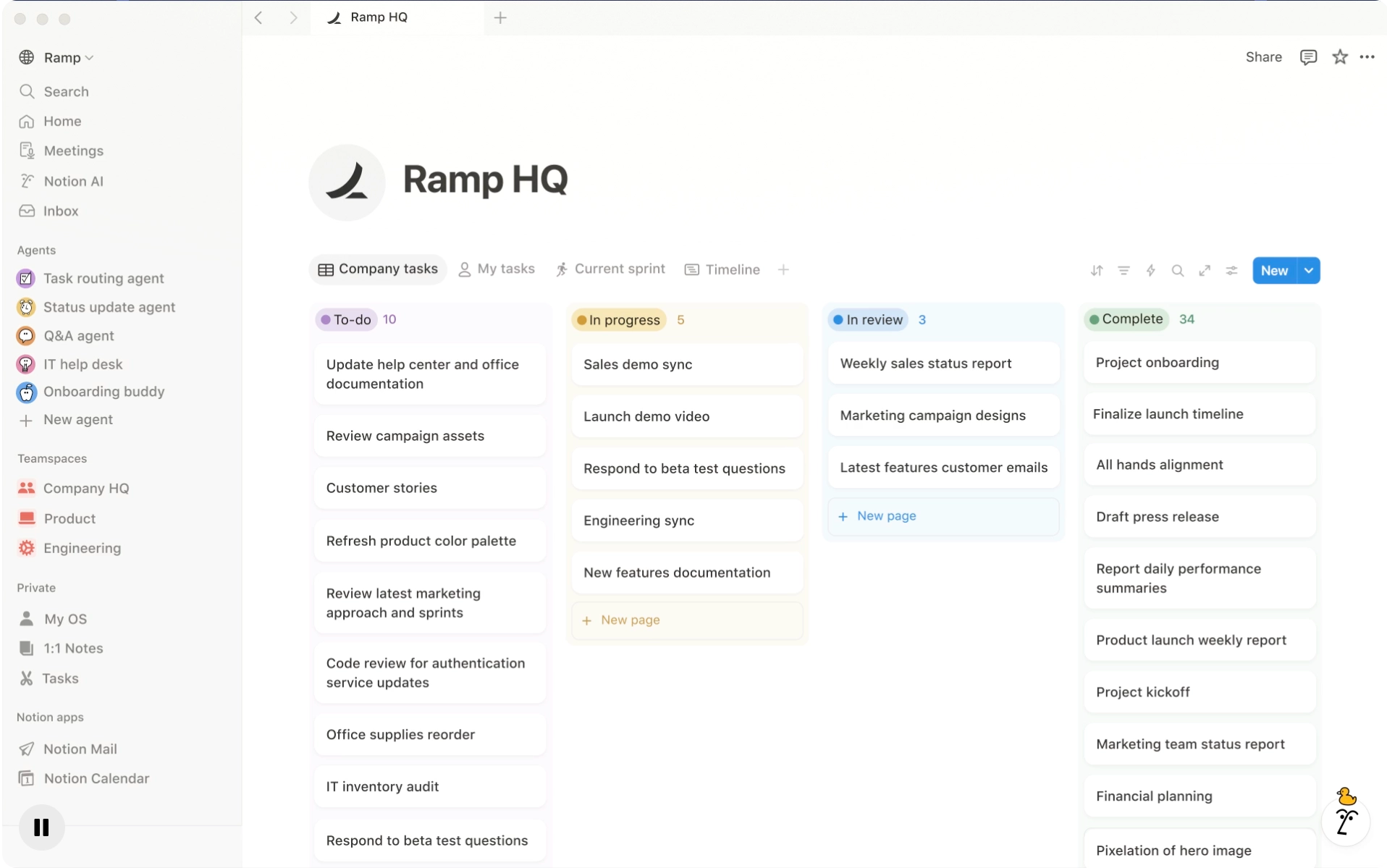
Notion is a simple task management workspace for knowledge bases, note-taking and lightweight project tracking. It’s useful as an all-in-one productivity helper, which makes it a good choice for everything from personal habit tracking to simple business project planning.
- Pros
- Excellent for simple task tracking and building internal knowledge databases
- Easy to write custom notes, add multimedia, and personalise documents
- Cons
- The platform’s blank-canvas design means businesses need stricter guardrails to keep documents and tasks consistent
- Most businesses still need a second solution for real-time collaboration
3. ClickUp
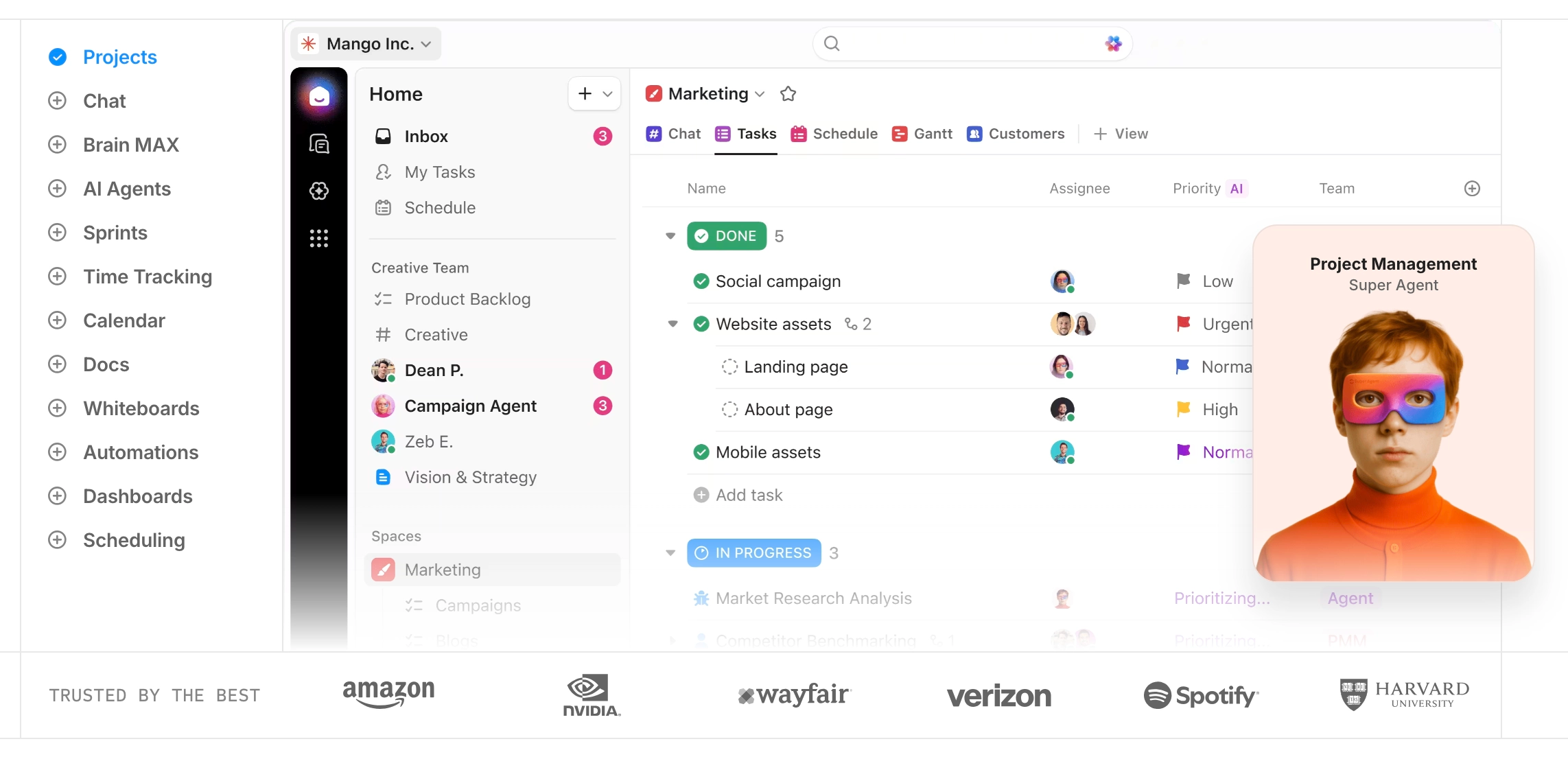
ClickUp offers full-scale project management software that combines tasks, docs, projects, dashboards, and collaboration into one place for detailed business planning.
- Pros
- Feature-rich, with excellent room for deep customisation
- Strong AI features, letting users summarise and generate content
- Cons
- A steep learning curve, which can make for slow adoption without extensive training
- Can be too complex for businesses primarily focused on collaboration
4. Asana
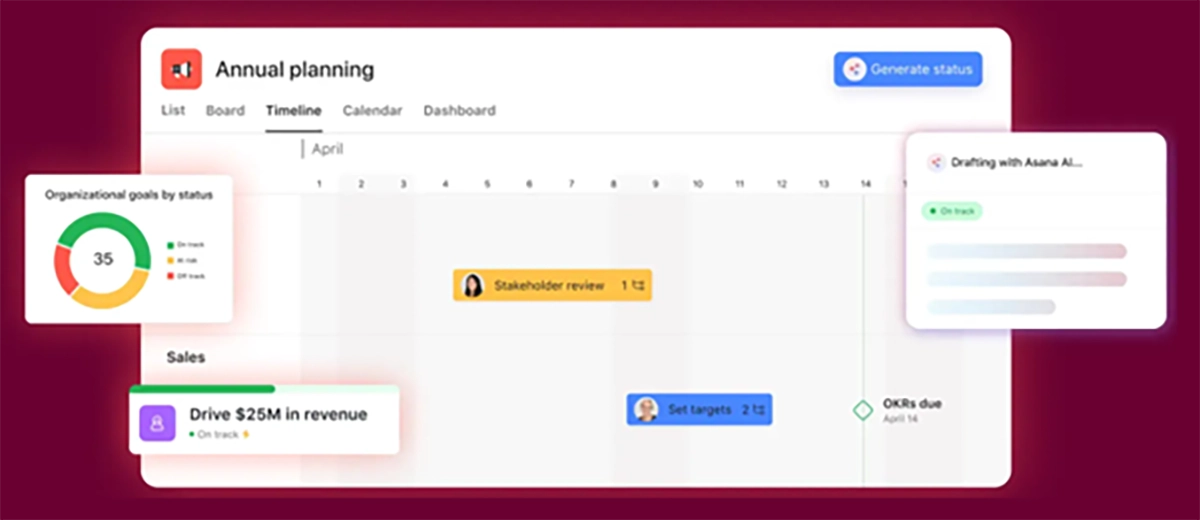
Asana is an intuitive workflow management platform that helps businesses plan and track projects across teams. With a clean dashboard and easy ways to change task ownership and set deadlines, it’s a solid choice for businesses that primarily need to keep work moving.
- Pros
- A simple, intuitive dashboard makes it easy to coordinate projects, view assigned tasks, track deadlines, and handoff work across teams
- Extensive customisation options so each team can adapt their board and workflow to their project
- Cons
- Collaboration is more about work tracking than conversations, so many teams pair Asana with Slack for real-time communication
5. Basecamp
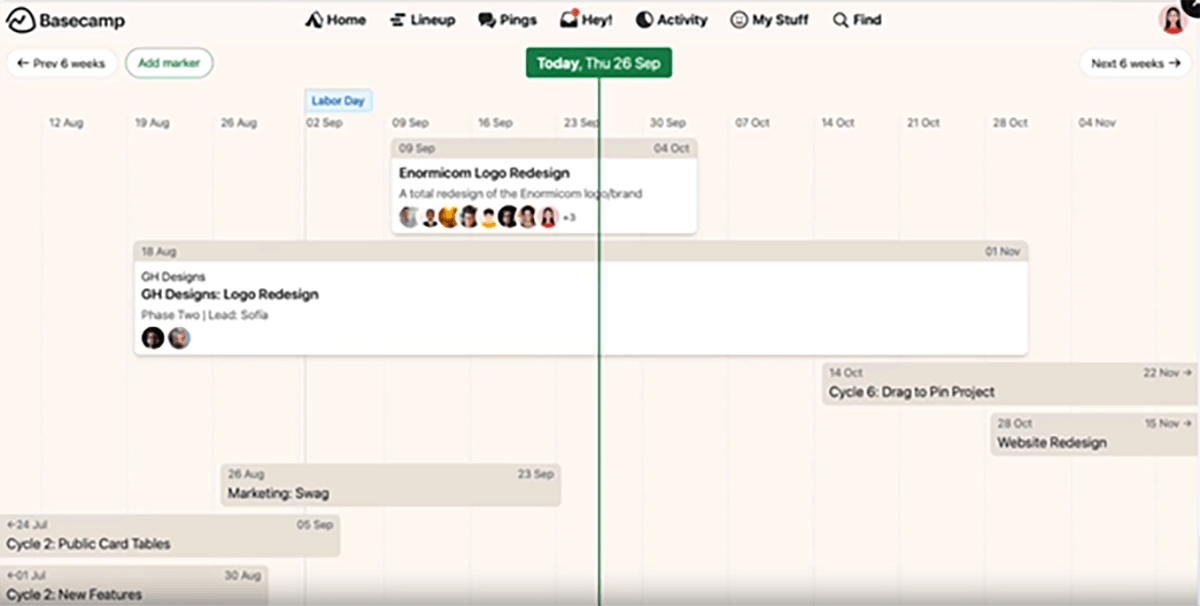
Basecamp is a clean, straightforward online collaboration platform that combines message boards, schedules, and files to help SMBs manage simple workflows. It’s a solid choice for small businesses that need a simple solution for organising tasks.
- Pros
- A clean, out-of-the-box solution; great for small teams who want a simple platform without a lot of configuration
- Cons
- Limited integration depth and automation options
- Lacks enterprise features compared to larger platforms
How agentic AI revolutionises collaboration
Among desk workers who use AI tools, 81% say it’s improving their productivity. But what if you could take this further by having AI take action on your behalf?
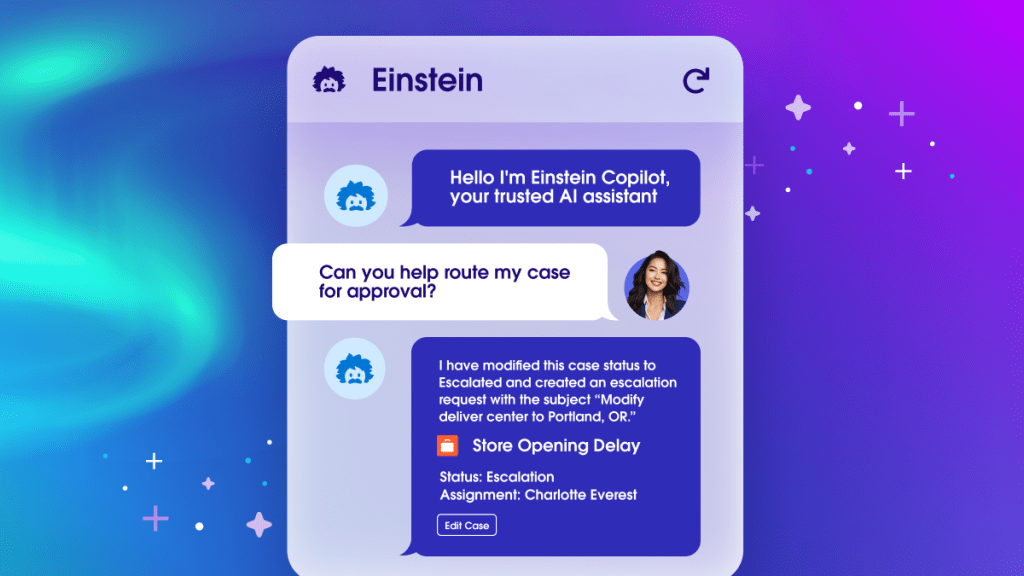
Rather than just supporting basic summarisation, AI agents can help teams complete work faster and more accurately by finding the right context, recommending the next step, and completing routine actions directly in your collaboration platform. And it can do all of this autonomously, based on the topics you define and the guardrails you set.
For instance, with Agentforce in Slack, your agent is essentially a team member within your organisation. You can ask it clarifying questions, tag it in a company update and tell it to provide a summary, have it draft up a quick reply and provide supplementary resources, or even have it pull data points from your integrated tools and apps, all in one place.
As an example, if you arrive back at your desk after some PTO, Agentforce can accurately summarise what you’ve missed, as it can access your calendar and see when you were last in-office. Then, if you need more information, the agent will bring up key messages, CRM data points, or documents to help you get back into the flow of work in less time.
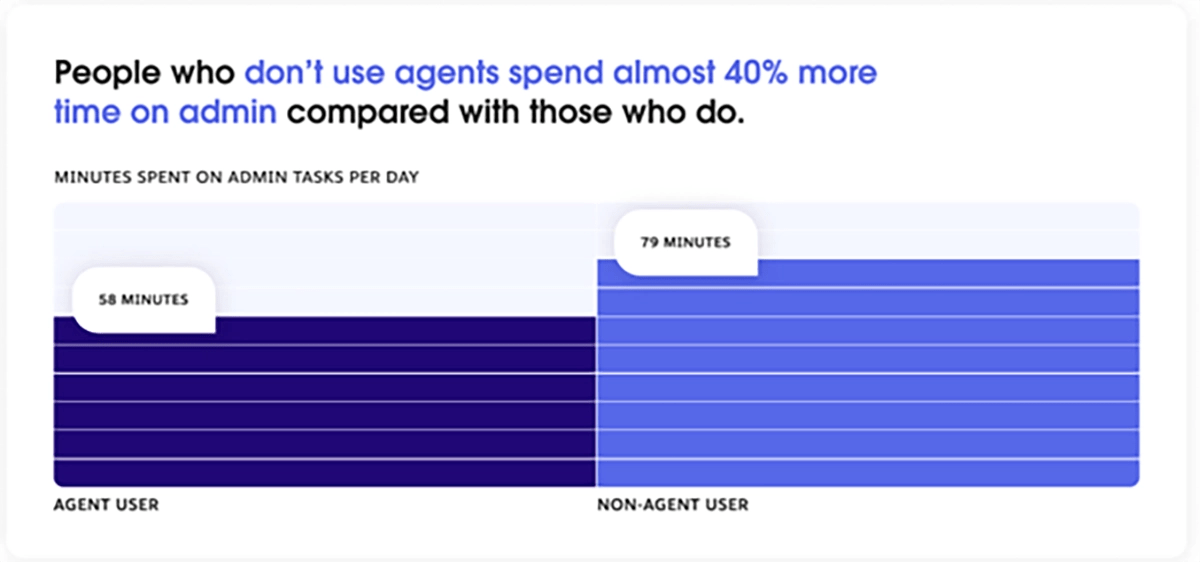
People working with AI agents are 72% more likely to feel “very productive” at their job, and two out of three believe agentic AI will make their job more strategic and creative. In part, this is because people who don’t use agents spend almost 40% more time on low-value admin tasks each day, a gap that adds up quickly as you scale.
Slack is redefining collaboration by bringing together communication, workflow automation, and agents under one roof. If you’d like to learn more, see our recent 2026 Agentforce World Tour in Sydney, where we discussed how Slack transforms the way humans and agents collaborate. View the full keynote and many more highlights from the event on Salesforce+.
Empower every employee to do more with Agentforce Assistant.
Sales, service, commerce and marketing teams can get work done faster and focus on what’s important, like spending more time with your customers. All with the help of a trusted advisor — meet your conversational AI for CRM.
How Slack helps Nine keep breaking news moving
As Australia’s largest locally owned media company, Nine regularly needs to make high-stakes decisions across its radio, TV, and digital channels. In this kind of environment, where stories evolve by the minute, sifting through scattered updates and waiting for approvals by email can be the difference between breaking news and a missed opportunity.
To solve this, Nine adopted Slack to break down information silos and make key details easier to find. Now, when a story breaks, the company can instantly create a dedicated channel so producers, reporters, presenters, and digital teams can share footage, scripts, and updates in one place.
In addition, Nine also leverages Slack’s Workflow Builder to automate recurring newsroom tasks like sending out graphic requests and getting approvals from stakeholders. This has replaced the company’s old email-based way of working with trackable, repeatable processes, helping improve the timeliness and accuracy of their service.
Source: Salesforce
Slack facilitates all of this at an enormous scale. Nine’s teams send 66,000 messages and share 7,000 files every single day in Slack. Each month, they access up to 57 applications, use 76 integrations, and run 274 workflows. Nine has also extended its collaboration beyond its internal teams by working with more than 250 partner businesses via Slack Connect.
274
workflows accessed in Slack in a single month
71%
of staff using at least one application, integration, or workflow in Slack
Source: Salesforce
Salesforce + Slack redefines the agentic enterprise
Choosing a great team collaboration tool comes down to one main question: Will it keep your work clear, connected, visible, and secure as your business scales?
Look beyond the basics when you’re selecting a collaboration tool. A strong solution makes communication frictionless while also acting as a centralised work hub that you can populate with integrations, automate with workflows and AI, and govern as teams and data grow.
Slack is designed to be that hub, bringing communication, connected tools, automation, and AI agents into the flow of work so teams can move faster without losing valuable context.
And now, with Salesforce Channels, you can bring Salesforce capabilities directly into your Slack ecosystem, and vice versa. This means your teams can talk, pull insights, share information and take action, no matter which platform they’re working in.
View our on-demand webinar to see how Salesforce + Slack can revolutionise your team collaboration and unlock the power of CRM automation. When you’re ready to get started, sign up today or talk to a rep to see how Slack can help your teams move faster with more clarity.
FAQs
At a minimum, you’ll want channels and threads to keep your communications organised, integrations so teams can do more without switching between apps, strong security protocols, and advanced search so you can quickly find past information. Workflow automation and AI agents are also becoming increasingly essential as teams juggle more tools and higher work volumes.
Adoption improves when you can tie the tool to everyday workflows through internal playbooks and integrations that help teams see the tool as part of an ecosystem rather than just a place to message each other.
Training sessions on how the platform works can also help teams see the benefit of the new collaboration solution. For a place to start, Trailhead offers free guided learning pathways for Slack. Get started today with the Slack Basics module.
Define what you’re hoping to achieve before you implement your new collaboration platform, then track changes over time. Common signals you can look out for include reduced time in meetings, faster handoffs, and simply higher work volumes completed. The Slack analytics dashboard will also give you actionable insights into how your team uses Slack each day.