


With 79% of IT security leaders saying their security practices must transform as AI use grows, your Salesforce org probably looks nothing like it did on launch day. Over the years, you’ve added products, custom fields, integrations and layers of automation, each built to solve a real need at the time. Meanwhile, the signals that describe how it all performs are scattered across tools, each flagging its own list of problems.
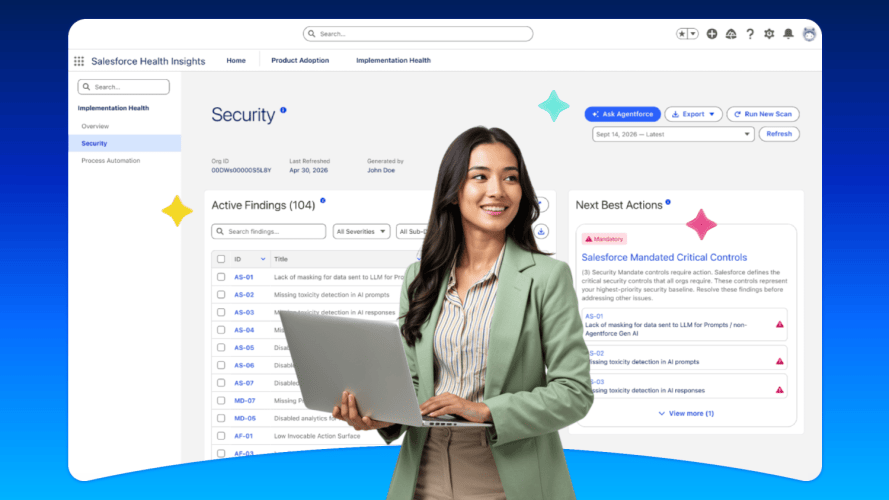
The result isn’t a lack of information. It’s too much of it, with no clear sense of what matters most. Salesforce Health Insights changes that. This Salesforce-native solution continuously scans your org, evaluates it against benchmarks, and turns the findings into prioritized, AI-powered next best actions, right where you work. Instead of a manual org health review that can take up to three weeks (and is out of date by the time it’s done), you can run an on-demand scan and get ranked results in near real time.
See Salesforce Health Insights
in action
Watch how prioritized, org-specific recommendations help you understand your org’s health and act on it.



Why Salesforce Org Visibility Breaks Down as You Scale
As your org grows, so does the number of people who depend on it, and each of them sees only a slice. Admins see configuration. Security teams see access. Architects see design. Business owners see licenses. No one sees the whole picture, and it changes every time a new flow ships or a permission set is added.
Every team that owns a Salesforce implementation is trying to answer the same three questions: What products am I using? What needs my attention? What should I do next? But the answer looks different depending on who’s asking:
- Admins need one view of what’s putting the business at risk.
- Architects need a credible, standardized benchmark to measure progress against.
- Security professionals need access-control gaps to surface before they become incidents.
- Business owners need proof that license spend is driving measurable outcomes.
Without a shared source of truth, each team answers these questions with its own tools and its own definition of “healthy.” That’s where visibility breaks down.
What is Salesforce Health Insights?
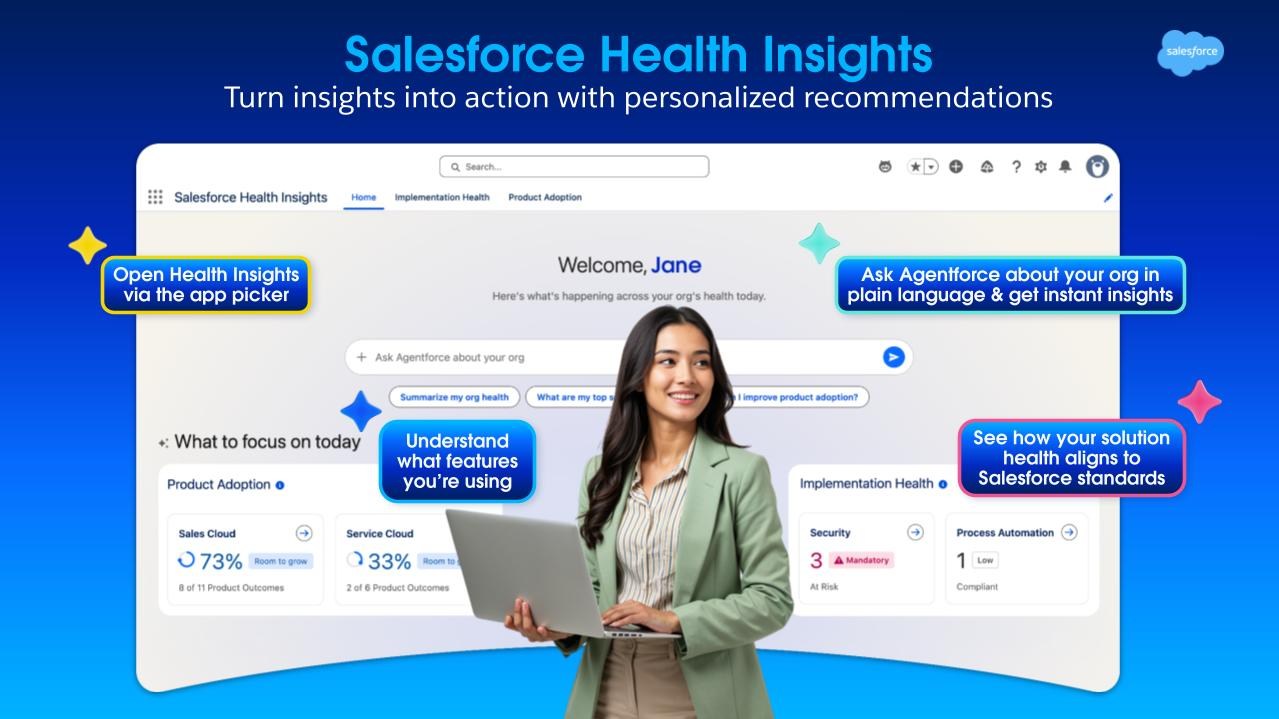
You invested in Salesforce to achieve measurable business outcomes. To realize that value, you need to know where you stand today — and where to focus next. Salesforce Health Insights does this hard work for you. It is a Salesforce-native solution available in-app in the flow of your work or any headless interface. It continuously scans your Salesforce environment, evaluates it against benchmarks, and translates the findings into personalized, prioritized next-best actions. It answers three practical questions:
- What products am I using?
- What needs my attention?
- What should I do next?
Get started with Salesforce Health Insights
Learn who can access the app, how to launch it, and what each pillar shows.



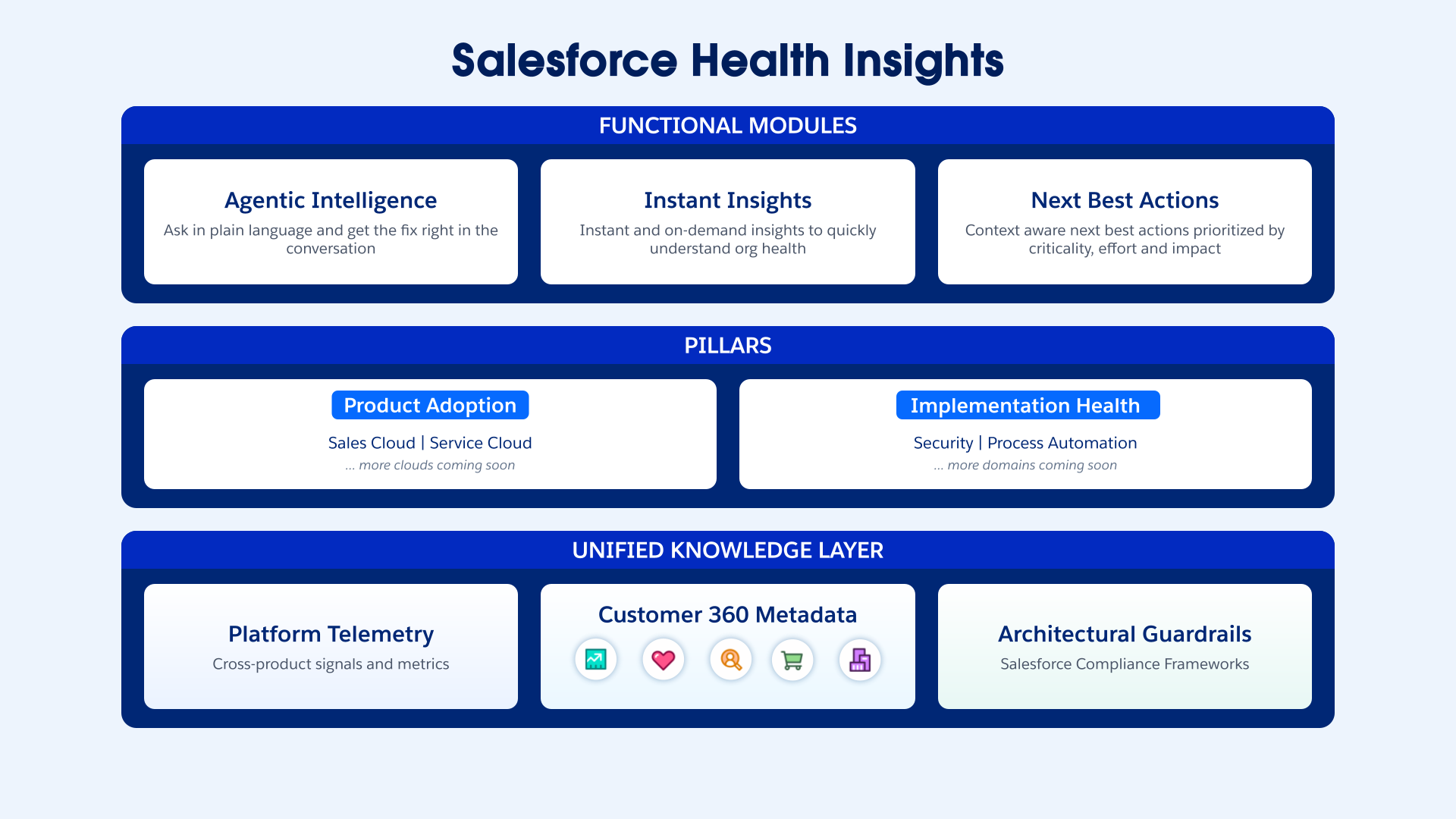
To address these questions, Salesforce Health Insights provides instant and on-demand insights with context aware next best actions across two pillars:
- Product Adoption answers ‘What products am I using?’ It shows which capabilities you own, which ones you’re using, and where there’s room to grow. That includes license utilization over the past 30 days, product outcomes, and the feature usage behind them. Then it tells you what to do next, with next best actions providing step-by-step guidance on activating the unused features to move your business objectives forward.
- Implementation Health answers ‘What needs my attention?’ It delivers severity-ranked insights across Security and Process Automation. Then it provides personalized recommendations and next best actions built from your org’s own configuration to help you reduce exposure and prevent automation failures.
How Salesforce Health Insights Improves Org Health
Instant insights, not a three-week review.
There’s no waiting on a manual assessment. Admins can run an on-demand scan with no scheduling and no metadata uploads. Implementation specific insights come back in near real time, ranked from Critical to Compliant, so the most urgent issues rise to the top.
Next best actions that know your org. Less reviewing, more fixing.
These aren’t generic best-practice articles. Each recommendation is built from your org’s specific configuration, feature set and usage patterns, then ranked by criticality and the effort required to fix it. Behind the scenes, the app connects configuration metadata with runtime telemetry, such as request volume and peak-business-hour traffic. That operational context reveals which components matter most to your business. The standards draw on Salesforce expertise and Salesforce Well-Architected principles.
Headless by design, insights that meet you where you work.
Most health tools make you go to a dashboard. Salesforce Health Insights is built for the headless world, so the same insights that power the app can be delivered through whichever interface or agent you use. Inside Salesforce, a conversational view sits alongside the dashboard. Ask a question in plain language and the agent walks you from identification to root cause to step-by-step remediation. Outside Salesforce, you can ask the Slackbot, “How is my org health?” and get answers without switching context. As a result, org health stops being an admin-only screen and becomes something the whole team can use.




Get started with Salesforce Health Insights
Salesforce Health Insights is available with the Winter ‘27 release for Signature Success Plan customers on Core products, at no extra cost. To find it, open the App Launcher and search for “Salesforce Health Insights.” To learn more about Salesforce Health Insights, check out our resources below: