



If you’re an AI leader today, chances are you’ve already built a few AI agents and maybe even deployed a couple to production. But as organizations bring AI agents to bear on everything from customer service inquiries to internal workflows, leaders are facing a critical new challenge: Once an agent passes testing and goes live in production, how do you know if it’s actually doing what it’s supposed to do?
One of the biggest pain points we heard from our customers was the issue of “silent failures”. Spiking error rates, growing latency, increasing escalations. To diagnose these types of problems, teams were previously forced to rely on lagging indicators, like customer support tickets or angry emails, to know if an agent was struggling. By the time you found out, the damage was already done.
That’s why today, we’re excited to announce the beta launch of Agent Health Monitoring as part of Agentforce Studio’s Observability suite. This new solution provides the monitoring layer you need to track, and alert on your agents in production.
Moving from reactive to proactive
Agent Health Monitoring replaces guesswork with real-time visibility, transforming a ‘black box’ into a transparent dashboard. Now, instead of waiting for a user report, you can visualize performance trends instantly and get alerted to ‘silent failures’ the moment they happen, allowing you to fix issues before they impact your customers.
Here’s what’s included in the beta release:
1. Core health metrics
Based on our conversations with customers, we’ve identified three specific indicators that are key to the success of an AI agent:
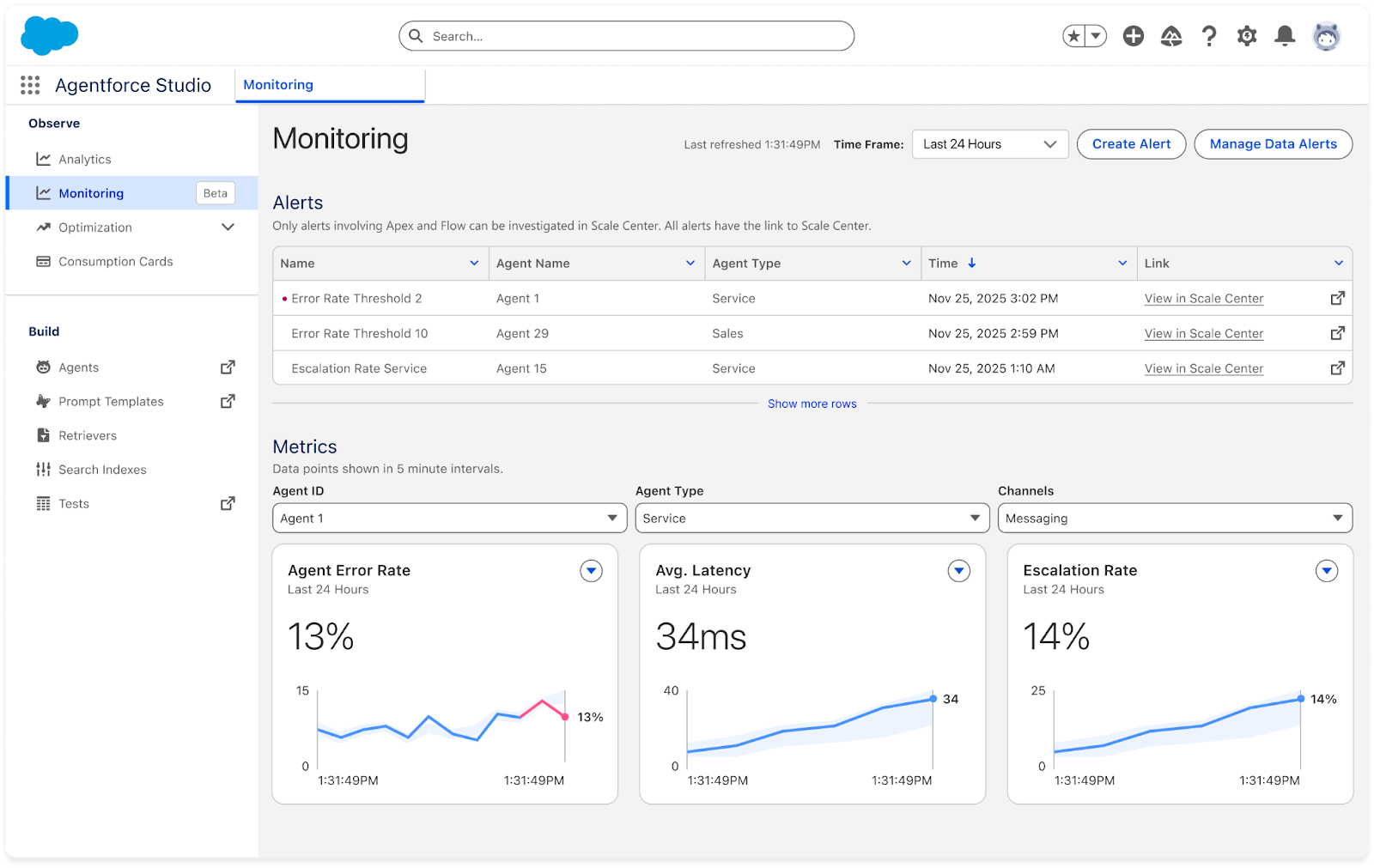
- Agent error rate: Tracks the percentage of agent responses that fail, capturing both action and LLM errors.
- Average interaction latency: Measures the time from request to response. Even small improvements here can drastically improve customer satisfaction.
- Escalation rate: Monitors the percentage of sessions that the AI agent has to hand off to a human agent, helping you track containment and ROI.
The dashboard tracks these metrics in 5-minute intervals. Instead of smoothing out data over an entire day, this granular view allows you to spot sudden, short-lived error spikes that might otherwise get lost in the noise. You can also filter these views by channel (e.g., web, email) or agent type to pinpoint exactly where issues are occurring.
2. Proactive alerting system
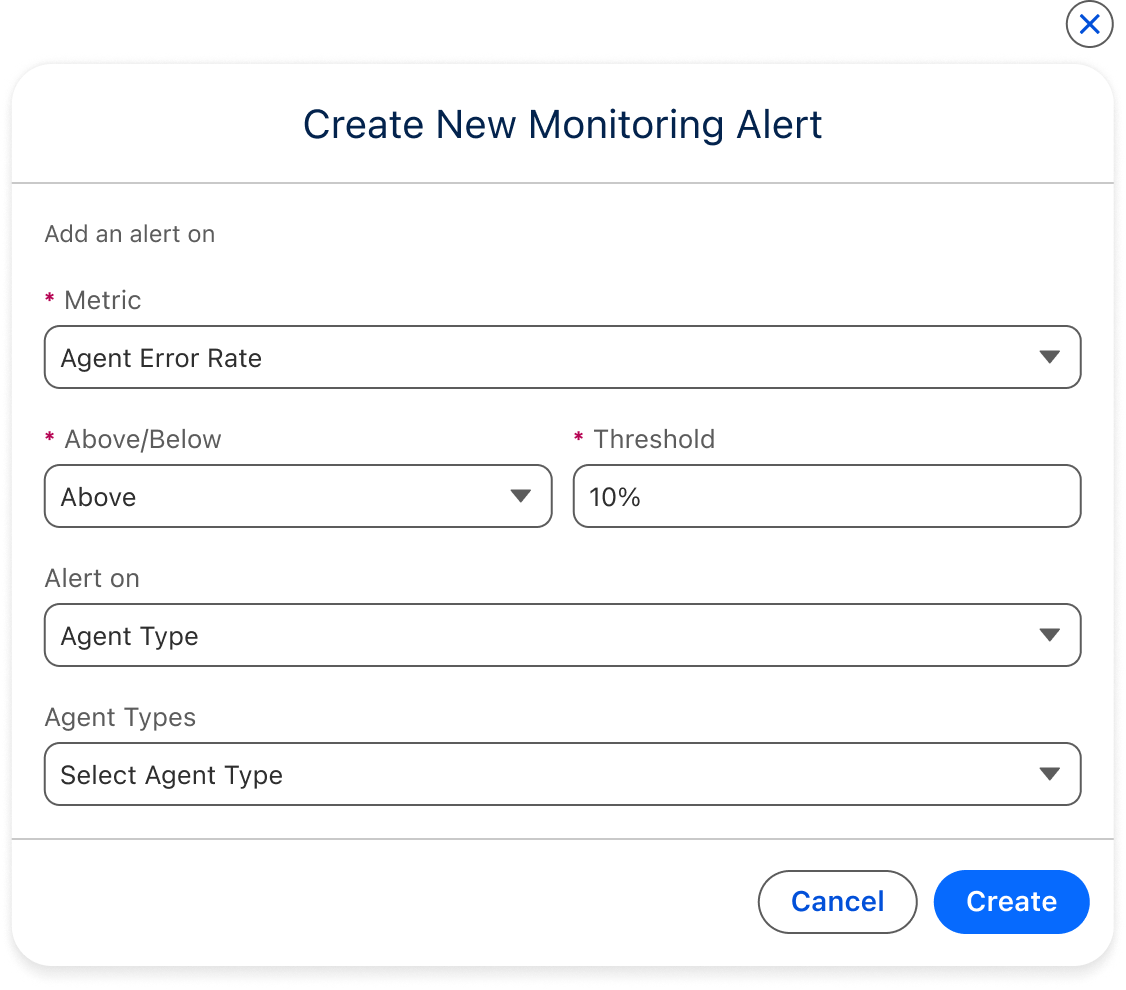
You can’t stare at a dashboard 24/7. That’s why we’ve built a native alerting system directly into Agentforce Observability. You can now configure custom thresholds for any of the core metrics.
If your error rate spikes or latency creeps too high, the system will trigger a notification via email immediately. We have also built in smart “cooldown” periods (defaulting to 30 minutes) to prevent notification fatigue while you address the issue.
3. Deep-dive investigations with session traces
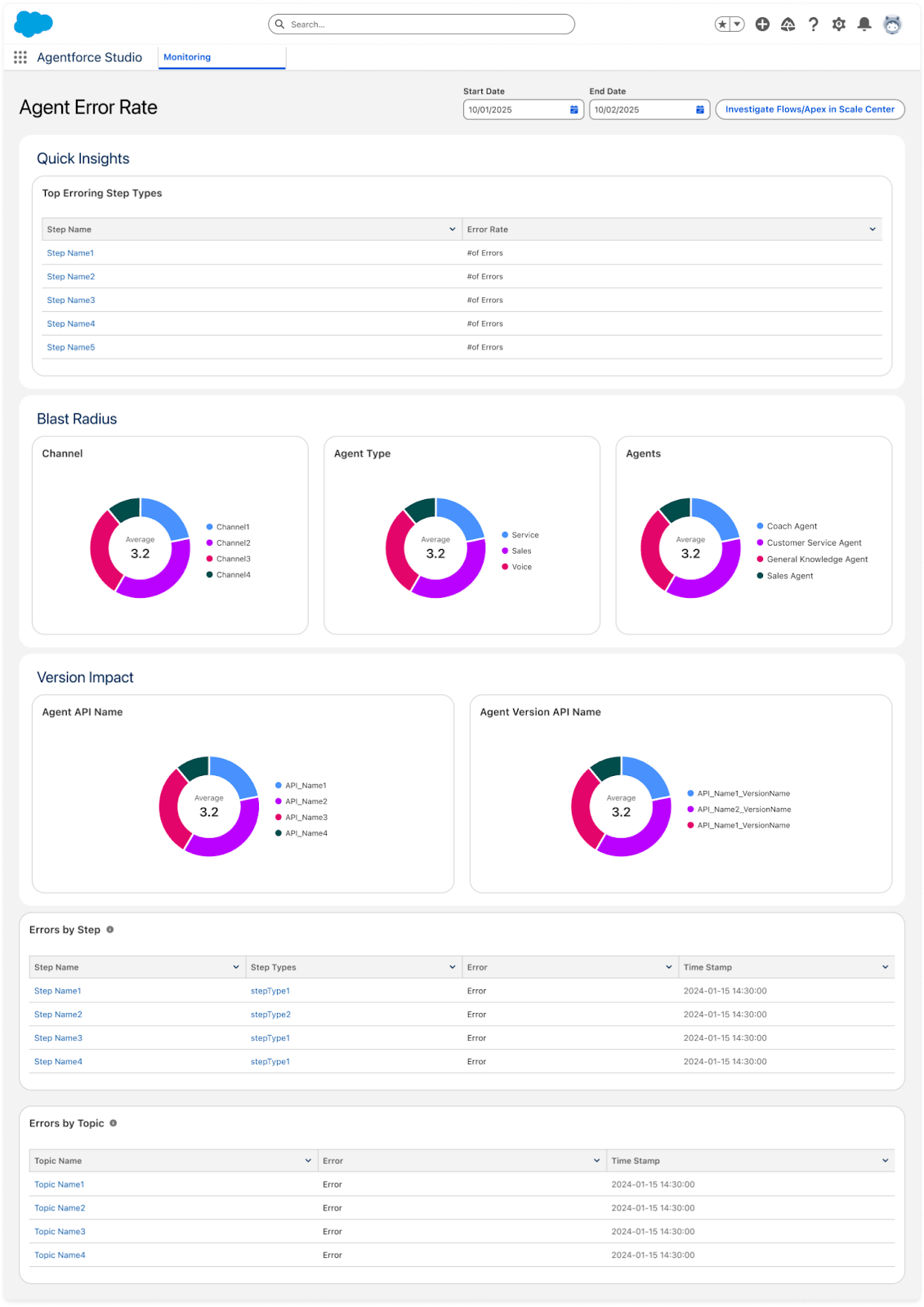
Knowing there is a problem is step one; fixing it is step two. When you receive an alert, Agent Health Monitoring allows you to investigate immediately using our investigation flows based on session traces.
Because our metrics are built directly on top of the Session Trace Data Model, you don’t just see a generic error spike, you can drill down into the actual interaction logs. You can review the breakdown across all topics, steps, and across your agents and channels to identify exactly where the conversation failed. This granular visibility allows you to debug issues in minutes rather than days.
Learn more
Agent Health Monitoring is about giving you the confidence to scale your AI workforce. By providing visibility into errors, latency, and escalations, we are helping you ensure that every interaction your customers have with an agent is a positive one.
This feature is currently in closed beta. Reach out to your AE or customer success rep to learn more.







