
You know those tasks that somehow eat up half your day? Digging through 14 tabs before a customer call. Writing the same weekly update for the 47th time. Hunting down one record that should take 30 seconds to find. The list goes on.
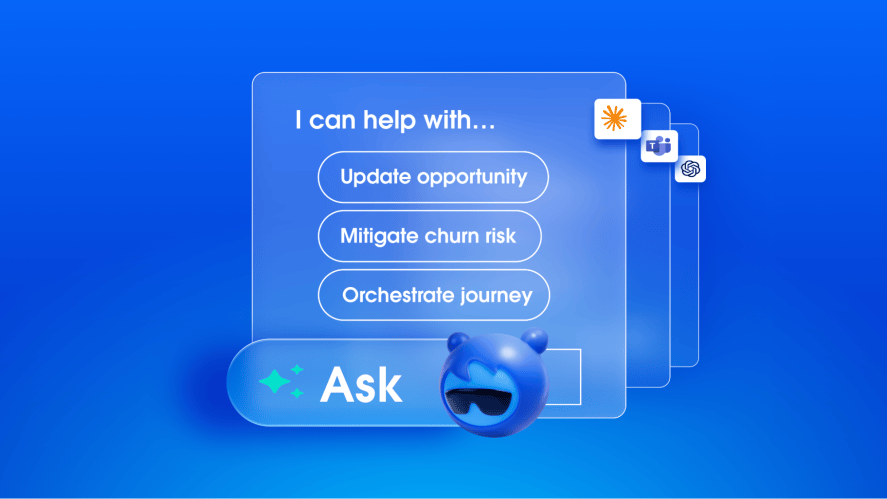
Turns out, teams are handing them off to Agentforce Coworker and are getting hours back in their day in return. Agentforce Coworker is the autonomous AI teammate that puts Salesforce to work for you. It knows your business context, orchestrates Agentforce agents to take action on your behalf, and follows the permissions and governance rules your company already trusts.
We rounded up 25 jobs organizations are delegating and asking Coworker to finish right now. We give you full permission to steal them shamelessly for your next task.
For sales teams
1. Kick-offs ready in a day, not a week: Coworker pulls the pre-sale notes, opportunity history, contract terms, and email threads into one kick-off brief for you to review. Kick-offs that took 4 to 5 business days to prepare now happen within 24 hours of closing.
Try this prompt: “Pull CRM notes, opportunity details, and any contract records for [Account], and draft a kick-off brief.”
2. The follow-up email that writes itself: Drop in your raw call notes. Coworker drafts the follow-up from the deal history on the opportunity and contact, then logs the activity and updates the stage once you approve.
Try this prompt: “Draft a follow-up email to [Contact] at [Account] summarizing our discussion on [topic] and confirming next steps. Here are my raw notes: [paste notes]. Update the opportunity stage and log the activity.”
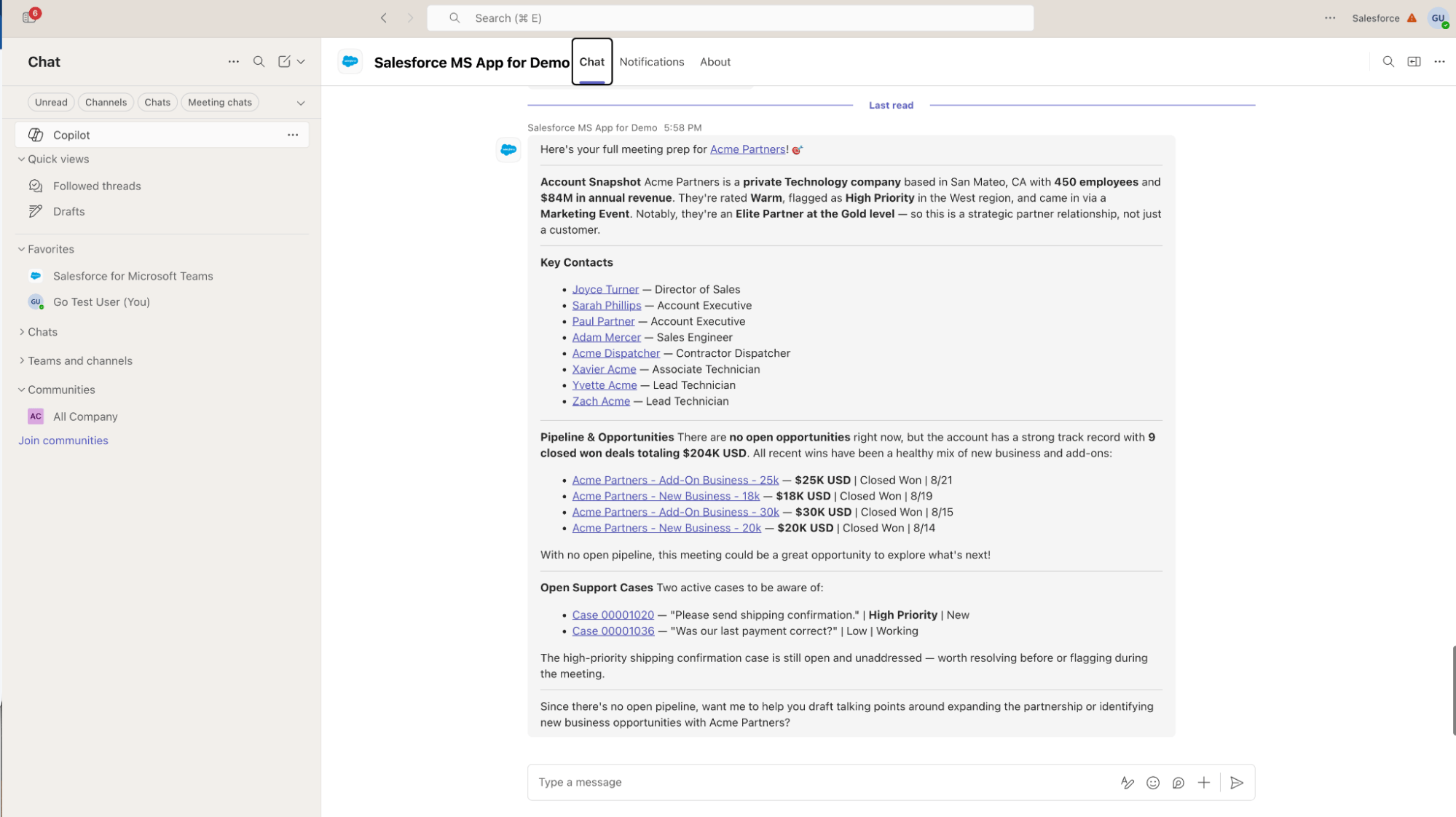
3. The one-page briefing: One page now replaces 12 tabs. Before a client call, Coworker pulls recent calls and emails, open cases, and opportunity notes, plus the email and calendar around the account, and adds talking points. It only shows what you have access to. Prep that took 10 to 15 minutes is now a single prompt.
Try this prompt: “Help me prepare for my meeting tomorrow with [Account], including recent interactions, open opportunities, unresolved questions, customer concerns, and recommended talking points.”
4. Get ready for a new offer: Launching a bundle? Coworker finds the accounts that qualify and the open quotes that need updating, has agents revise them, and drafts the announcements. You approve before anything goes out.
Try this prompt: “For my open quotes and accounts, check that [bundle] is added to relevant opportunities, flag any quotes missing it, and identify accounts that are a good fit based on [criteria].”
5. Deal Desk sign-off without the chase: Hand Coworker the approval and it sends the deal terms from the opportunity and quote to your Deal Desk agent, then brings back the decision. No emails, no re-explaining the deal.
Try this prompt: “Create a Deal Desk case for the three-year term on [Account] and notify the right team.”
6. Log the call from your phone: Walking out of a meeting, tell Coworker the terms, the deadline, and who your champion is. It updates the opportunity and contact role, moves the stage, and confirms before saving. Your CRM is current before the next meeting.
Try this prompt: “Log it: three-year term, legal by the 20th, [Contact] is our champion. Move it to Negotiation.”
For account and customer success teams
7. Run the incident playbook on your book: The Skill your company built runs for every rep when a product issue hits customers. Coworker finds your affected accounts, ranks them by risk using renewal, escalation, and expansion data, and drafts the emails and call briefs for your approval. In the launch demo, eight accounts were ranked, with six emails and two call briefs ready to approve.
Try this prompt: “Pull accounts in my book flagged for [churn risk / renewal risk / specific criteria] and draft outreach for each.”
8. Recover an at-risk renewal, end to end: Nobody likes finding out an account is unhappy when it is already halfway out the door. Coworker pulls the contract, service history, and unresolved cases, brings in the right agents for terms and follow-up, and returns the work for your approval.
Try this prompt: “[Account]’s renewal is at risk. Pull the service history, find the unresolved cases, and prepare the customer follow-up.”
9. The account recap you didn’t have to read 40 emails for: Coworker reads the account’s CRM activity, cases, email, and Slack threads, writes the recap, drafts next steps, and updates your custom fields once you approve using field API names. Reviews that took 30 to 45 minutes now take just a few minutes.
Try this prompt: “Summarize the last 90 days of activity with [Account], including calls, emails, meetings, and open tasks. Draft next steps and update the custom summary fields.”
10. The “never leave this screen” account review: Compare two promotions, check the customer’s sentiment score, and fix a wrong phone number in one pass, all on the same account. No tab-hopping, and the next outreach rests on accurate details.
Try this prompt: “Compare [Promotion A] and [Promotion B] for [Account], show the customer’s sentiment score, and update the contact’s phone number to [number].”
11. Prep the call and book it: Coworker turns the renewal, open escalation, and pending expansion into talking points you can trust, then books the call through your connected calendar.
Try this prompt: “Prep me for my call with [Account], then book it.”
12. Meeting notes into follow-up tasks: Coworker pulls the action items out of your logged meeting notes, with owners and due dates where it can, and creates the follow-up tasks once you approve. Nothing falls through the cracks.
Try this prompt: “Summarize my customer meetings from last week, extract the action items with owners and due dates, and create follow-up tasks for the open ones.”
For sales leaders and managers
13. Get every slipping deal moving: Coworker works through your pipeline in the background, spots deals at risk from stage, close date, and last activity, asks the Deal Desk agent for terms on stalled ones, and flags where an executive sponsor could help. You see where to step in.
Try this prompt: “Find at-risk deals and for each one, draft an outreach email, suggest a next step, and create a follow-up task.”
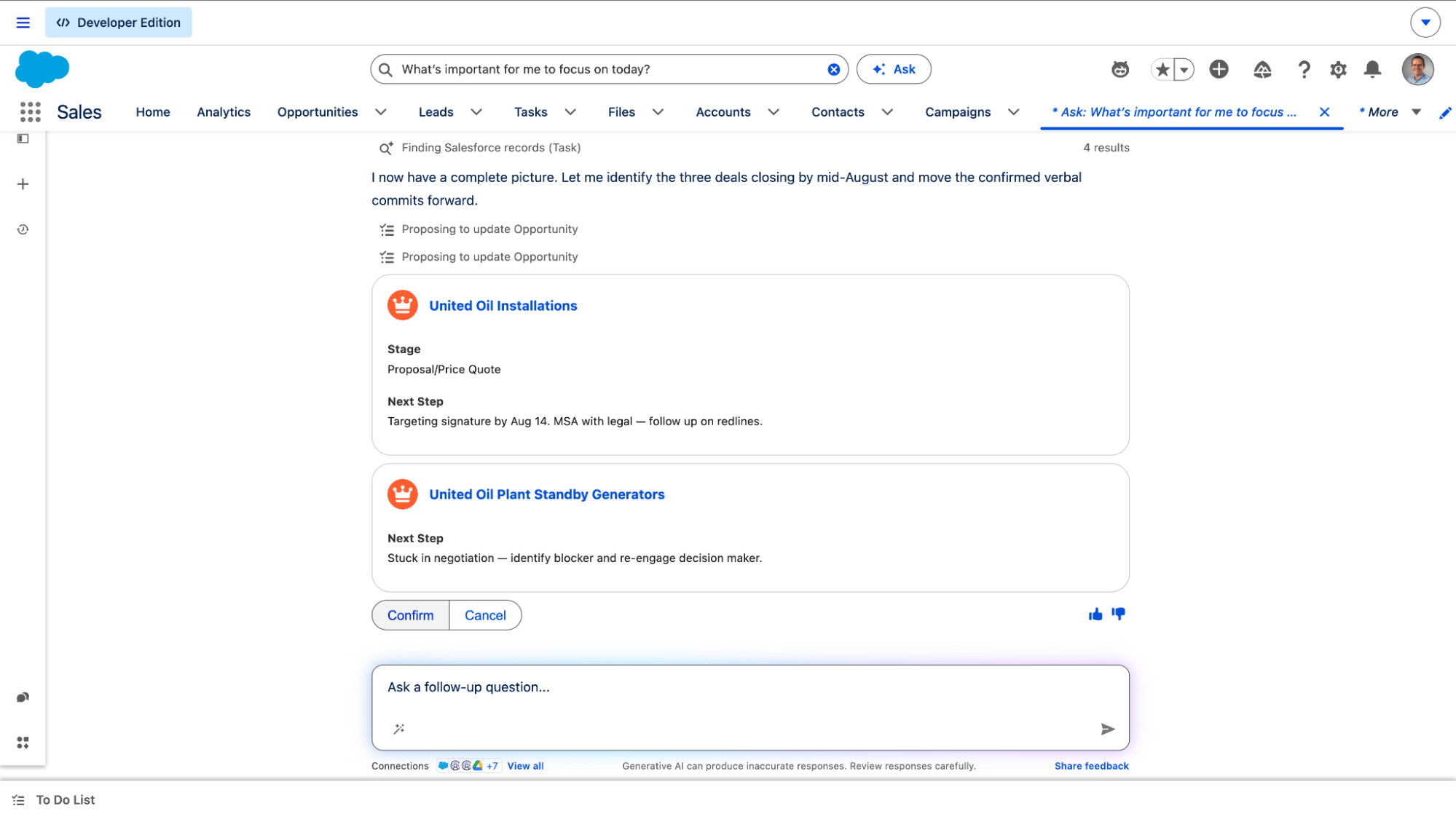
14. Skip the custom report, just ask: Ask for the info you need, in the format you need it. Coworker reads the same data a report would, within your own permissions. No new reports, no special automation, and nothing added to the dev backlog.
Try this prompt: “Show me [metric] by [dimension] for [team] as a table, sorted by [field].”
15. Turn your best playbook into a Skill: A top rep’s renewal playbook can become how the whole team runs renewals. Save a workflow as a Skill, share it, and anyone can run it in one line, with the same steps and agents every time, within their own permissions.
Try this prompt: “Make this a skill.”
16. A risk briefing waiting for Monday’s meeting: Coming soon, scheduled tasks let Coworker run recurring work on its own. Set up a weekly risk briefing once and it is ready before the meeting every week, drawn from live opportunity, case, and activity data.
Try this prompt: “Save this as a skill I can run each Monday morning.”
For marketers
17. The Monday campaign check: One team spent 90 minutes every Monday digging through sync errors and writing the update. Coworker now flags the lead and campaign member records with missing or bad fields and drafts the summary. The team reviews it in about 25 minutes.
Try this prompt: “Pull last week’s campaign member and lead changes, flag records missing [specific fields], and draft a summary with next actions.”
18. Fix the bad records, not just find them: After Coworker flags records with missing or bad fields, ask it to propose the fixes. It updates the flagged records only after you approve, so you review instead of editing one by one.
Try this prompt: “For the records you flagged with missing or bad fields, propose the corrections and update them once I approve.”
For operations teams
19. Sprint reviews in 15 minutes: Coworker watches for updates across your team’s tools (connected through Data 360), flags bottlenecks, and drafts the report. Prep that took 90 minutes now takes 15, saving 75 minutes per sprint.
Try this prompt: “Summarize this sprint’s updates from CRM and Slack, flag bottlenecks, and draft the review report.”
20. Reschedule installs and hold shipments: When an incident touches orders, Coworker finds every affected order, has the field service agent reschedule installs, and queues shipment holds. Nothing moves without your sign-off.
Try this prompt: “Find all orders for [product], update the install date field to [new date], and create approval requests for shipment holds.”
21. Triage open cases and update the records: Coworker reads the open cases tied to an incident, flags the ones closest to breaching SLA, drafts a reply for each, and updates the records. You review and send, so the most urgent customers hear back first.
Try this prompt: “Show me my open cases tied to the incident, flag the ones closest to breaching SLA, and draft a reply for each.”
For admins and security teams
22. Debugging and research: Coworker already understands your org’s classes, flows, and configuration, so it explains errors against your own setup. Debugging and research that took 1 to 2 hours is now often 20 to 30 minutes.
Try this prompt: “Explain this error: [paste]. Search our knowledge base and Slack for known causes, and tell me which flows or classes to investigate.”
23. Root-cause hunting: Coworker surfaces the classes and flows around a production issue, so you start from a short list instead of a blank search. One developer estimates it saves 3 to 4 hours a week.
Try this prompt: “Show me the classes and flows involved in [process] that could be causing [production issue].”
24. Finding the record in record speed: Coworker searches your org’s objects and fields directly, with your permissions, so you skip the report-building step. Finding a record that took up to 45 minutes now takes about 5.
Try this prompt: “Find the [object] record where [known details], and show its owner and last modified date.”
25. Audit access after an incident: After an incident, ask Coworker to audit access on the affected accounts. It scans permissions across Salesforce and Data 360, flags over-provisioned users and unrevoked temporary grants, and traces each to its source. A weeks-long audit becomes an on-demand answer, and nothing changes without a human.
Try this prompt: “Audit access on the incident accounts.” Then: “Why does each one have access?”
What makes Coworker unique?
Most general-purpose AI tools help you find answers, generate content, or complete individual tasks. Coworker goes a step further. It’s designed to understand your business and help get work done, right where your teams already work.
Here is how that plays out.
It understands your business. Instead of starting from scratch, Coworker works with the data and context already in Salesforce, including your accounts, cases, contracts, and business rules. Built on Data 360 and Agentforce, it can also access data from more than 330 additional sources through zero copy.
It goes beyond answering questions. Coworker can plan and carry out tasks using flows, APIs, and specialized agents. It can work in the background or on a schedule, then bring the results back for your review.
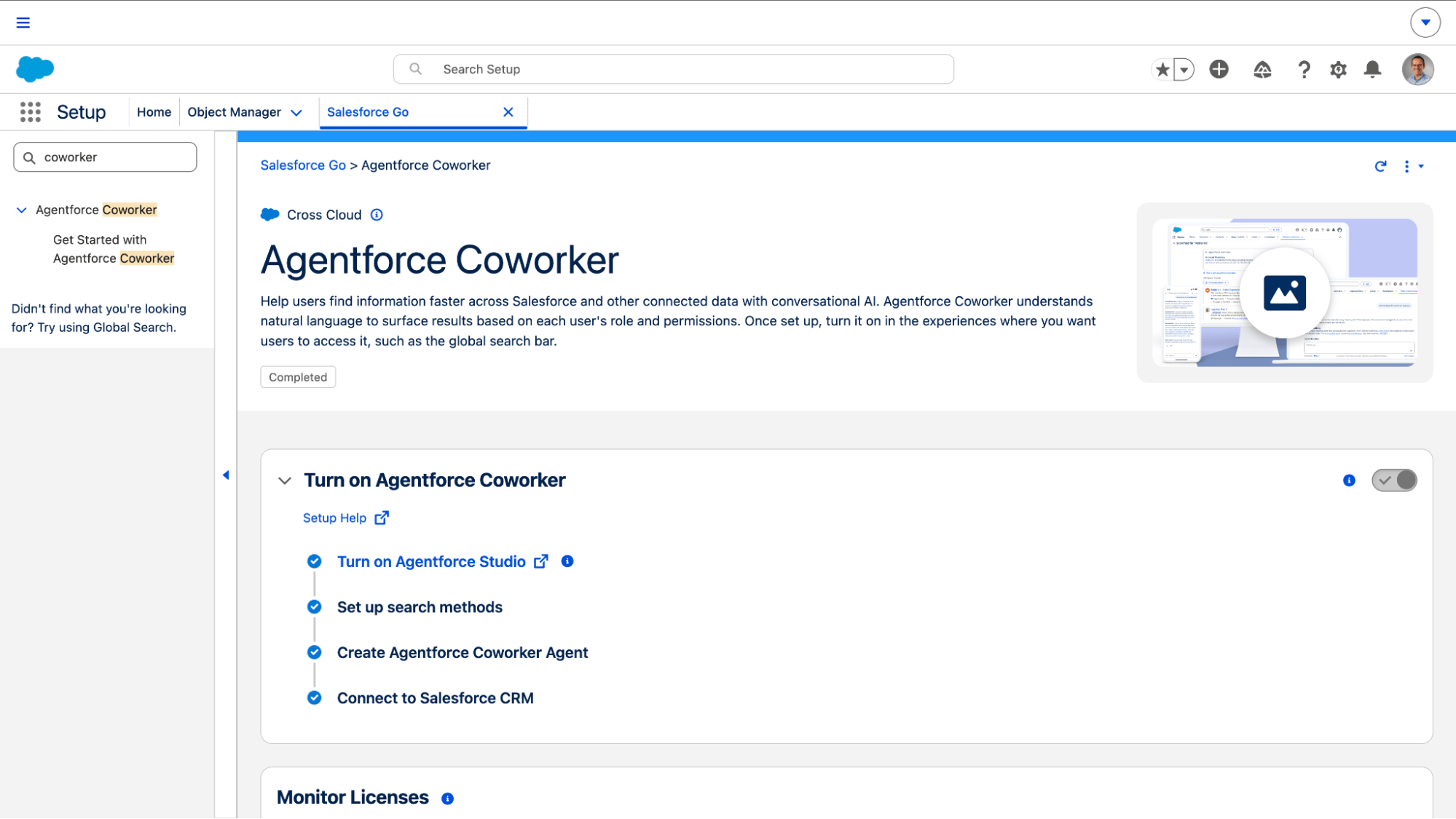
It’s easy to get started. There’s no need to build custom connectors or data pipelines to get started with its built-in capabilities. Admins can enable Coworker in Salesforce Setup and assign access to the right people.
It works within your existing security controls. Coworker respects each user’s Salesforce permissions, requests approval before saving or sending information, and logs its actions so teams have visibility into what’s happening.
It works where you do. Whether you’re in Salesforce, Microsoft Teams, or supported mobile, desktop, and MCP applications, Coworker lets you work across tools without constantly starting over.
Your turn
You’ve seen 25 ways teams are putting Agentforce Coworker to work, now it’s your turn. Ready to experience your new favorite coworker? You can turn it on in two minutes.
- Go to Salesforce Setup
- Search for “Agentforce Coworker”
- Toggle it on
That’s it! Then pick the one task that makes you groan every time it lands on your calendar, and hand it over. Your future self (and your calendar) will thank you.