




Indeed, the world’s #1 job site and a leading hiring platform, supports millions of employers with help from Agentforce. The engineering team has numerous agents in production, spanning IT support, sales, employer services, and a web-facing portal. Building those agents was one challenge. Making them reliable enough to run at production volume was another.
The core problem: When an agent’s critical decisions run through a large language model, they usually work. At Indeed’s scale, “usually” creates real operational risk. The shift that changed everything was moving key logic out of free-text prompts and into deterministic, authored code. Then came a second key pivot: building, testing, and deploying those agents entirely through APIs and coding agents, with no browser UI in sight.
That’s Salesforce Headless 360 in action. Instead of configuring agents through a browser UI, Indeed’s engineering team builds entirely through APIs, CLI, and MCP — the same interfaces their coding agents already use.
They author logic in Cursor, test against production scenarios through APIs rather than a browser, and deploy without context-switching between tools. It’s Salesforce infrastructure, accessed the way developers already work.
If your team is building agents and trying to close the gap between demo and production, Indeed’s developer workflow is worth studying.
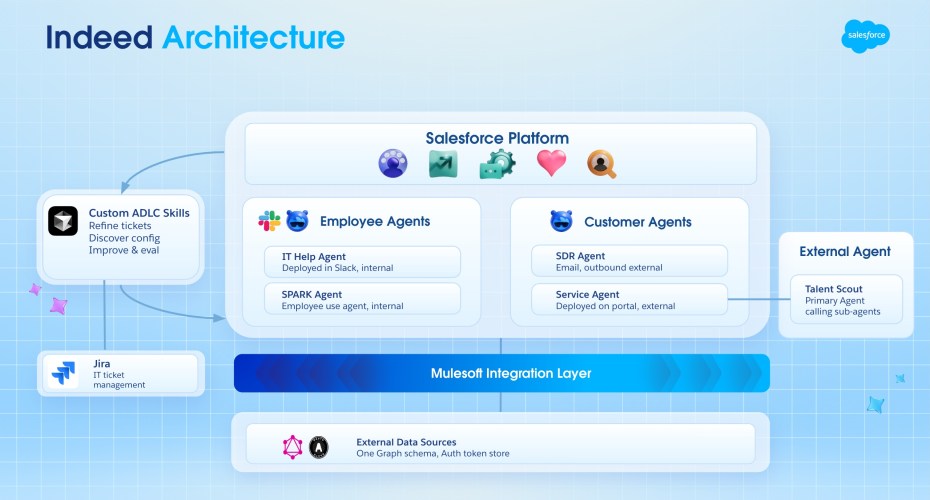
Here’s how the full stack connects — from the Salesforce Platform and agent portfolio, through MuleSoft integrations, down to the coding agent workflow that powers the build cycle.
From one big prompt to deterministic logic
Before Agent Script, Indeed’s agents relied on large prompt instructions. The model read the prompt, reasoned through conditions, and decided what to do.
Oliver Bodden, a senior technical product manager on Indeed’s team, saw firsthand how edge cases crept in as the prompt grew.
“We started with one prompt, and every request passed through the LLM for reasoning. It worked at first. But as our evaluation framework surfaced more edge cases, the prompt kept growing to handle new conditions and decision points, and that’s when we started seeing inconsistencies,” Bodden said. “When you’re A/B testing prompts just to keep behavior stable, that’s usually a sign you need a different approach.”
Agent Script solves this by letting developers pin specific decisions to deterministic code paths that never hit the LLM. If an employer asks “why is my job flagged?” the system runs a lookup action, checks account status, and routes to the correct response through authored logic, every time. The model only handles the parts where flexibility genuinely adds value, like personalizing a troubleshooting response based on context.
The result is twofold: the model gets smaller, targeted prompts because conditions have been extracted into authored logic, and the paths that matter most behave reliably. State management improves, too. Instead of hoping the model maintains context between turns, variables are explicitly stored and tracked across the conversation.
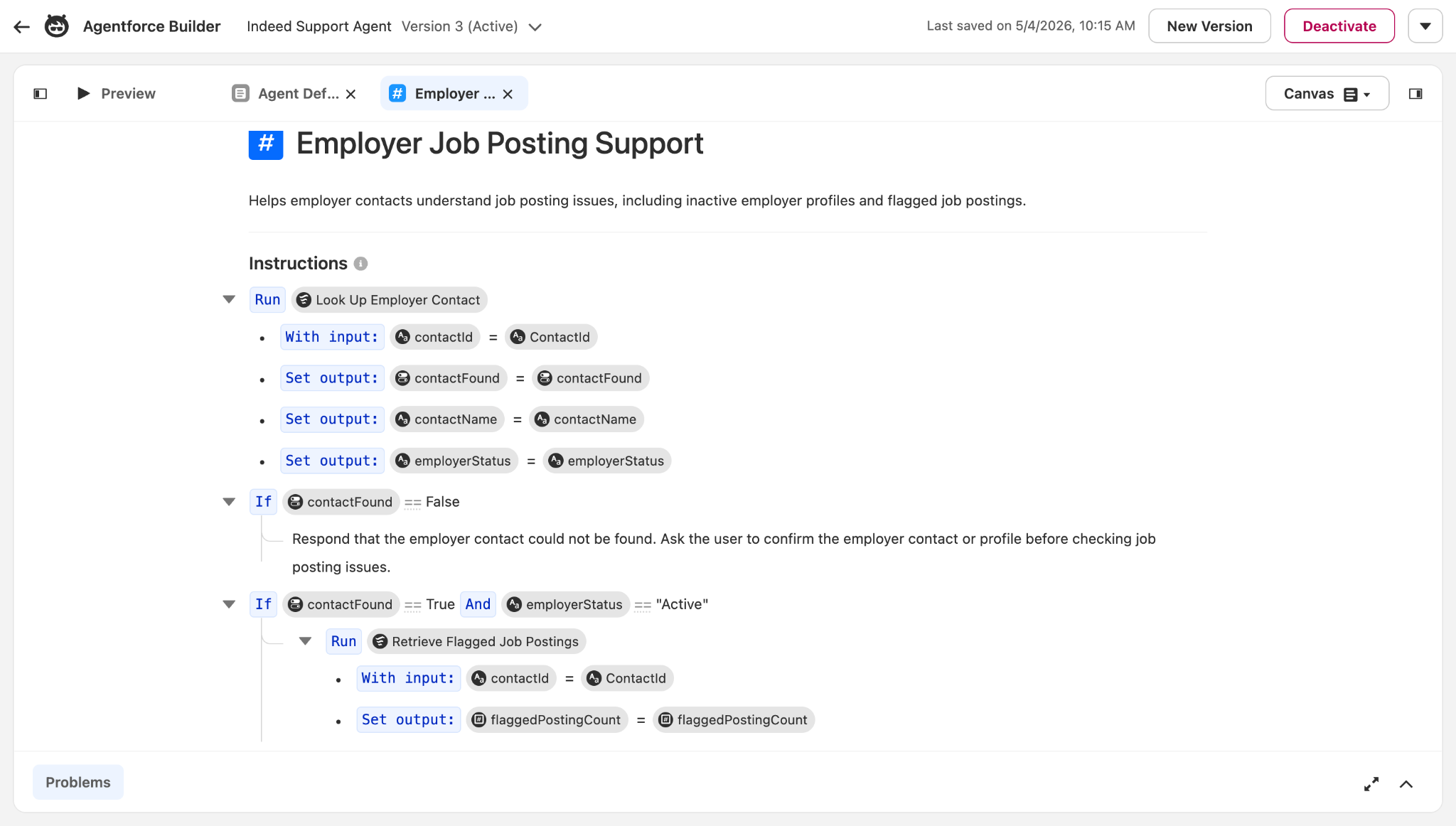
This is where Salesforce Headless 360 meets reliability. Agent Script is authored in code, versioned like code, and deployed through the same API-driven workflows as everything else in Indeed’s stack. No clicking through a UI to configure logic. No gap between what a developer writes and what runs in production.
Building and iterating with coding agents
Indeed’s engineering team builds and iterates on agents using coding agents directly in Cursor.
Here’s one example: The team identifies an opportunity to tighten how the Indeed Service Agent responds when an employer asks about a flagged job. They want it to focus specifically on the flag reason and recommend next steps, rather than surfacing broader account status information. Instead of manually editing prompt instructions, Indeed’s developers run an ADLC skill in Cursor that drafts a fix.
Then they switch to the Agent Builder to see what changed. The script view shows the deterministic routing logic: If the employer’s account is active, check for flagged job postings and surface the flag reason. If inactive, route to account status guidance instead. Each path fires reliably without model interpretation.
“Now I can describe the problem in Cursor, use skills to guide the agent through the fix, and validate the result across scenarios. What used to take hours now takes minutes,” Bodden said.
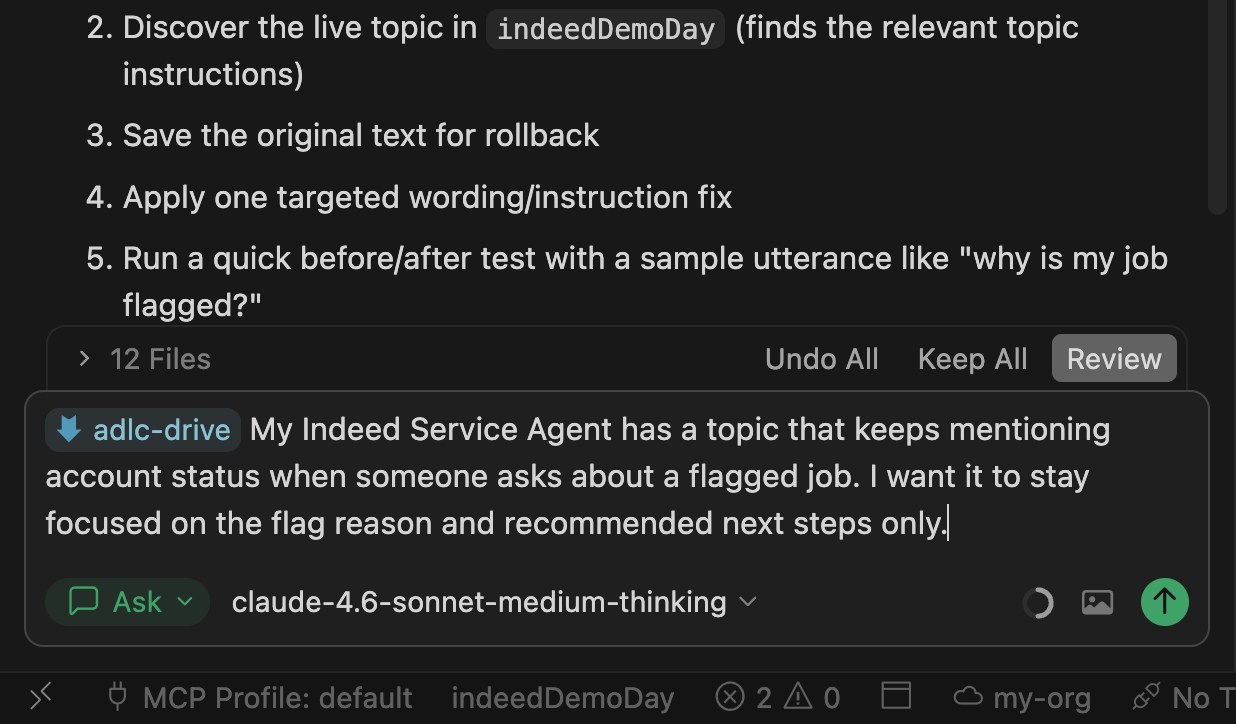
Indeed’s team runs a testing phase within the same ADLC skill in Cursor. They validate across scenarios that used to require manual QA: an active employer with a flagged job, an inactive employer asking about a review, and other edge cases. All of it runs through Salesforce Headless 360’s API layer, with no manual clicking through a browser UI.
What Indeed’s agent portfolio looks like
Indeed has multiple Agentforce agents running in production, with more on the way. Here are some of their production agents:
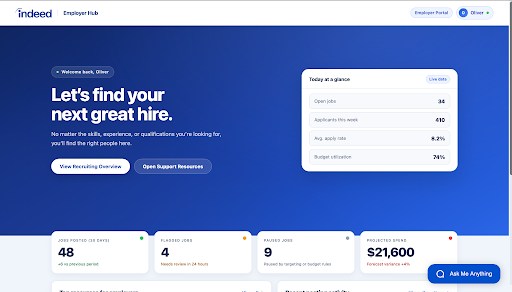
- Service Agent (web portal): Helps employers troubleshoot flagged jobs, account issues, and onboarding questions through a Lightning Web Component portal. Escalates to human agents with full conversation history and summaries.
- IT Help Agent (Slack): Resolves common hardware and software issues directly in Slack, allowing employees to get answers without opening a formal IT case.
- SDR Agent (email): Handles outbound lead qualification and meeting scheduling for Indeed’s sales organization.
- Spark Agent: A dual-purpose sales and service agent that handles both customer-facing and internal workflows.
All of this runs without a browser UI. These agents are deployed, monitored, and iterated on through APIs and CLI — the same Headless 360 infrastructure that powers the build and test cycle.
What escalation looks like
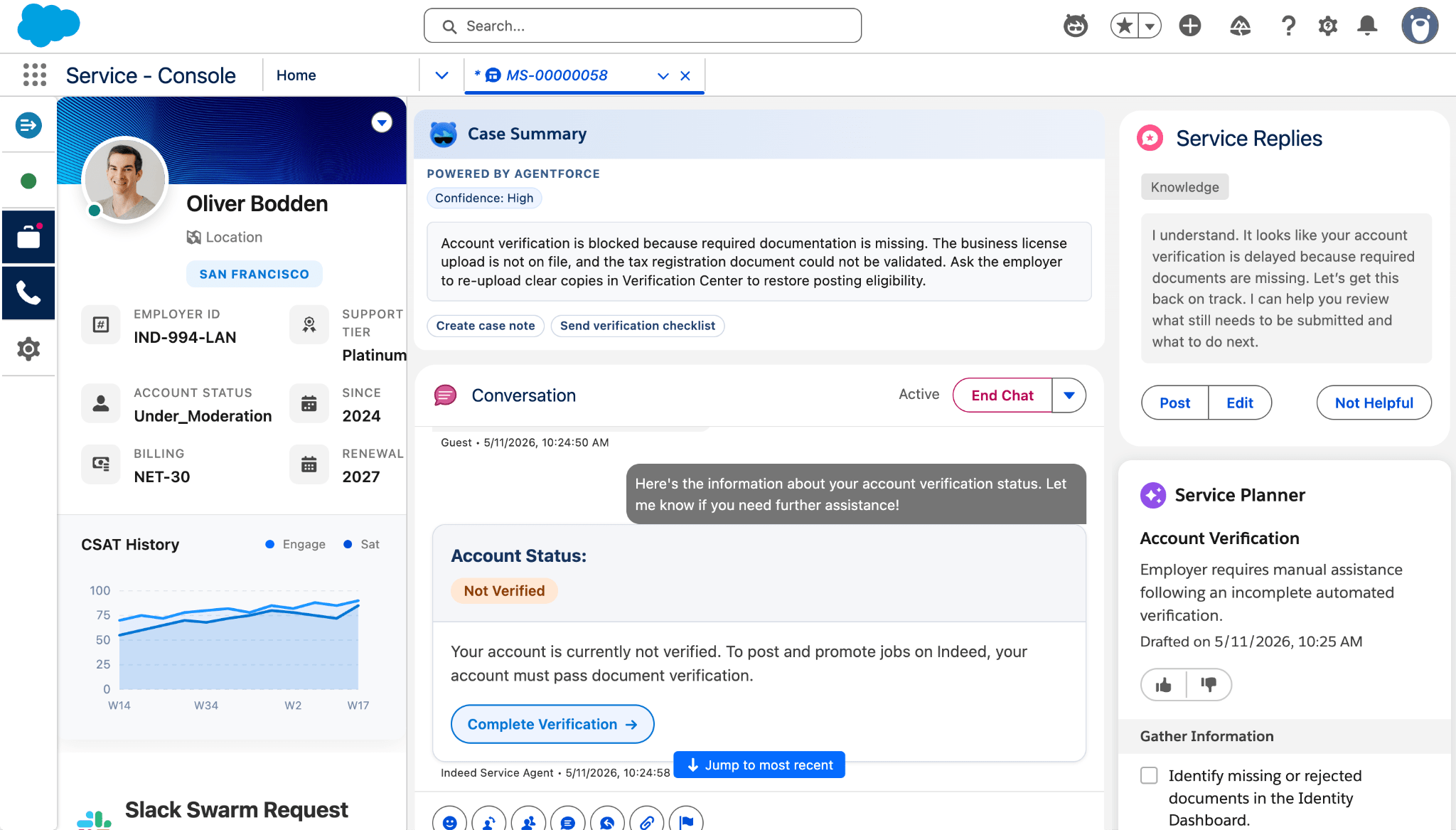
When an employer needs more help than the agent can provide, the system routes them to a human through the Service Cloud Console. Here’s what that looks like.
The human agent receives the full conversation history and a summary of the engagement, so they pick up without asking the employer to repeat anything. Indeed tracks metrics on this handoff, measuring whether humans spend less time resolving issues when the AI provides pre-digested context.
Agent Script makes this handoff deterministic. No matter how the conversation got there, an escalation request fires the same routing logic and packages the same context for the human agent.
“Escalation is one of the areas where you can’t afford breakdowns,” Bodden said. “We needed the handoff between the agent and the human to feel seamless. The agent summarizes the conversation, surfaces the relevant account details, and packages the context so the human can pick up immediately without retracing steps. We measure the operational impact on the other side, and the time savings have been significant.”
The data layer underneath
The agents themselves are only as useful as the data feeding them. Indeed uses Data 360 to pre-process employer profiles, account status, flagged job metadata, and support history into a unified layer that every agent can access at runtime. When the Service Agent looks up a flagged posting, it’s pulling from pre-computed data, not running queries against raw tables mid-conversation.
This is what makes Agent Script’s deterministic routing practical at scale. The if/then logic works because the data is already structured, enriched, and ready. Without that foundation, each new agent would require custom data plumbing. With it, the team wires up new agents to the same pre-processed layer and starts further ahead every time.
“The first agent took months. The latest agent took weeks,” Bodden said. “That’s the compounding effect. Once the data foundation is in place and you’re building in code with the right tools, each new agent starts further ahead than the last one did.”
Ready to learn more about how Indeed is using Agentforce? Check out their Demo Day story here.