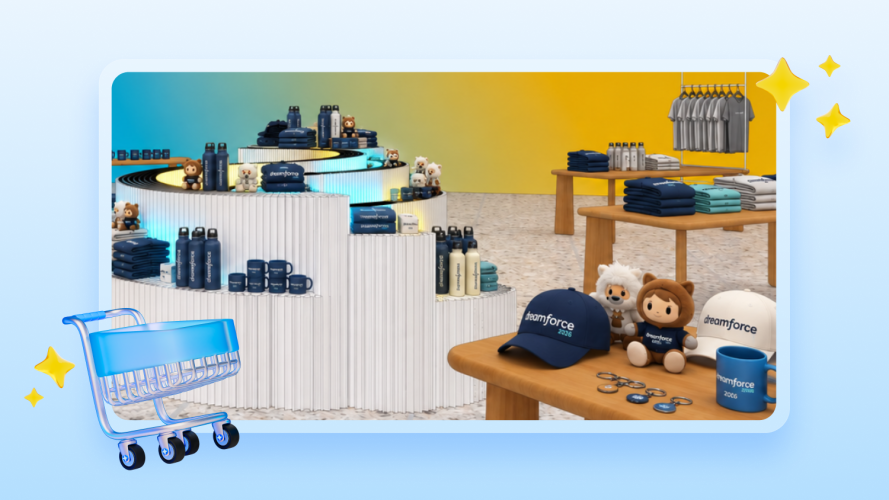

Product launches. Bold ideas. Breakthroughs. These are some of the most exciting aspects of Dreamforce. But, let’s be honest… The swag deserves a shoutout, too. Enter: The Dreamstore, the official onsite shop at Dreamforce. At the Dreamstore, you’ll find over 100 unique products, 2,100 SKUs, and eight retail associates ringing up real sales. The Dreamstore is a full-fledged retail store, not a staged demo, and every transaction at running through checkout is powered by Salesforce Point of Sale (POS).
Here’s a behind-the-scenes look at how it works and how we set it all up in just two months.
How’d we do it so fast? An API-first system and no-code CMS
Standing up a full retail experience for 40,000+ Dreamforce attendees in just two months sounds like it would require special infrastructure. But it didn’t. Our team followed the same playbook any retailer on Salesforce POS would: Stand up a store configuration, load the catalog, and test.
Three things made that speed possible:
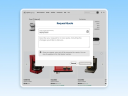
- A no-code CMS that lets the team configure the store without custom development. Instead of engineers writing custom integration code to connect a catalog, pricing rules, and store settings, the team used point-and-click configuration screens to define products, categories, pricing, and promotions directly. That means the people who know the retail business — merchandising, ops — could configure the stores themselves, without waiting on a dev sprint or a backlog ticket.
- Native integration between Salesforce POS and OMS. In a lot of retail stacks, point-of-sale and order management are separate systems from separate vendors, glued together with custom middleware that someone has to build, test, and maintain. Here, POS and OMS share the same data model and talk to each other natively — a sale at the register updates inventory and order records in real time, automatically. There was no integration layer to build, which is usually the single biggest time sink in a retail rollout.
- Support from Salesforce’s professional services team. The professional services group has run this exact deployment pattern (configuration, catalog load, hardware setup, associate training) for retail customers going live on Salesforce POS across many implementations. For the Dreamstore, the team followed a proven playbook, with people on hand who already knew how to avoid common pitfalls. The same professional services team assists our retailers as part of every go-live.
Mobile checkout for line management and a superior customer experience
The Dreamstore is also equipped with mobile point-of-sale systems. With mobile POS, associates can check customers out wherever they’re standing; the mobile device runs on the same system as the counter. Same catalog. Same inventory. Same order flow.
At the Dreamstore, foot traffic can be unpredictable. If a keynote lets out or a gift voucher giveaway brings a sudden surge to the store, mobile POS helps associates handle the influx with ease. A fixed number of registers won’t become a bottleneck because Dreamstore associates aren’t constrained by physical counter space.
With mobile POS, retailers can flex checkout capacity to match demand — pulling associates onto the floor with mobile devices when it’s busy, and back onto merchandising or clienteling when it’s quiet. It also enhances customer interactions. An associate can help a shopper find a size, answer a question, and close the sale in one conversation, without sending them to a separate line.
Real-time inventory (not overnight batch updates)
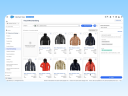
At the Dreamstore, there’s no guessing whether we have a Trailblazer hoodie in your size or how many Astro plushies are left. Salesforce POS tracks stock levels the moment an item is scanned at checkout — no waiting for an overnight back update.
In a batch system, a sale doesn’t update on the record until the next scheduled sync, so the “in stock” number an associate sees throughout the day is incorrect more often than not. With real-time updates, every scan writes directly to the same inventory record used by all in-store systems, so the count is accurate the second a sale happens, not the next morning.
This is also what makes the rest of the inventory toolkit trustworthy. For example, a store transfer only helps a shopper if the system reflects the item as available the moment it’s in transit, not after an overnight refresh. Real-time tracking is the foundation other features depend on. Without it, “in stock” is just a guess.
One app, built for easy onboarding and smooth operations
For the associates working the floor, simplicity is key. This is what makes their job smooth and enjoyable. The Dreamstore is staffed by employees who had not been previously trained on the Salesforce POS system. The interface is intuitive enough that new associates can pick it up with minimal training (which is critical in a pop-up environment without ample time for a multi-week ramp). Inventory checks, checkout, and clienteling all live in one app, so associates aren’t toggling between tools. And because it runs on iOS, Windows, or Android, retailers aren’t locked into specific hardware.
Flexible payments, no matter how customers want to check out
The Dreamstore payment processing experience is powered by Adyen. This means customers can pay any way they wish: Credit card? Great. Tap to pay? Yep. WeChat Pay and Alipay for international customers? Absolutely. Are you lucky enough to have won a gift voucher to the Dreamstore? We can do that, too.
This flexibility is possible because Salesforce POS separates the checkout logic (what’s being sold, at what price) from the payment processing layer (how the money moves). Built in close collaboration between our engineering teams, this out-of-the-box integration allows retailers to simply plug in the payment processor and methods that fit their business, rather than being boxed into whatever one vendor supports. If a customer wants to tap their phone, use a physical card, or redeem a gift voucher, the system routes the transaction to the right method without needing a different checkout flow for each.
For a pop-up like the Dreamstore, that meant standing up payment acceptance for a huge, global crowd without building custom logic. For other retailers, the same flexibility means a retailer isn’t stuck renegotiating their entire POS system if they switch payment processors, add a new tender type, or need to support region-specific payment methods (like different tap-to-pay standards across countries). The payment layer adapts without touching the core checkout system.
From a three-day pop-up shop to a global retail footprint, Salesforce POS offers scale and speed
A pop-up shop at a conference for a few days is one thing, but a global retail footprint is a whole other story. Fortunately, Salesforce POS scales. In fact, the two-month build is a good illustration of its scalability; the Dreamstore isn’t a special build, it’s the same product a global retailer deploys, just running at a different scale. And this isn’t limited to pop-ups — the Tower store in San Francisco now runs live on Salesforce POS and OMS year-round, proving the same system that stands up a three-day event also supports a permanent, everyday retail location.
Salesforce POS scales for real customers:
- Under Armour swapped legacy servers for a lightweight, iPad-based POS and cut hardware costs by 50%.
- Janie and Jack deployed Salesforce POS and went live in 106 stores in just 18 weeks.
Learn how Salesforce POS can work for your stores.
From furnishing showrooms to global beauty hubs, see how retail leaders use Salesforce POS to grow faster and keep customers coming back.