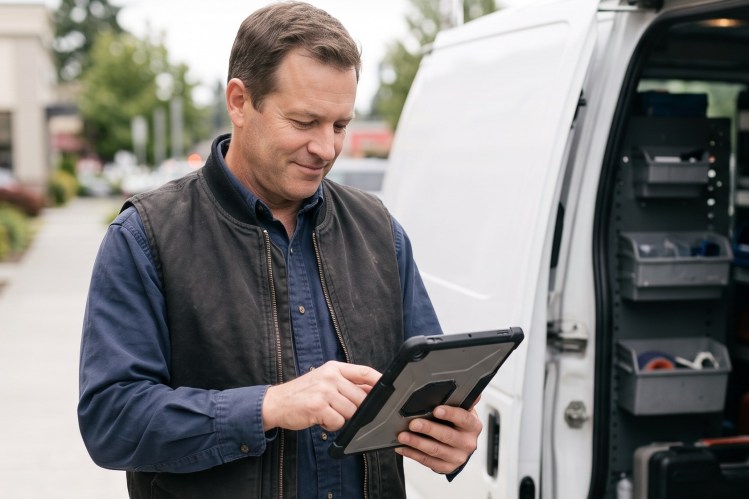

Mobile work is drowning in administrative overhead. Workers estimate that 18% of their working hours, more than 7 hours per week, are wasted on admin tasks. And 43% of organizations we surveyed still rely on paper logs in the field.
Teams shifting from paper to digital forms see simpler processes, faster data capture, and better visibility into what’s happening in the field. But that’s not all. With the right platform, digitized documentation opens up your operation to even more efficiencies.
Salesforce Field Service is reimagining the mobile worker’s whole day. Here’s how: Guided Experience to direct the work, headless setup to digitize forms fast, and Voice to Form to capture data hands-free.
Guided Experience: Turn-by-turn direction for the whole job
When a technician is out in the field and in the flow of work, Guided Experience offers a consumer-grade UI that moves them through the job.
Guided Experience gives technicians turn-by-turn direction on what to do next, and it adapts as conditions change. It walks the technician through the form’s steps. If a tech marks something as urgent, the experience adjusts. It surfaces the steps and questions that matter and hides the ones that don’t. The workflow responds to real conditions, not pre-built assumptions. As the workflow adapts, so does the documentation. Each step prompts the technician for the right information at the right moment, so data capture becomes part of the job instead of a task after it.
Let’s picture Guided Experience in action
A home health nurse arrives for a home visit and finds a complication. The initial diagnosis changes. The scope of work expands. What was planned for 45 minutes now takes two hours. With each turn, Guided Experience updates what the nurse should do next and brings up the new safety and scope questions that need documentation.
This helps cut admin time. A mobile worker using a guided flow built for their specific job will finish faster and more accurately than one forcing answers into generic templates. The technician also captures the relevant data, because they’re reminded of what needs to be documented. Documentation quality depends less on the individual technician’s experience and more on a workflow that knows what matters.
Field service made simple with AI
Learn how high-performing field service teams are using AI to boost productivity and deliver customer satisfaction.

Headless setup: Upgrading your forms in minutes, not months
Most organizations hear “upgrade your forms” and think of “another massive project.” They picture months of planning, complex integrations, training cycles that lag behind rollout. That’s the old way of thinking.
With our new headless setup, creating a new digital form is as easy as taking a picture on your phone. Seriously.
Your old forms aren’t broken. They’re just not connected to the rest of your business. Whether they live on paper or in Mobile Flows, you can transform what works into a modern, responsive form.
The beauty of this approach is the simplicity. Your paper form exists for a reason. It captures the data your business needs. You’ve already done that work. Headless setup means taking that practical design and making it digital. Same data, captured digitally from day one.
No rebuilding. No rethinking the entire workflow. Just a straightforward translation from analog to digital that preserves what works, so your team gets into the field faster.
Digitizing the form gets it out of the filing cabinet. Now it’s time to get the data out of the technician’s head and into the system faster — and hands-free.
Voice to Form lets technicians fill out forms by talking
So many forms are filled out once the technician gets back into their vehicle, or back at their office. Filling out a form shouldn’t be a separate act, only completed when the technician “has the time” later on in the day, when their hands are free. It should be a seamless part of the visit. That’s where Voice to Form comes in.
Remember how Guided Experience tells the tech what to document at each step? Voice to Form lets them say it out loud instead of tapping it in.
Voice-to-form technology means a tech can literally talk to their documentation. Hands full. On site. On a utility pole. No problem. They simply describe what they’re seeing or doing, and the form captures it. The system processes, interprets, and logs what matters into the right fields. Dynamic forms add to this: the form’s own fields adjust based on what the technician says.
It also works in multiple languages. See it in action:
This is what digital infrastructure actually enables. Once your documentation lives in a modern system, you can layer new capabilities on top of it without rebuilding everything.
Connected data to make the next job smoother
Here’s what most organizations miss: Only 16% say their field and back-office technology actually talk to each other on a single platform.
This is the real payoff of Salesforce Field Service. You see, every inspection, every repair, every home health visit generates data. With us, that data flows back into a unified system where you can actually use it. When it does, everything changes. Forecasting becomes possible when you see actual patterns. Preventive maintenance becomes predictable because you see what fails and when. Customer health improves because techs see what the last tech found.
Intuitive support for technicians all along the way
A tech rolls up to a job site. The guided workflow pulls up everything the company knows about this customer, this location, this asset. Relevant, structured data that shapes how the current tech approaches the work. The workflow adapts along with the job. Data is captured with detail because it’s captured in the moment with natural language. Everything learned onsite feeds the business moving forward.
That’s the compounding effect of connected field data. Are you ready for every job to make the next one smoother?
Read the latest in field service research.
Top field service teams are using AI and data to win every job in the field. See how in our first ever State of Field Service report.