

Congrats! Your small team is getting bigger. Maybe it started with just you, then one hire, then a few more. Suddenly, you’re juggling multiple projects and figuring out how to keep everyone aligned. Growth is exciting, but it also means rethinking how your team communicates and gets work done.
That’s where team collaboration tools come in. The right tools can help your team stay focused and move business faster together. And that matters — teams using Slack saw a 47% boost in productivity and saved up to 97 minutes per week with Slack AI. The right tools don’t just keep you connected — they help your team work better, every step of the way.
What are small team collaboration tools?
Collaboration tools are software programs designed to help your team stay connected and stay focused — especially when you’re working with limited time or resources. These tools bring your communications, project tracking, notes, and shared files into one place so you’re not bouncing between emails, chats, spreadsheets, or endless updates.
What to look for in a collaboration tool
As your small business grows, how you work together will change too. Choosing the right collaboration tool now can help make that change easier, not harder. For startups and small or medium-sized businesses (SMB), the most helpful collaboration tools usually include messaging, group channels, voice calls, and video meetings into one space, so you’re not juggling different platforms just to stay aligned. You also want to be able to share files, co-edit documents, track feedback, and store everything in a single, searchable place.
Project management tools matter too. Look for a platform that does task tracking, progress updates, deadline reminders, and status sharing. And behind the scenes, the right AI features can give you an extra hand: think AI-generated meeting summaries, smart follow-ups, automated check-ins, and task suggestions. If it also works well with your CRM, supports your data needs, scales with your growth, and keeps everything secure, then you’re on the right path.
Boost team productivity with Salesforce



Top 12 tools for small team collaboration
Here are 12 tools that integrate with Salesforce and support the way you and your team get things done:
- Slack: Salesforce has a native integration with Slack, allowing users to bring customer data into Slack channels and collaborate more effectively.
- Trello: Trello breaks your projects into cards and boards, making it easier to see what’s in progress and what needs attention. You will need a third-party app like Zapier for two-way integration, though.
- Zoom: Zoom integrates with Salesforce through its Salesforce app, allowing users to initiate Zoom meetings directly from Salesforce records.
- Google Workspace (formerly G Suite): Google Drive, Docs, and other Google Workspace tools can be integrated with Salesforce using third-party connectors or apps like CloudMounter.
- Mural: Mural offers a Salesforce integration that enables teams to visualize and collaborate on customer data and workflows.
- Lucidchart: Lucidchart integrates with Salesforce to enable diagramming and visualization directly within Salesforce.
- Smartsheet: Smartsheet’s integration with Salesforce allows teams to manage projects and workflows while keeping customer data in sync.
- Asana: Asana helps you plan work clearly,from the big-picture goals to the daily checkboxes. You’ll always know what’s coming next and who’s doing what.
- Jira: Jira is helpful when you’re building products or tracking lots of moving parts. It brings structure to complex work without slowing things down.
- Dropbox: Dropbox gives you a secure space to store and share your files. You can access everything from anywhere, which helps when your team’s always on the move.
Boost team productivity with Slack
Bring together your team, your customers, and your tools to help take your business to the next level with Slack — it’s where business gets done.

Collaborate better together with customer relationship management (CRM)
When your team’s conversations and project notes live in separate places, it’s harder to keep momentum going. A CRM with Slack built in means your customer data and team discussions are all connected. With a CRM, collaboration is built into every step of your customer journey. You can:
Keep every chat tied to the right customer record
No more scrolling through long email threads or searching Slack history. Every message lives alongside the customer record, giving your team instant context to respond quickly and confidently.
Bring clients and vendors into the conversation
Sometimes, you need voices outside your team. With Slack channels connected to your CRM, you can safely invite clients and vendors in — making it easier to answer questions and resolve issues without long delays.
Share and comment on documents in one place
Instead of juggling endless email attachments, your team can share proposals or project files directly in Slack. Everyone sees the latest version and can comment in real time, which cuts down on confusion and speeds up decision-making.
Assign tasks and track progress without losing momentum
From follow-ups to project milestones, tasks stay tied to customer records. This means you always know what’s been done, what’s next, and who’s responsible — so nothing falls through the cracks.
Get real-time updates that keep your team aligned
When a deal progresses or a project milestone is reached, the CRM automatically updates Slack. Everyone stays informed without having to chase down information, which helps your team move forward together with clarity.
Get Salesforce. FREE for small businesses.
Connect sales, service, and analytics on one platform. Save time, stay organized, and fuel growth with the CRM that scales for small teams.

How Slack helps SMBs collaborate more effectively
For small and growing businesses, staying connected is essential. Slack gives your team a single place to talk, share, collaborate, and work together, whether you’re in the same office or spread out across time zones. And when it’s paired with Starter Suite or Pro Suite, every conversation comes with the customer context you need to make faster, smarter decisions.
With Slack, you can:
- Create channels for specific projects or clients, keeping every update in one easy-to-follow thread.
- Have quick conversations through direct messages or group chats without relying on long email chains.
- Share and comment on files in the exact space where the discussion is happening, making it easy to stay on the same page.
- Bring your favorite apps into Slack so work keeps moving without juggling multiple tabs, thanks to integrations with tools like Google Drive and calendars,
The result? Your team has a shared space that helps ideas grow and ensures everyone can contribute — no matter where they are.
How Agentforce 360 powers SMB collaboration
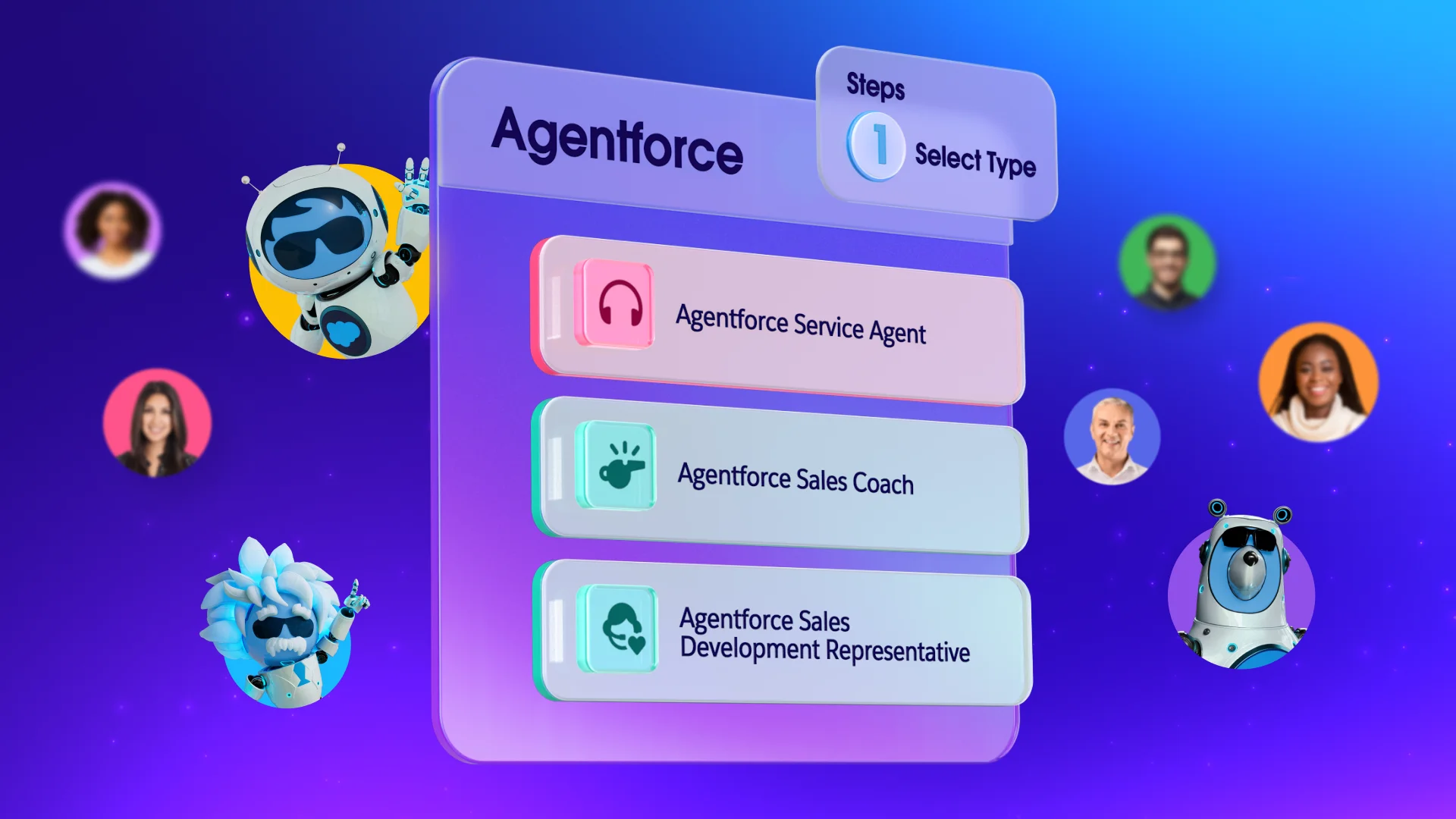
For small businesses like yours, collaboration often happens in real time,and there’s little room for delay. Agentforce 360 brings AI-powered support directly into Slack, allowing you to work faster without switching between tools. Whether you’re in a channel with your team or in a direct message, you can @mention Agentforce to brainstorm ideas, manage projects, troubleshoot issues, or automate repetitive tasks.
Plus, Agentforce 360 makes it easy to find the right AI agent for your needs, whether it’s sales support, IT assistance, onboarding help, or marketing strategy. Once activated, your chosen agent can jump straight into the conversation and handle tasks from start to finish. For example, instead of filling out a form for a lost device, you can message your IT agent directly in Slack and have the replacement request completed in minutes. Similarly, a sales rep can ask their Agentforce 360 deal support agent to update a proposal or send a contract to legal without leaving the channel.
By integrating Agentforce 360 into Slack, you can combine communication, automation, collaboration, and data-driven insights in one place. This helps teams move faster and stay focused on what matters most — serving customers and growing the business.
Real stories: How Writer gets work done with Slack
Writer is a generative AI company that has built its workflow right into Slack. As CEO May Habib puts it, “We were built on Slack.” From growing their team threefold in just one year to handling fast-moving sales cycles, Writer relies on Slack to keep all operations running smoothly.
At Writer, every project and internal conversation has a home in dedicated Slack channels. Customer and prospect data get real-time context through Salesforce Channels, making customer handoffs and proposal swaps feel seamless. In one case, sales reps cut 45 minutes per demo by using Slack Lists to organize collateral. When someone missed a demo last minute, another rep stepped in with just one hour to prepare — all without missing a beat.
Slack isn’t just where Writer talks — it’s also where they work. Routine tasks like opening Jira tickets or tracking bugs happen right in message threads. And when a bug is creeping toward impact, Slack gives the team the same context and visibility to act before the customer even notices.
Maximize Your CRM Productivity
Learn how small and growing businesses are taking productivity to new levels with Salesforce CRM in this free e-book.
Thank you for downloading the free e-book!
Here's your free e-book!Get more done with the right team collaboration tools
When your small business has the right tools, teamwork feels effortless and progress comes faster. With Salesforce, you get a CRM that keeps your customer data, sales, marketing, and service in one connected place — while Slack brings your team’s conversations and updates together in real time. This pairing gives you four big advantages: keeping everyone aligned, giving context to every decision, speeding up daily tasks, and making sure nothing important slips through.
Start your journey with a free trial of Starter Suite today. Looking for more customization? Explore Pro Suite. Already a Salesforce customer? Activate Foundations today to try Agentforce 360.
AI supported the writers and editors who created this article.
Frequently Asked Questions (FAQs)
Slack keeps your team connected with real-time messaging, organized channels, quick, secure file sharing, and easy video calls. For a small business, this means faster decision-making and better teamwork from anywhere.
Slack combines four essentials for growing teams:seamless communication, smart integrations, searchable conversations, and secure sharing. These features let you bring conversations, projects, and people together in one place.
When used with Starter Suite, Slack becomes a collaboration hub linked directly to your customer data. You can get deal updates instantly, share case notes without switching tabs, assign follow-ups right from a chat, and track every interaction with context.
Yes. Slack offers automation tools like Workflow Builder, app integrations, scheduled reminders, and instant document access. These help reduce repetitive work so you and your team can focus on growing your business.