

Key Takeaways
For rapidly growing teams, content is (still) king. Always has been, and always will be, is our guess. If you’re not creating content, you’re most likely not marketing your business. Luckily, all you need are some good tools and a good strategy to get started.
This list of content tools has been curated to focus on powerful, low-cost creation systems proven to deliver professional-grade, high-impact results. These resources were chosen for their impressive features, intuitive user interfaces, and accessibility, ensuring that even small and medium-sized (SMB) teams can execute a big content strategy. Get ready, you may just want each and every one of them.
Content strategy and creation for smaller businesses
Content creation in the current digital age extends far beyond simple blog posts or sharing a Facebook update. It’s the strategic process of producing and distributing valuable, relevant, and consistent content — including short-form video, interactive graphics, high-impact visuals, and helpful guides — to attract and retain a clearly defined audience. Here’s a quick list of content creations:
- Social posts and blogs
- Short-form video (Shorts, Reels)
- Interactive graphics and quizzes
- High-impact visual ads and banners
- Podcasts and audio content
- Long-form guides and ebooks
- Live streams and webinars
- User-generated content campaigns
- Personalized email sequences
For a growing business, this shift means content is no longer a marketing luxury but a core business function. It serves as the primary driver for building brand authority, connecting with customers, and fueling the entire sales funnel.
Market your SMB with Salesforce AI



Benefits for your small business
High-quality, consistent content rapidly builds accelerated brand trust by positioning your business as a thought leader in its niche, offering credibility faster than traditional advertising. And, content creation is a cost-effective lead generation strategy; by offering value upfront, this highly scalable, inbound approach attracts qualified leads at a significantly lower cost than paid outbound campaigns.
What can you do with a CRM built to reach more prospects?
Automate your marketing campaigns with a CRM built to grow. It all starts with Starter Suite.

Business marketing CRM tools
A customer relationship management (CRM) system is a centralized technology platform that helps businesses manage and analyze customer interactions and data throughout the entire customer lifecycle. While standalone content tools focus on production, a CRM like Salesforce focuses on impact—specifically, how the content you create drives leads, supports sales, and nurtures customer loyalty.
The connection between content tools and a CRM is essential for scaling businesses. Your content creation tools (like Canva, CapCut, and ChatGPT) generate the assets, but your CRM determines their strategy and success. A strong CRM provides:
- Audience insights: Content is only effective if it reaches the right person. A CRM stores all customer data, allowing content creators to understand pain points, preferences, and journey stage, ensuring every piece of content is highly targeted and personalized.
- Workflow integration: Content must move from creation to distribution and back to analysis. A CRM unifies your content calendar, distribution channels (email, social), and sales follow-up, ensuring no lead falls through the cracks after engaging with your content.
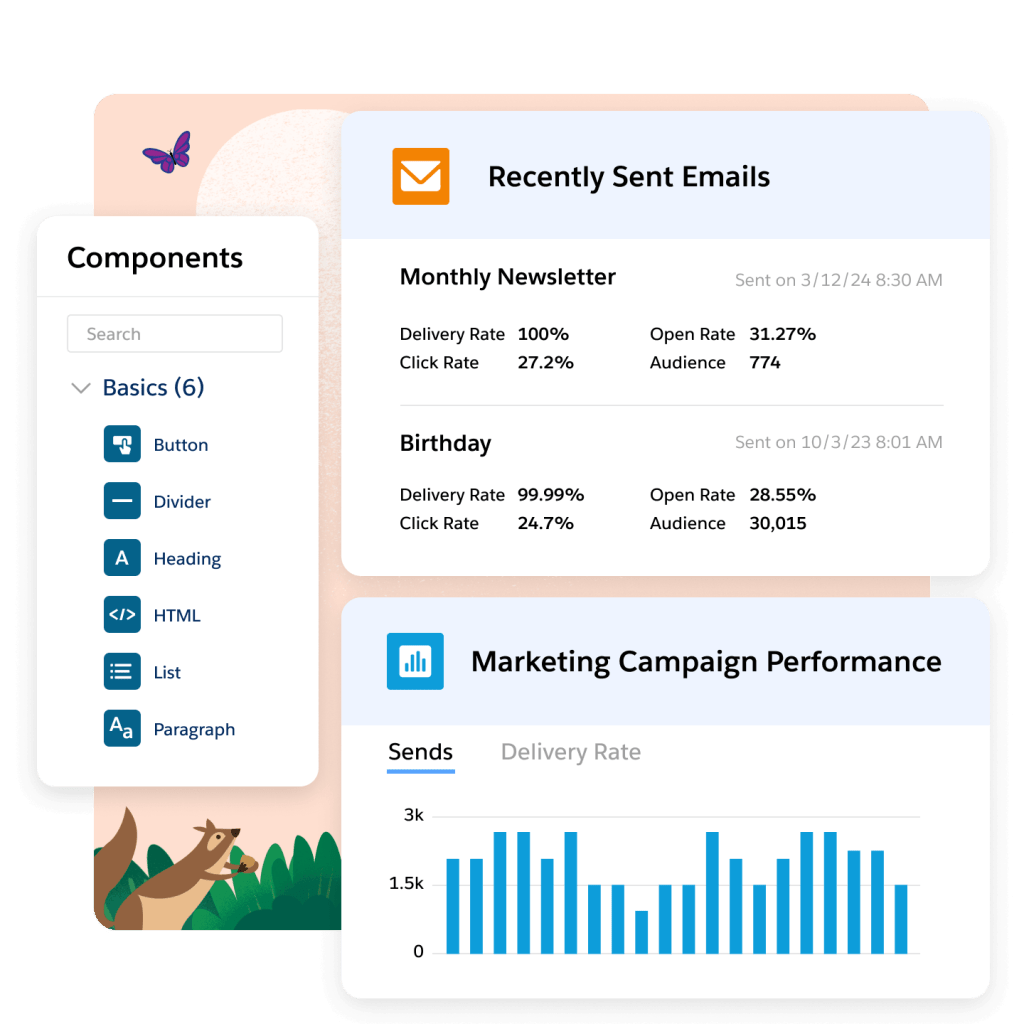
- Content ROI measurement: The CRM tracks key metrics that standalone tools cannot, such as which blog post led to a sales opportunity, which email campaign generated the most sign-ups, and the ultimate revenue generated by specific content pieces.
For growing SMBs, integrating content creation with a CRM is the critical step to move from simply creating content to creating revenue-generating content. Salesforce stands out as the best-in-class solution, offering suites specifically designed to scale with your business, ensuring your marketing, sales, and service efforts are perfectly aligned.
Salesforce offers suites designed for scaling teams. These suites unify sales, service, and marketing data, providing a single view of the customer.
1. Starter Suite
Starter Suite is a simple, all-in-one CRM built specifically for small businesses, to manage contacts, leads, and basic email marketing.
- Who it’s for: Businesses ready to move beyond spreadsheets and connect their first marketing, sales, and service efforts.
- Key features: Lead, Contact, and Opportunity Management, dynamic email marketing and analytics, built-in sales flows, secure payment links.
- Cost: $25 per user per month (Billed annually; transaction fees apply).
2. Pro Suite
Pro Suite is the next step up from Starter, and offers a flexible, customizable CRM with greater automation for sales, service, and enhanced marketing.
- Who it’s for: Growing teams that need more customization, automation, and advanced forecasting across departments.
- Key features: Everything in Starter plus enhanced real-time chat, sales quoting and forecasting, greater customization and automation (through flows), and AppExchange access.
- Cost: $100 per user per month (Billed annually; transaction fees apply).
Visual content and design tools
Visual content and design tools allow businesses to create compelling graphics, videos, and presentations without needing advanced design skills or a large budget. For SMBs, these tools democratize professional visual communication, boosting engagement across all digital channels, from social media to email marketing.
3. Canva
Canva is a graphic design platform, available as a mobile app and on desktop, for creating all kinds of images, from social posts and banners to presentations and simple videos. You can upload photos and edit them, or choose from already-available stock photos.
- Who it’s for: Everyone, especially non-designers and marketing teams.
- Key features: Drag-and-drop photo editor, massive template library, millions of free stock photos and graphics, and easy one-click resizing (paid).
- Cost: Free plan available. Pro plan is typically around $12.99 per month (or less with annual billing) per person.
4. Unsplash
Unsplash is an image library of over 5 million high-resolution, royalty-free stock photography. When it comes to sourcing stunning visuals without breaking the bank, Unsplash is a must-have for content creators.
- Who it’s for: Content creators needing high-quality, free imagery.
- Key features: Unlimited free image downloads, photos released under the Unsplash license (free to use, no attribution required).
- Cost: Free
5. CapCut
CapCut is a powerful, user-friendly mobile and desktop video editing application. If you’re focused on making amazing Instagram Reels or TikTok videos (or both), CapCut is key.
- Who it’s for: Creators focused on social media video content.
- Key features: Text-to-speech, auto-captioning, extensive effects and filters, and a vast music library.
- Cost: Free plan available. Pro plan starts at around $7.99 per month.
6. Adobe Express
Adobe Express lets creators make social graphics, flyers, logos, and short videos using templates and Adobe assets.
- Who it’s for: Users needing quick, on-brand visual content and simple video edits.
- Key features: Access to Adobe Stock free collection, basic photo and video editing, AI assistant to help create imagery, and background removal feature.
- Cost: Free plan available. Premium plan starts around $9.99 per month.
Wherever you are — just get started.
No matter where you are on your journey as a business owner, you can get started with Starter Suite for free — the CRM made for growth.

Writing, AI and organization tools
Writing, artificial intelligence (AI), and organization tools form the backbone of an efficient content workflow, moving ideas from concept to finished product. These platforms simplify tasks like drafting copy, automating research, and managing content calendars, which is critical for maintaining consistency and output. For growing businesses, using these tools is key to scale production without increasing staff, ensuring that content strategy remains aligned with business goals.
7. Slack
Slack is a channel-based messaging platform that centralizes communication, collaboration, and information sharing for teams. For content creators, Slack integrates with many other tools (like Trello and Google Drive) to streamline content workflows, facilitate quick approvals, and keep all stakeholders aligned on deadlines and strategy.
- Who it’s for: Any team or professional needing real-time communication with internal and external stakeholders, and integration with other apps.
- Key features: Real-time messaging, file sharing, integration with hundreds of third-party applications, and dedicated channels for organization.
- Cost: Free plan for small teams with limited message history. Pro plan starts at around $8.75 per user per month.
8. ChatGPT
ChatGPT is a large language model (LLM) that generates text content, brainstorms ideas, creates images, summarizes information, and drafts copy based on prompts from the user.
- Who it’s for: Content writers, marketers, and anyone needing a brainstorming assistant.
- Key features: Generates any type of content, from social media captions to blog outlines to email copy, and helps with market research.
- Cost: Free access to the GPT-3.5 model. Plus plan (for GPT-4 and advanced features) is around $20 per month.
9. Google Workspace
Google Workspace is a cloud-based suite of tools that make collaboration easier and more unified. It includes email (Gmail), word processing (Docs), spreadsheets (Sheets), presentation software (Slides), shared drive (Drive), and video conferencing (Meet), keeping everyone in the same ecosystem.
- Who it’s for: Solo professionals, teams, and enterprises needing a comprehensive set of productivity and collaboration tools.
- Key features: Real-time collaboration, integrated communication tools (Gmail, Chat, Meet), enterprise-grade security, and custom domain email.
- Cost: Various plans available, starting with Business Starter (around $6 per user per month) up to Enterprise offerings.
10. Trello
Trello is a visual project management and collaboration tool that uses boards, lists, and cards (sometimes called Kanban) to organize projects. It can connect to your Gmail inbox and create to-do’s directly from there, making deadlines and follow-ups a breeze.
- Who it’s for: Content teams and solo creators managing content pipelines.
- Key features: Content calendar view, task assignment, due dates, and customizable workflows.
- Cost: Free plan is robust for individuals and small teams. Standard plan starts at around $5 per user per month.
Boost team productivity with Slack
Bring together your team, your customers, and your tools to help take your business to the next level with Slack — it’s where business gets done.

Distribution and analytics tools
Content distribution and analytics tools are essential for maximizing the reach and impact of your content, ensuring your creations reach the right audience at the optimal time. These platforms help the process of scheduling posts across various channels and provide critical data on performance, engagement, and audience behavior. For startups and growing businesses, using these tools is vital for proving content return on investment (ROI), making data-driven strategy adjustments, and efficiently scaling your digital presence.
11. Buffer
Buffer is a social media management platform that helps you not only schedule posts, but also analyze performance across platforms.
- Who it’s for: Small teams managing social media presence efficiently.
- Key features: Scheduling for multiple channels, content calendar view, basic analytics, and landing page builder.
- Cost: Free plan for up to three social channels. Essentials plan starts around $6 per month per social channel (billed annually).
12. Tableau
Tableau is an all-in-one data integration and analysis platform. You can connect customer data from all kinds of sources and visualize them into helpful dashboards, allowing you to see which content is performing well, like a blog post or a video.
- Who it’s for: Small businesses focused on understanding their email marketing and audience building efforts.
- Key features: Powerful drag-and-drop data visualization, interactive dashboards, and business intelligence capabilities that integrate with various data sources.
- Cost: $25 per month, offers a free trial.
13. Google Analytics
Google Analytics is a free web analytics tool that tracks and reports website traffic, user behavior, and marketing performance across web and app. This allows content creators to understand which content resonates most with their audience, where traffic is originating from, which pages lead to conversions, and more.
- Who it’s for: Website owners and marketers needing data-driven insights.
- Key features: Cross-platform tracking, conversion event tracking, and in-depth audience insights.
- Cost: Free.
Ready to go Pro?
Level up your CRM with the top-rated Pro Suite — the customer platform that scales with you.
Wrapping up: Your content arsenal is ready
Your content arsenal isn’t defined by its cost, but by its effectiveness. Choose the tools that simplify your process, focus your time on creating great stories, and watch your business grow.
Start your journey with the Free or Starter Suite today. Looking for more customization? Explore Pro Suite. Already a Salesforce customer? Activate Foundations to try out Agentforce 360 today.
AI supported the writers and editors who created this article.
Frequently Asked Questions (FAQs)
The most essential tool for small businesses is often a design platform like Canva, which allows non-designers to quickly create professional-quality visuals and short videos necessary for social media and blogs, all on a low-cost or free plan.
When choosing an AI tool, look for a large language model (LLM) like ChatGPT that can handle a wide range of tasks, from brainstorming and outlining long-form content to drafting social media captions and email copy. The best choice is one that integrates easily into your existing workflow for maximum efficiency.
Content creation tools focus on the production of assets, while a customer relationship management (CRM) system, like Salesforce, focuses on the impact and strategy. It stores customer data, measures content ROI by connecting engagement to sales revenue, and unifies marketing, sales, and service efforts for highly targeted campaigns.
A growing business should prioritize tools across three main categories: Visual content and design (Canva or CapCut), writing and organization (Google Workspace or Trello), and distribution and analytics (Buffer or Google Analytics). This ensures a balanced approach to production, workflow management, and performance tracking.
You can track content ROI by pairing a free web analytics tool (like Google Analytics) to monitor traffic and conversions with a free or low-cost CRM tier (like Salesforce Starter Suite) to track which pieces of content drive new leads and ultimately result in sales opportunities.