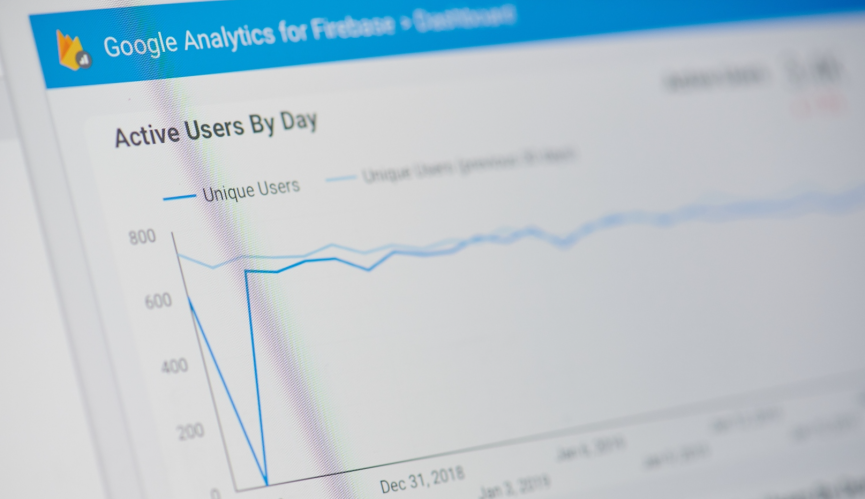

If you’ve ever opened Google Analytics and immediately felt lost in a sea of charts, bounce rates, and acquisition reports, you’re not alone. For many small business owners and startup founders, Google Analytics basics feel anything but basic. But here’s the thing: You don’t need to be a data scientist to get real value from this tool. You just need to know where to look — and how to connect what you find to the rest of your business.
This guide walks you through Google Analytics training essentials for small businesses and startups: What to track, how to read it, and — most importantly — how to connect your website data to your customer relationship management (CRM) system so your whole team is working from the same playbook. Because when your marketing data and your sales data finally speak the same language, that’s when growth starts to click.
What is Google Analytics and what does it actually tell you?
Google Analytics is a free tool that tracks how people find and interact with your website.
It shows you where your visitors are coming from — search engines, social media, email campaigns, paid ads — and what they do once they arrive. You can see which pages get the most traffic, how long people stick around, and where they tend to leave. For a small and medium business (SMB), that kind of visibility is genuinely powerful.
The metrics worth your attention
Not all data is created equal. When you’re just getting started with Google Analytics basics, focus on these:
- Sessions and users: How many people visited, and how often
- Traffic sources: Where your visitors came from (organic search, direct, social, email, paid)
- Bounce rate: The percentage of visitors who left after viewing only one page
- Conversions: Whether visitors completed a goal, like filling out a form or making a purchase
- Top web pages: Which content is pulling its weight — and which isn’t
Once you’ve got a handle on these, you’ll have a clear picture of what’s working in your marketing and what needs attention.
Setting up Google Analytics basics for business owners
Getting Google Analytics set up is more straightforward than most people expect. The current version, Google Analytics 4 (GA4), is event-based — meaning it tracks specific actions (clicks, form submissions, page scrolls) rather than just page views. That shift makes it more flexible and more useful for businesses that want to understand the full customer journey, not just surface-level traffic numbers.
Your setup checklist
Here’s what to do first:
- Create a free Google Analytics account at analytics.google.com
- Add your website as a property and install the GA4 tracking code (or use Google Tag Manager for easier management)
- Set up conversion events — the specific actions you want to track, like “contact form submitted” or “product purchased”
- Link your Google Ads account if you’re running paid campaigns
- Give it 24–48 hours to start collecting data before drawing any conclusions
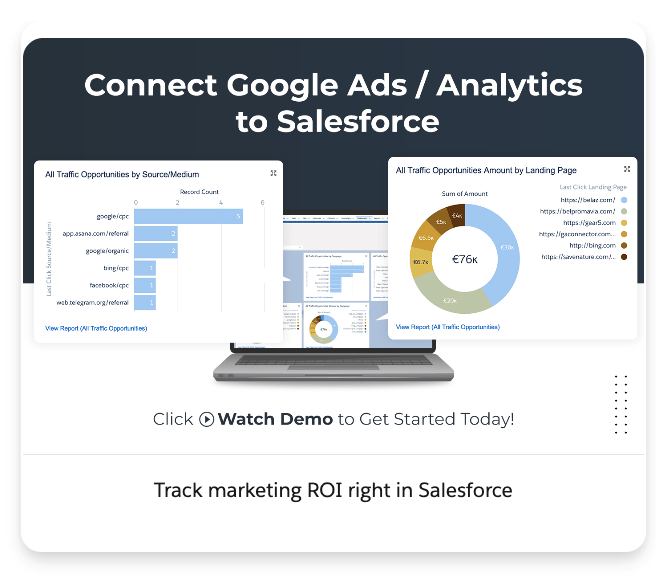
If you want structured, step-by-step Google Analytics training, Salesforce’s Trailhead Google Analytics Basics module is a solid free resource to bookmark. It walks you through the fundamentals at your own pace.




Connecting Google Analytics to your CRM
Here’s where Google Analytics basics for business owners really level up. On its own, GA tells you what’s happening on your website. But it doesn’t know what happens after someone fills out your contact form or clicks “buy.” That’s where your CRM comes in.
When you connect Google Analytics to your CRM — like Salesforce — you bridge the gap between online behavior and real sales outcomes.
Your marketing team can see which campaigns are actually generating revenue (not just clicks), and your sales team can see the digital journey a lead took before they ever talked to a rep. That context changes conversations.
What the integration looks like in practice
With a Salesforce–Google Analytics integration, you can:
- Import Salesforce CRM milestones (like “opportunity created” or “deal closed”) directly into GA4 as offline events
- See which Google Ads campaigns, organic search terms, or email sends are driving the most pipeline
- Give your sales reps lead-level context — including the exact pages visited and content downloaded before a prospect reached out
- Track the full customer journey from first click to closed deal in one connected view
To get started, you can explore the Google Analytics Connector app on AgentExchange to connect GA4 data directly into your Salesforce environment. The Google Analytics connector pulls UTM parameters into Account Engagement, where they can then sync with Salesforce. This connector simplifies the flow of Google Analytics data between Account Engagement and Salesforce.
Using AgentExchange to supercharge your analytics workflow
One of the most exciting developments for small businesses right now is AgentExchange — Salesforce’s marketplace for pre-built artificial intelligence (AI) agents. Think of it as an app store specifically built for AI-powered automation that plugs directly into your Salesforce environment.
Instead of spending hours manually pulling reports or trying to connect the dots between your website data and your CRM, you can deploy AI agents that do that work for you. AgentExchange offers pre-built actions, subagents, and templates that fast-track setup and get you to insights faster.
What AI agents can do for your analytics
- Automatically surface which marketing channels are converting leads into customers
- Flag anomalies in your website traffic so you’re not the last to know when something’s off
- Generate plain-language summaries of your analytics data — no technical background required
- Trigger CRM actions based on website behavior, like alerting a sales rep when a high-value prospect visits your pricing page
According to the latest Small and Medium Business Trends Report, 76% of small businesses that are jumping on tech trends are growing — and SMBs that invest in AI-assisted tools are finding real advantages in marketing, sales, and customer service. Integrating your Google Analytics data with AI-powered agents is a direct way to be part of that group.
Get the Small and Medium Business
Trends Report
Discover valuable insights from 3,350 leaders of SMBs worldwide.

Turning Google Analytics data into a growth strategy
Knowing your numbers is one thing. Knowing what to do with them is another. Once your Google Analytics basics are in place and your CRM integration is running, here’s how to start turning data into decisions.
Review your traffic sources weekly
Spend 10–15 minutes each week in GA looking at where your visitors are coming from. If organic search is your top channel, invest in content. If social media is underperforming, revisit your strategy. Let the data guide your budget and effort allocation — not your gut feeling.
Identify your highest-converting content
Look at which blog posts, landing pages, or product pages lead to the most conversions. Then ask: What do these pages have in common? Use those patterns to improve pages that are getting traffic but not converting. This is one of the most practical applications of Google Analytics training for startups on a tight budget.
Set up monthly CRM reports tied to campaign data
Once your GA and Salesforce integration is live, build a simple monthly report that shows lead source, deal stage, and revenue by marketing channel. Share it across your sales and marketing teams. That single habit — a shared monthly report — can align your whole go-to-market team around what’s actually working.
Grow your ambitions with the #1 AI CRM.
See what’s possible with the AI-powered CRM suite for growing teams.
Start your Google Analytics training journey today
Getting comfortable with Google Analytics training is one of the highest-leverage investments a small business or startup founder can make. You don’t need a big team or a big budget — you just need the right tools connected to each other and a habit of checking in on your data regularly.
Whether you’re just setting up your account for the first time or ready to connect your GA data to a full CRM system, Salesforce has the tools to help. Start your AI journey with Salesforce Suites today, or activate Foundations to try Agentforce for your marketing analytics right away.
AI supported the writers and editors who created this article.
Is Google Analytics free for small businesses?
Yes — Google Analytics 4 is completely free to use. You can create an account, install the tracking code on your website, and start collecting data at no cost. Paid options exist for enterprise-level features, but most small businesses and startups will never need them.
How long does it take to learn Google Analytics basics?
Most business owners can get comfortable with the core reports and metrics within a few hours of hands-on use. If you want structured Google Analytics training, the Trailhead Google Analytics Basics module is a free, self-paced option that covers everything you need to get started.
What’s the difference between Google Analytics and a CRM?
Google Analytics tracks what happens on your website — traffic, behavior, and conversions. A CRM like Salesforce tracks what happens with your customers and leads after they engage with you. When you connect the two, you get a complete picture of the customer journey from first website visit to closed deal.
Can I connect Google Analytics to Salesforce without a developer?
In many cases, yes. Tools like the Google Analytics Connector on AgentExchange are designed for business users and don’t require custom coding. AgentExchange also offers pre-built templates that simplify the setup process considerably.
What should small businesses track in Google Analytics first?
Start with four things: Traffic sources (where visitors come from), top pages (what content they engage with most), conversion events (actions that matter to your business), and bounce rate (how many people leave after one page). These Google Analytics basics for business owners will give you more than enough insight to start making smarter marketing decisions.