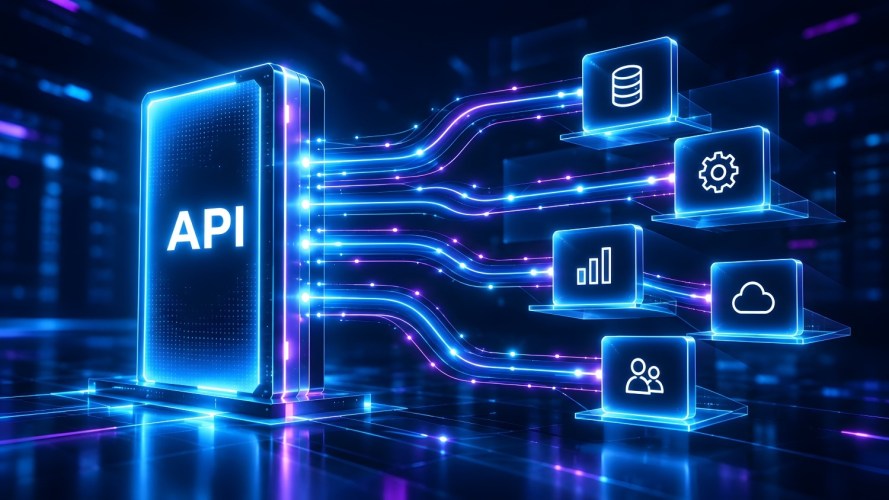

What exactly is an API and why do you need to know about it? Even if you don’t write code, understanding APIs helps teams make smarter decisions when choosing tools, connecting systems, and automating tasks. As a growing business scales, having seamless communication between systems saves time and connects customer data across teams.
If you’ve ever wondered how your online store updates inventory the moment a sale happens, or how a lead form on your website lands straight into your customer relationship management (CRM) system, an API is usually the reason.
What’s an application programming interface (API) and what does it do?
An application programming interface (API) is the connective tissue that lets two pieces of software exchange information automatically — no copy-pasting, no manual exports, no double data entry.
Think of an API as a messenger with a very specific job: It takes a request from one software, delivers it to another, and brings back the response. For example, when a customer places an order on your website, an API instantly sends that sales data to your inventory software to update stock levels in real time.
For a growing business, this matters less as a technical detail and more as a business outcome. Fewer manual handoffs, fewer typos from re-entering the same customer record three times, and a team that trusts the numbers in front of them because everything is connected.
Pro Tip: This module breaks down how APIs integrate data on Trailhead, Salesforce’s free online learning platform.
Where APIs already show up in your day
You’re probably relying on API connections more than you realize, even without a technical team. When you check the weather in an app instead of on a website, you’re using an API. When your email tool tells your CRM that a customer opened a message, that’s also an API at work.
- Payment processing: Your checkout page talks to your payment provider through an API, confirming charges in real time without you lifting a finger.
- Email marketing: When someone joins your newsletter list, an API can pass their info straight into your CRM so sales knows who’s engaging.
- Accounting sync: Tools like QuickBooks connect to your CRM through an API, so invoices and payments update in one place instead of two.
None of these require you to write a line of code. Most small business platforms handle the API work behind the scenes — you just turn on the connection. Salesforce’s guide to CRM integrations for small teams walks through more of these everyday connections.
Why APIs matter more as you grow
As you grow, you add tools, tickets, and team members. The risk of information getting stuck in silos goes up, so it’s important to know how to handle volume, and change.
An API-connected system means whoever’s talking to a customer — sales, support, or you — sees the same full picture. In fact, our research states that 76% of small and medium business (SMB) customers say their teams now operate off a single, shared view of the customer, and that consistency almost always traces back to systems that are properly connected.
This is also where artificial intelligence (AI) tools get more useful. AI agents rely on the same underlying connections: An agent that can look up an order status or update a record is really just making an API call on your behalf, faster than you could type it yourself.
5 Steps To Implementing AI Agents For Small Business
Get the free e-book and get your AI agents up and running.
Getting comfortable with APIs, one module at a time
You don’t need a developer to understand what’s happening under the hood. Trailhead has free, self-paced learning built for exactly this — start with the API basics to get the vocabulary down, then explore how different systems pass data back and forth. It’s worthwhile because knowing the basics means you can ask smarter questions when you’re evaluating new tools to grow your business. Want to keep learning? Visit Trailhead today.
AI supported the writers and editors who created this article.
What is an API in simple terms?
An application programming interface (API) is a set of rules that lets two pieces of software exchange information automatically, without a person manually moving the data between them.
Do I need to know how to code to use an API?
No. Most small business software, including CRM platforms, handles API connections behind the scenes — you typically just enable an integration rather than write code yourself.
How is an API different from an integration?
An integration is the overall connection between two systems; the API is the specific set of rules those systems use to actually communicate. You can learn more about how these connections work in Salesforce’s integrations overview.
Are APIs secure?
Reputable software providers build strict permission and authentication controls into their APIs, so only approved systems can request or receive data. Still, it’s worth understanding what data any connected tool can access.
What’s a simple example of an API in daily life?
Checking a flight status or hotel availability on a travel app usually pulls that information live from the airline’s or hotel’s own system through an API, rather than the app storing it itself.