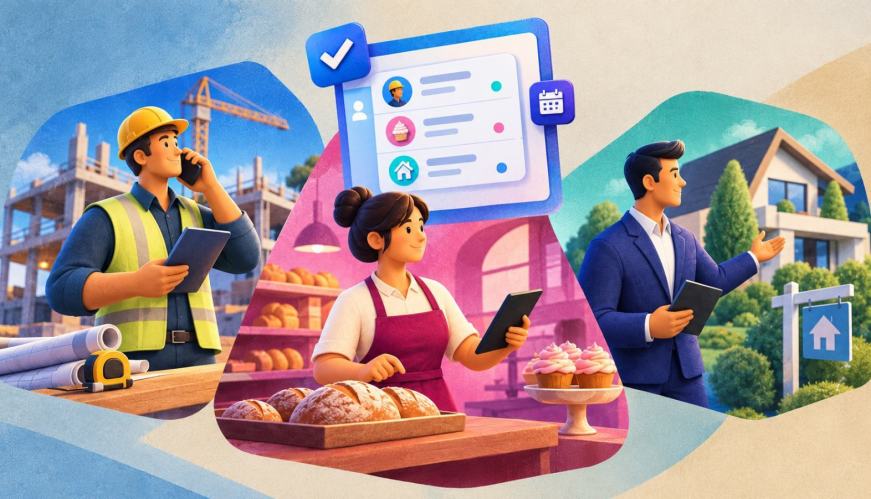

Are you a business owner? How about a technical expert? The chances that you’re both are slim. But, non-techies are capitalizing on the market out there because of the boom in artificial intelligence (AI), which has made tech easier to understand and use.
So, if you’re a non-techie and a business owner, this one’s for you. We’re going to break down what a customer relationship manager (CRM) tool is, without all the technical jargon or over-used buzzwords. Just CRM. Let’s get into it.
What a CRM is at it’s core
We have a very popular article (thanks to the hundreds that read it daily) called “What is CRM?” And your best bet is to take a peek at that first, because it about sums it up. It gets into a lot of detail on different products and capabilities, so if you’re looking for high-level, you’re in the right place.
At it’s core, CRM is made up of three words. Here’s a deep dive into each:
Customer: This isn’t just a list of names and email addresses. It’s the complete history of everyone who interacts with your business — from leads to buyers to long-term clients. A CRM centralizes their details, preferences, history, and habits in one easy-to-find place.
Relationship: Modern business relies on trust. The relationship aspect is about tracking every touchpoint — questions, inquiries, responses, and meetings — so every interaction feels personal, no matter who on your team is reaching out.
Management: This is the system that keeps your processes organized. It automates routine follow-ups, organizes tasks, and gives you visibility into your pipeline so your business grows smoothly.
So, how does a tool put these three together? Let’s break it down.
Why “non-techie” businesses need CRM just as much as big ones
Think CRM is only for big tech with huge teams? Today, businesses like online retail, a local shop, or a consulting agency are relying on happy customers — and keeping track of all that is a lot.
Instead of dealing with complicated tools, a simple CRM for small business works like a personal assistant. It keeps all your notes, messages, and customer details organized in one easy-to-find spot, so you never have to worry about losing anything. (And it goes without saying that AI is playing a huge role in this.)
Eventually, you’ll outgrow the spreadsheet. Trust us. With tools that connect people all around the world, it makes things flow.
The core components of a CRM: No coding required
Okay here are the nuts and bolts. At its core, a simple, non-technical CRM has the following (keep it simple):
- Customer info: Keeps all your contact details, conversation history, and customer notes together in one organized place.
- Sales and Commerce: Shows you where every lead and purchase stands and optimizes your digital storefront.
- Marketing: Makes it easy to nurture marketing emails, and track who’s opening your campaigns.
- Service: Helps you automate and answer customer questions and solve issues quickly.
- Team: Automate team meetings, as well as collaborate on projects and huddles.
- Reports: Turns your customer interactions into data-led summaries and simple dashboards.
How a beginner gets started with a simple CRM
This is where most non-technical business owners expect the hard part — and it’s actually the easy part. Modern CRM systems are prebuilt to help you easily get set up.
For instance, Free Suite (true to it’s name) is a completely free CRM designed specifically for small teams, solopreneurs, and brand-new founders. It gives you all the basics to stop juggling spreadsheets and organize your customer information in one place.
Here are the details: With support for up to two users, it includes tracking sales, answering customer questions, and sending out marketing emails. And a free Slack workspace to make collaborating with your team or partners anywhere they are.
Starter Suite is another good example — it’s a great starter CRM with embedded AI. It includes your sales, service, and marketing tracking live in minutes, not weeks. You answer a questions about your business, and it builds the structure around you, trained by you.
Learn the basics at your own pace first, Trailhead’s free trail on getting started with Starter Suite walks through self-paced lessons — no technical background required, and no cost.



What a good non-technical CRM should feel like day to day
A CRM should feel like a smarter to-do list that already knows your business. You open it, see who needs a follow-up today, click, respond, done.
It should run something like this daily:
The Check-In: You open your CRM and see a personalized home dashboard with a to-do list. The employee agents and CRM work together to tell you exactly who needs a follow-up today and the plans for the week ahead.
Example: You see a reminder to follow up with Sarah, a potential customer who filled out a form on your website yesterday.
The Mid-Day: You want to send Sarah a welcome email. You select a pre-made email template, customize it with her name, and send it directly from your connected email or the CRM.
Example: In just two clicks, Sarah gets a beautifully formatted email with your services, and the CRM automatically saves a record of that email in her contact file.
The Afternoon: Sarah purchases! She emails back with a question about her order. Because your email is connected, the message automatically registers as a service case in your CRM, and your team gets notified, hopping right on it.
Example: You review the customer’s purchase history on their profile, find a pre-saved answer in your knowledge library, and reply with the solution in seconds.
The Wrap-Up: Before closing out the day, you get a snapshot of your dashboard that shows your new sales and tasks for the week. You leave knowing where your business stands and whats coming up.
Salesforce works for small businesses
No matter where you are on your journey, Salesforce helps you reach your goals.
Getting started with CRM, no tech degree required
At it’s core, a CRM is just a house for your business. A home base that you can build on. So try out whichever one is best for you, and see where you can go from there. Here are some helpful resources:
- Free CRM: The official website to sign up and learn about Salesforce’s free CRM built for small teams and startups.
- Setup Your Free CRM Guide: An onboarding guide to help you navigate your tool and set up your first contacts with your team.
- Trailhead Badge: Free CRM Basics: A foundational learning module on Trailhead to test your knowledge on Free Suite.
AI supported the writers and editors who created this article.
Do I need any technical skills to use a CRM?
No. Modern CRM platforms are built with guided setup and plain-language menus, so you don’t need coding or IT experience to get started.
What’s the difference between a CRM and just using spreadsheets?
A spreadsheet only shows what you type into it, while a CRM automatically logs calls, emails, and follow-ups so nothing depends on you remembering to update a cell.
Is CRM only useful once my business gets bigger?
Small teams often need it more, since there’s no big department to catch a missed follow-up or lost lead. Check out the SMB Trends resource hub for more on how lean teams are using CRM today.
How long does it take to set up a CRM as a beginner?
With a guided setup like Starter Suite, most small businesses are up and running in minutes, not weeks — there’s no lengthy technical onboarding required.
Can a CRM help with more than just sales?
Yes — a good CRM connects sales, marketing, and customer service so every part of your business is working off the same customer information.