
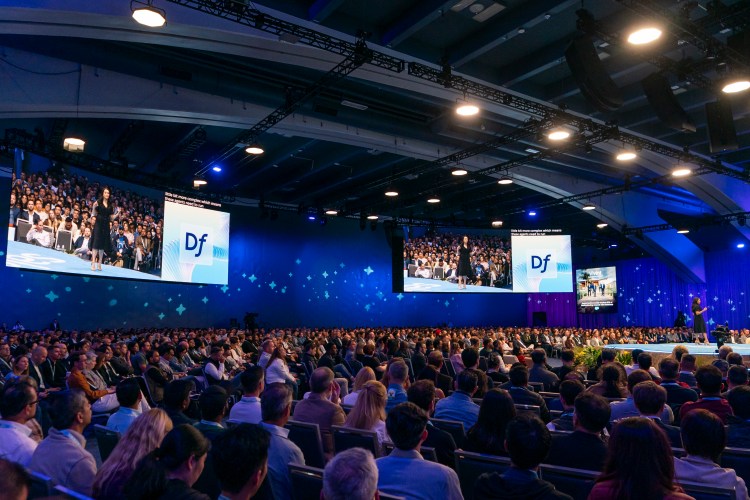




After three whirlwind days of product launches, hands-on sessions and appearances from some of the AI industry’s biggest luminaries, Dreamforce 2026 is officially in the books. This year’s show had something for everyone, from the debut of our very own reasoning model, to an early look at a brand new type of agent.
Whether you joined us at the Moscone Center or watched the show from home, it can be hard to keep up with all the announcements as they roll out. To make it easier, we’ve pulled together all the biggest new products and features from Dreamforce 2026.
1. Salesforce on any surface
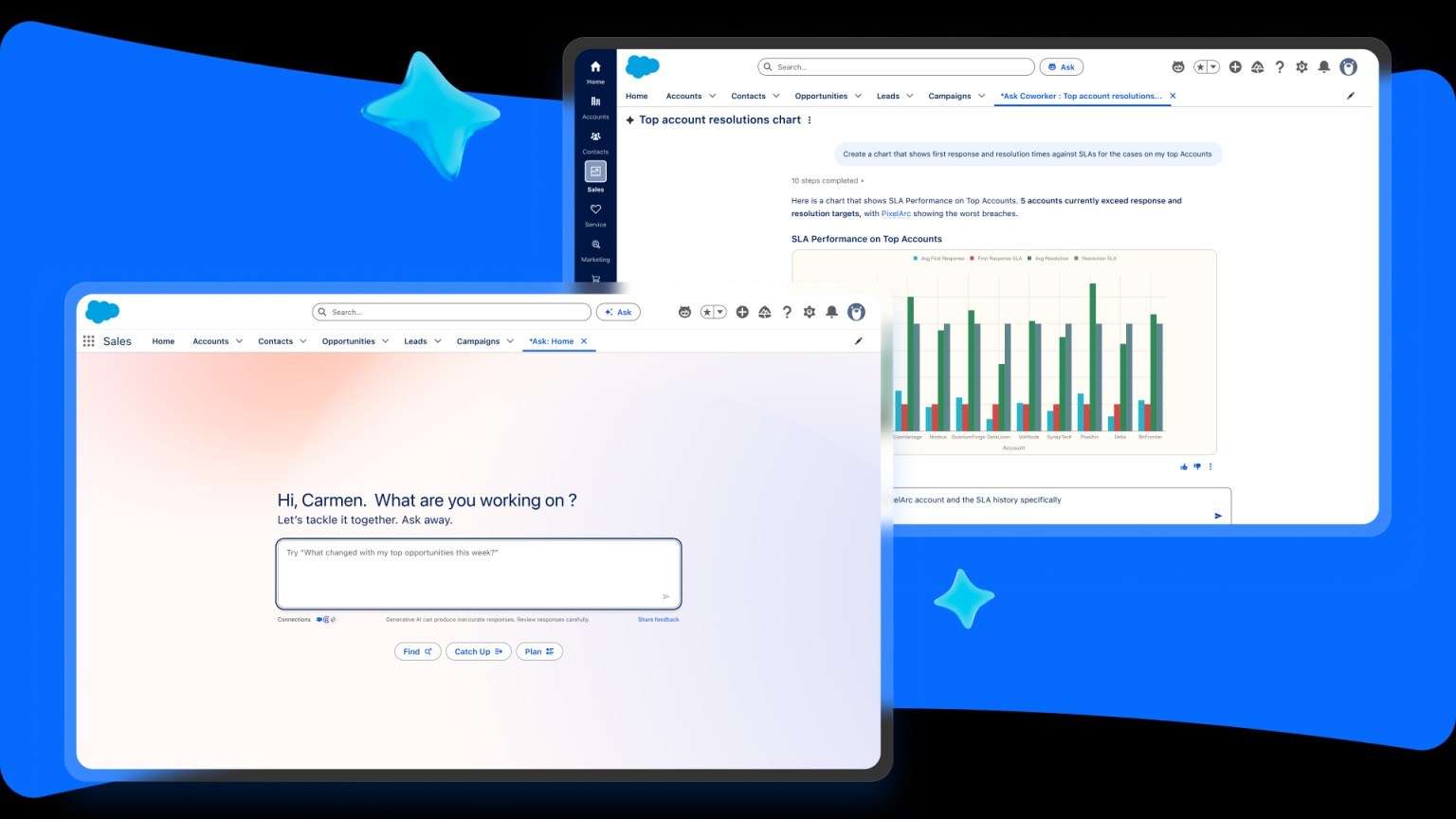
AIforce brings the full power of Salesforce to wherever you already work, whether that’s Claude, Slack or Salesforce itself. It pulls your data, apps, workflows and business context together on your preferred surface, governed by the permissions you’ve already defined. It includes Claudeforce inside Claude, Slackforce inside Slack and Agentforce Coworker inside Salesforce. (Claudeforce in Beta, Slackforce GA in October, Coworker GA Now)
2. Meet your new AI coworker
Agentforce Coworker is your autonomous AI teammate built directly into Salesforce. You can ask natural-language questions and it will dig for the answers across your CRM, Slack and other connected sources. Ask it to get something done and it will build a plan and execute it, orchestrating other agents right inside the conversation. (GA)
3. A team of job-ready agents
Why build an agent from scratch when you can start with one that already knows the job? Job-ready agents are pre-built for specific roles like inbound pipe gen or outbound sales. Each one comes with the skills and actions it needs to hit the ground running on day one. As the agent performs real-world work, you can continuously teach it to improve as the business evolves. Job-ready agents include:
- Piper, an AI sales development agent that works around the clock to nurture your inbound prospects, answering questions over text, voice or video, qualifying leads and booking meetings in real time. Every conversation and lead syncs straight back into your CRM, so your reps pick up warm and ready.
- Fin, a customer service agent that connects to your Salesforce org to resolve complex service questions end-to-end across chat, email, WhatsApp, SMS, voice and Slack. It runs on its own proprietary AI models designed specifically for customer experience.
(Most GA Now; Hunter GA November)
4. An agent for the back office
Marshall is a different kind of job-ready agent that’s built to run your supply chain and back-office operations. Describe what you need, and it asks clarifying questions, then builds the steps, sequence, forms and connections to your systems of record. The result is a fixed, approved path for every back-office process, so the same inputs always produce identical results. A Systems Integration Agent executes deterministically in your core systems, without the need for code, APIs or RPA. It learns any browser-based app the way a new employee would. When a screen changes, it relearns that part on its own. (GA)
5. Agents that go the distance
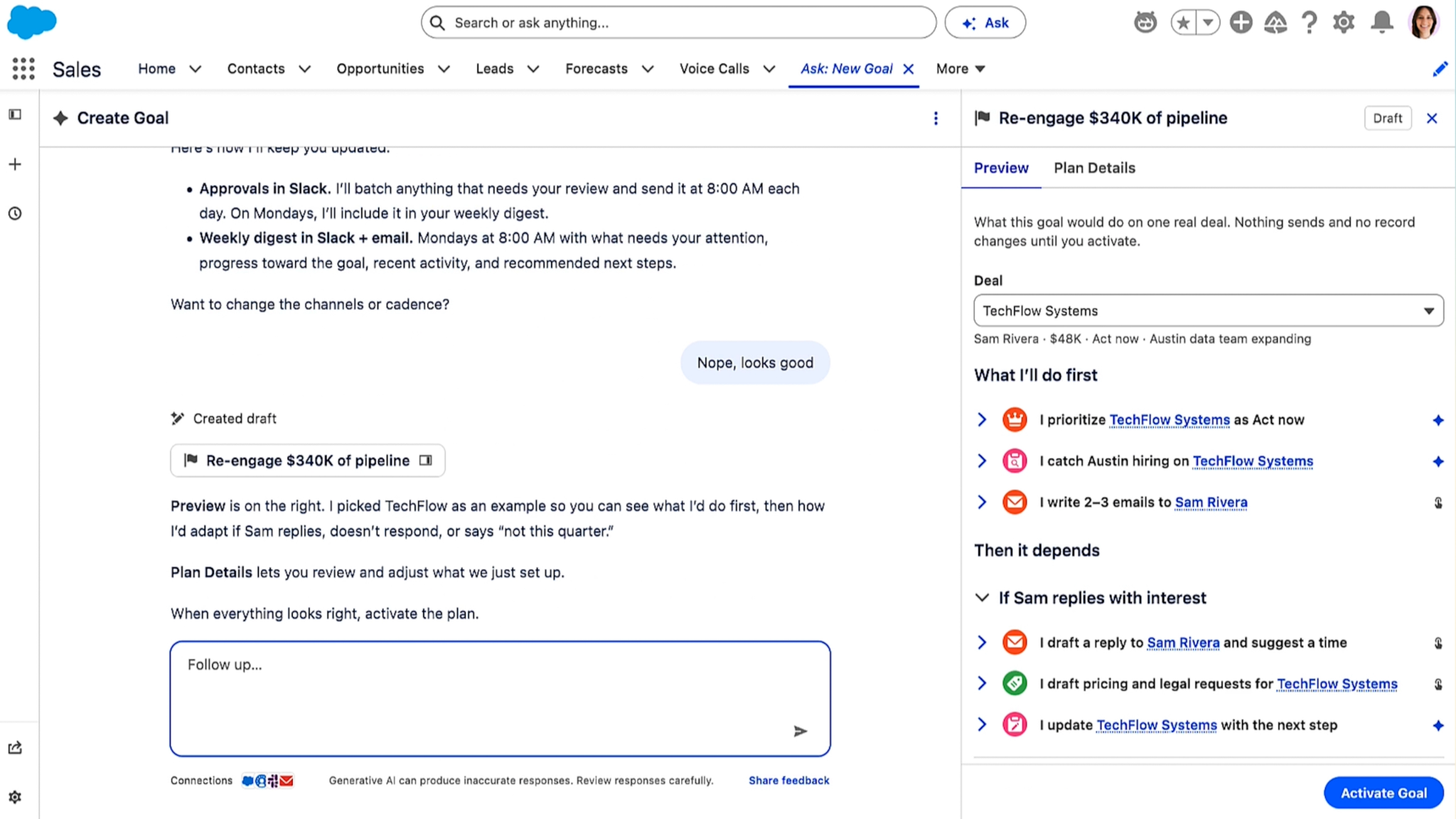
Long-horizon agents are a new kind of Agentforce agent built to pursue a goal over days, weeks or even months. Assign a goal like “re-engage my at-risk deals” and it builds a multi-step plan and executes it, checking in for your approval based on guardrails you define. They run on the new long-horizon runtime, which enables memory to stay on track across sessions, durable execution to course-correct when a step fails, and dynamic steering so you can adjust the plan conversationally. (Pilot now; GA November ‘26)
6. An agent to optimize your Agentforce
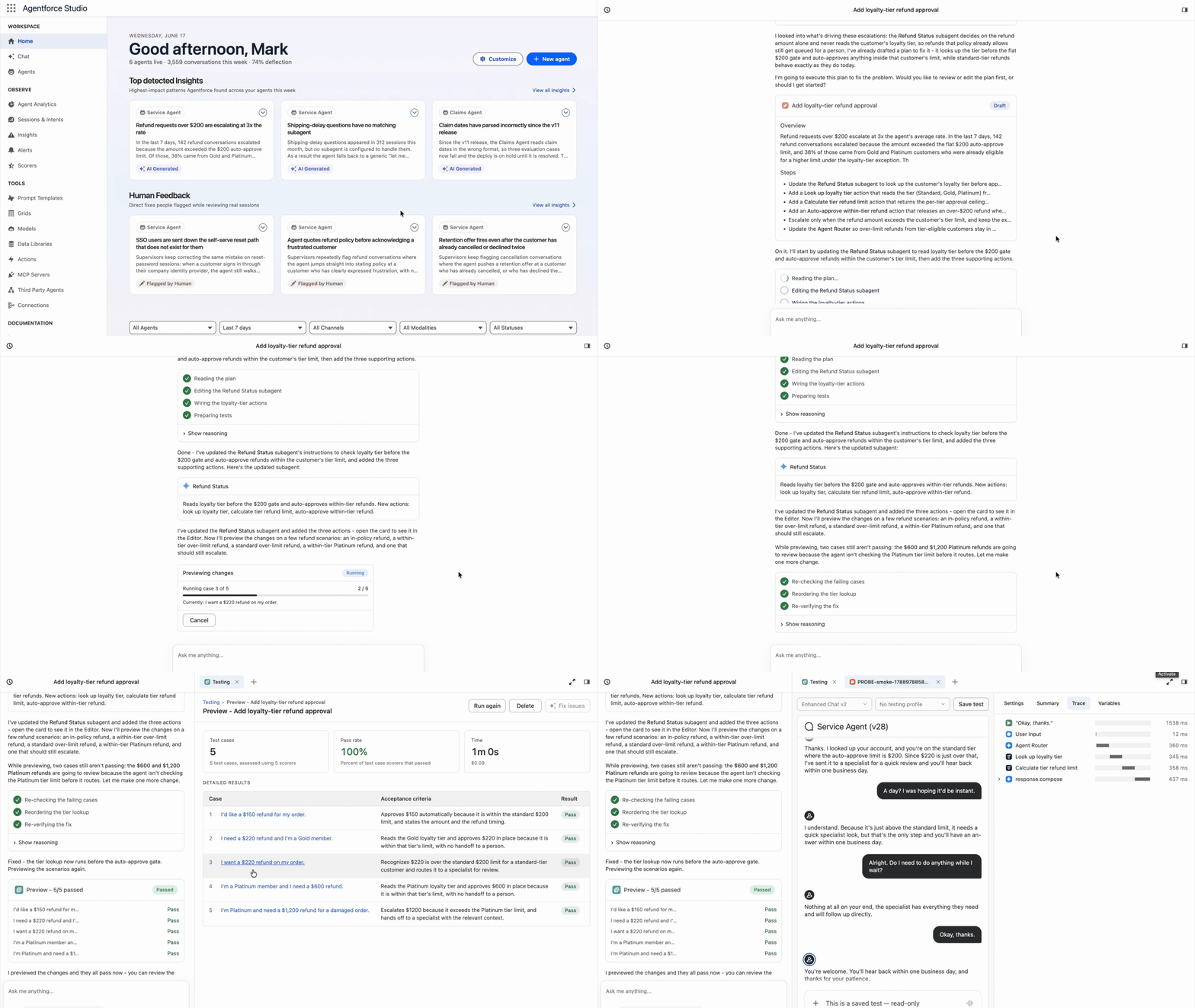
Agent Optimizer is an agent that builds and refines your other agents. In Agentforce Builder you describe what you need the agent to do in plain language and Optimizer will create subagents and stub out actions, testing as it builds. In Agentforce Observability, Optimizer reads thousands of production sessions, finds recurring failure patterns and ranks them by impact. From there, you can work with Optimizer to build, test and stage changes in a single conversation. (GA October)
7. A reasoning model of our own
Koa is Salesforce’s first CRM reasoning model for Agentforce, built on NVIDIA Nemotron for agent reasoning, tool use and decision-making. Its training corpus comes entirely from synthetic scenarios, so no real customer data ever trains the model. Salesforce owns the weights and runs Koa inside its own infrastructure. No customer data ever crosses the trust boundary during training or inference. (Pilot Now; GA expected Winter 2026)
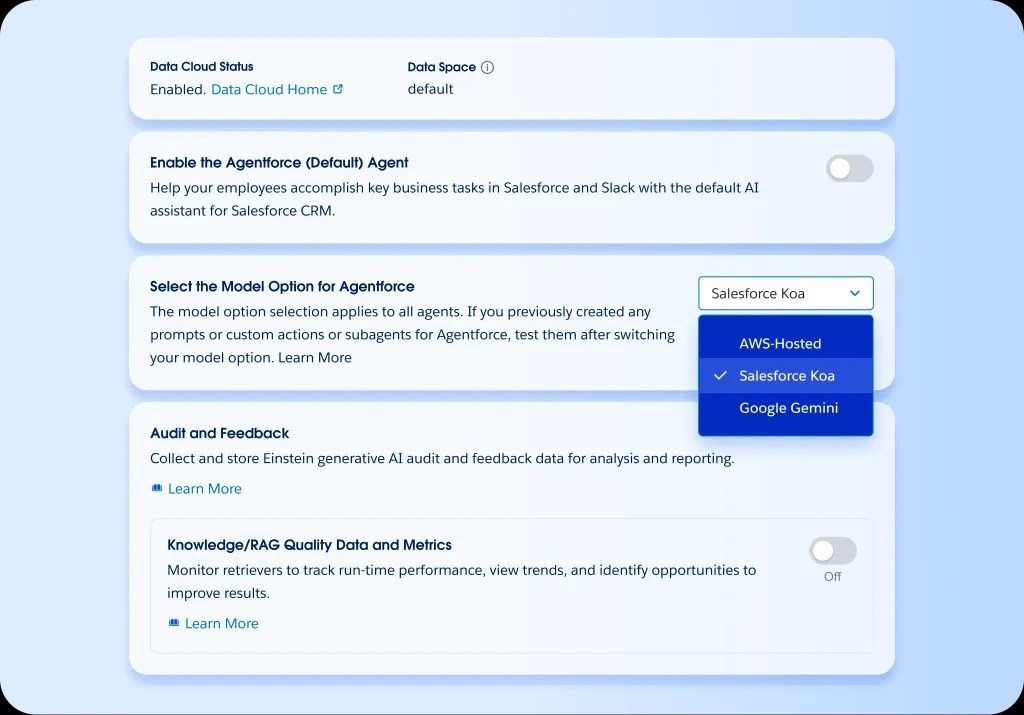
8. Teach your agent a skill once, use it everywhere
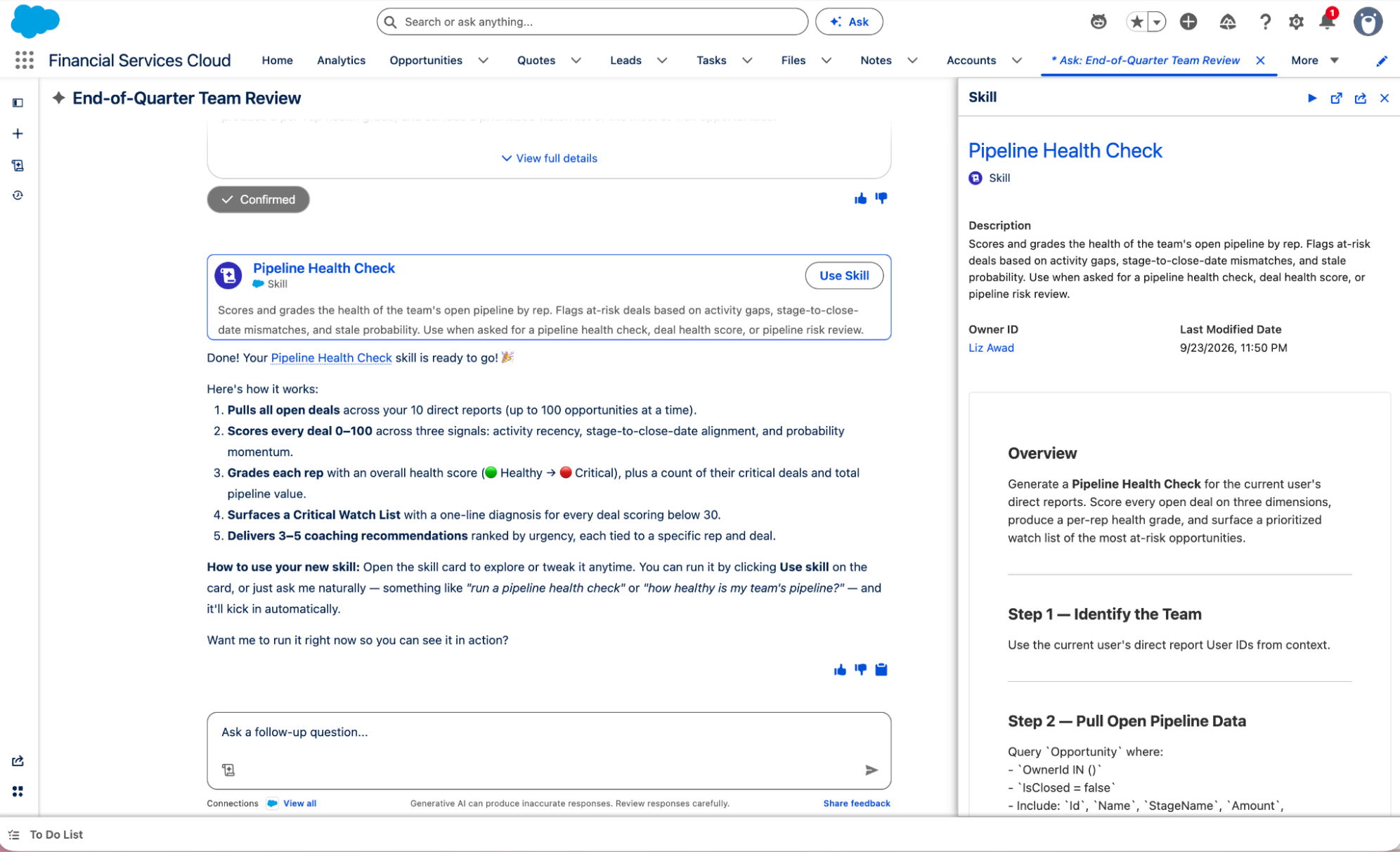
AI Skills turn repeatable work into reusable, governed instructions that any agent can run. You can build a skill once conversationally in Coworker or branch out to Skill Builder, and it’s available across wherever you need it. Manage all of your skills in Agentforce Studio, including coding skills built for developers and business skills for admins and end users. (Pilot now, GA October)
9. It takes a team
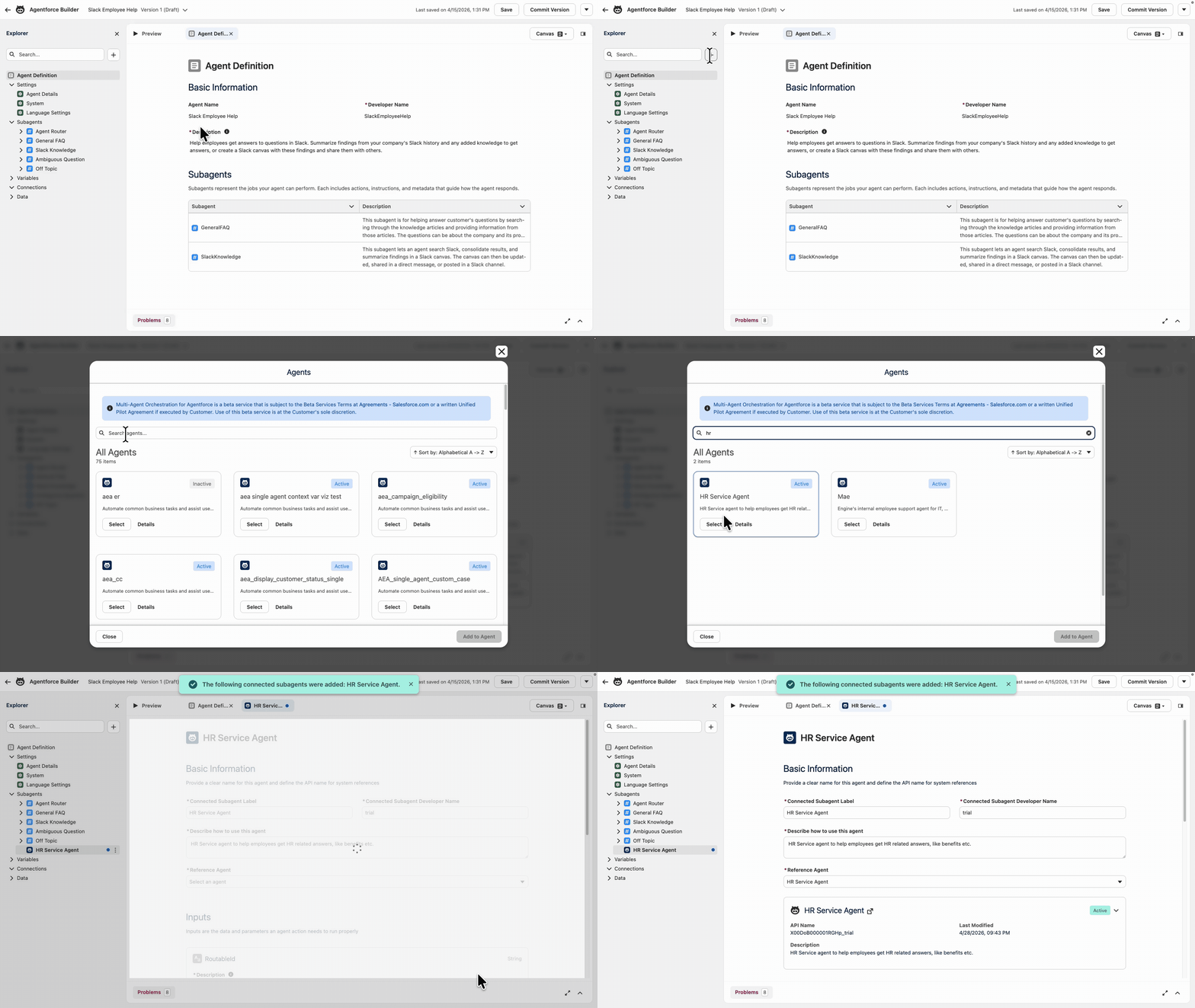
Multi-agent orchestration lets you scale your agentic enterprise without adding complexity for your users. Provide your customers a single front door with a Superagent that understands intent, breaks down tasks, and coordinates with a team of specialized agents behind the scenes to deliver faster, high-quality responses in a single conversation. And with third-party orchestration, you can connect Agentforce to any AI ecosystem. Orchestrate third-party agents from AWS, Azure, Google, and more — or let Agentforce act as a specialized subagent in any A2A-compliant architecture.
10. Prompt Builder gets more responsive
Prompt Builder now has the ability to add branching logic with conditionals, making it easier to deliver more precise, context-aware outputs. Reference visibility shows you every flow and action that depends on a prompt template before you change it, so you don’t break anything downstream. Batch prompt testing runs a template against many real inputs in a single pass. And there’s more on the roadmap, from AI-assisted authoring to richer formatting. (Reference visibility GA; Conditional Expressions Beta, Prompt Testing Beta)
11. Give your employee agents a voice
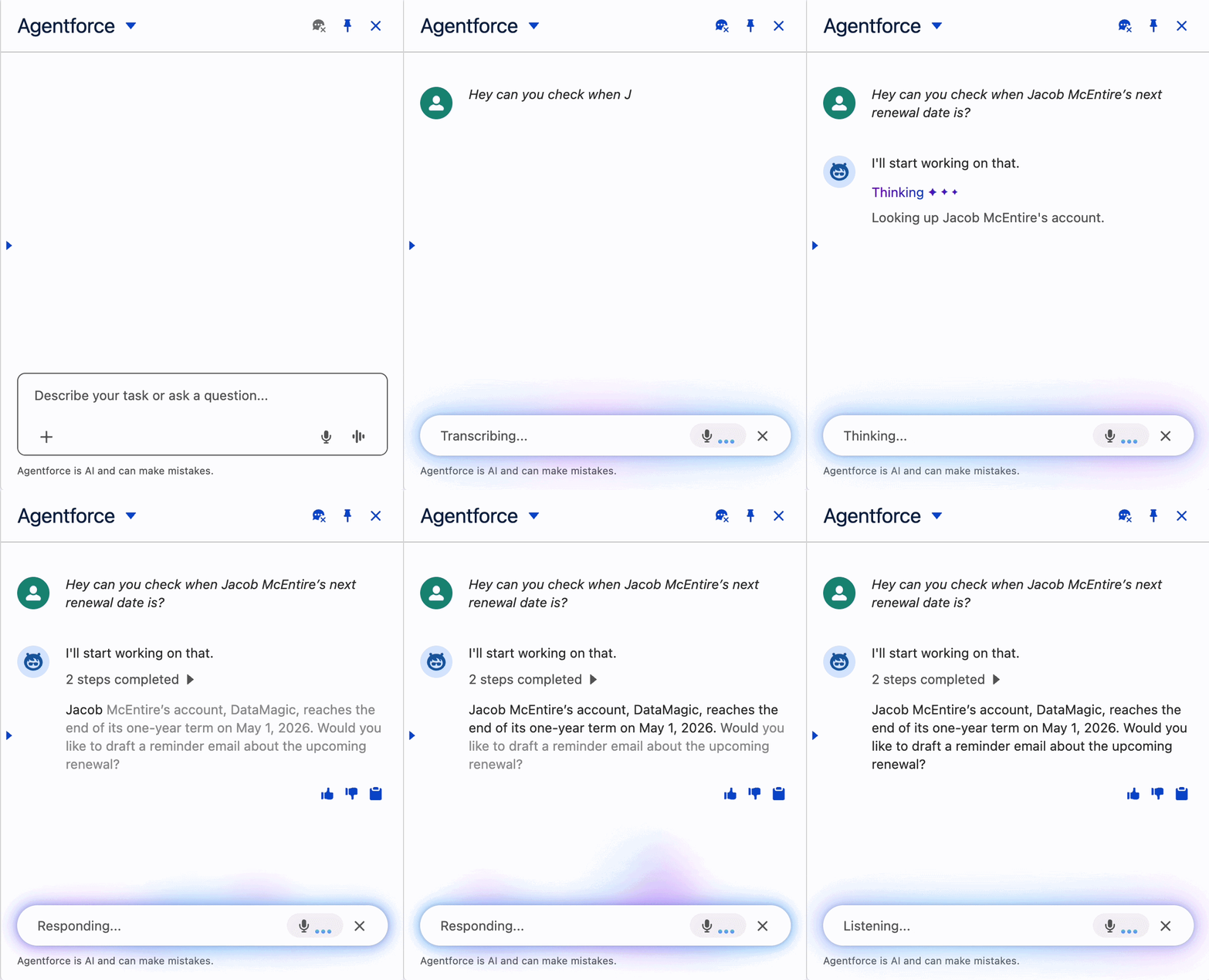
Voice for Employee Agents started on mobile and now comes to the Agentforce Chat Client on Lightning Desktop through Agent Script for Voice. Because it’s the same governed employee agent that teams already use, it inherits the trust and governance you’ve already configured along with your existing action library. A rep working a case or call can speak to it hands-free, without typing, and get an answer grounded in your CRM context. (Pilot Now)
12. Build the interface once, render it anywhere
Sometimes an agent needs to show you a form or chart, not just a block of text. With Headless Experience Layer, you can create a rich, interactive UI widget once, then render it natively across every surface the agent runs on, inside Agentforce or externally through a hosted MCP server. The widget carries your Salesforce security and governance wherever it lands, so it plays by your rules even on third-party surfaces. (Beta)
13. Voice-native testing
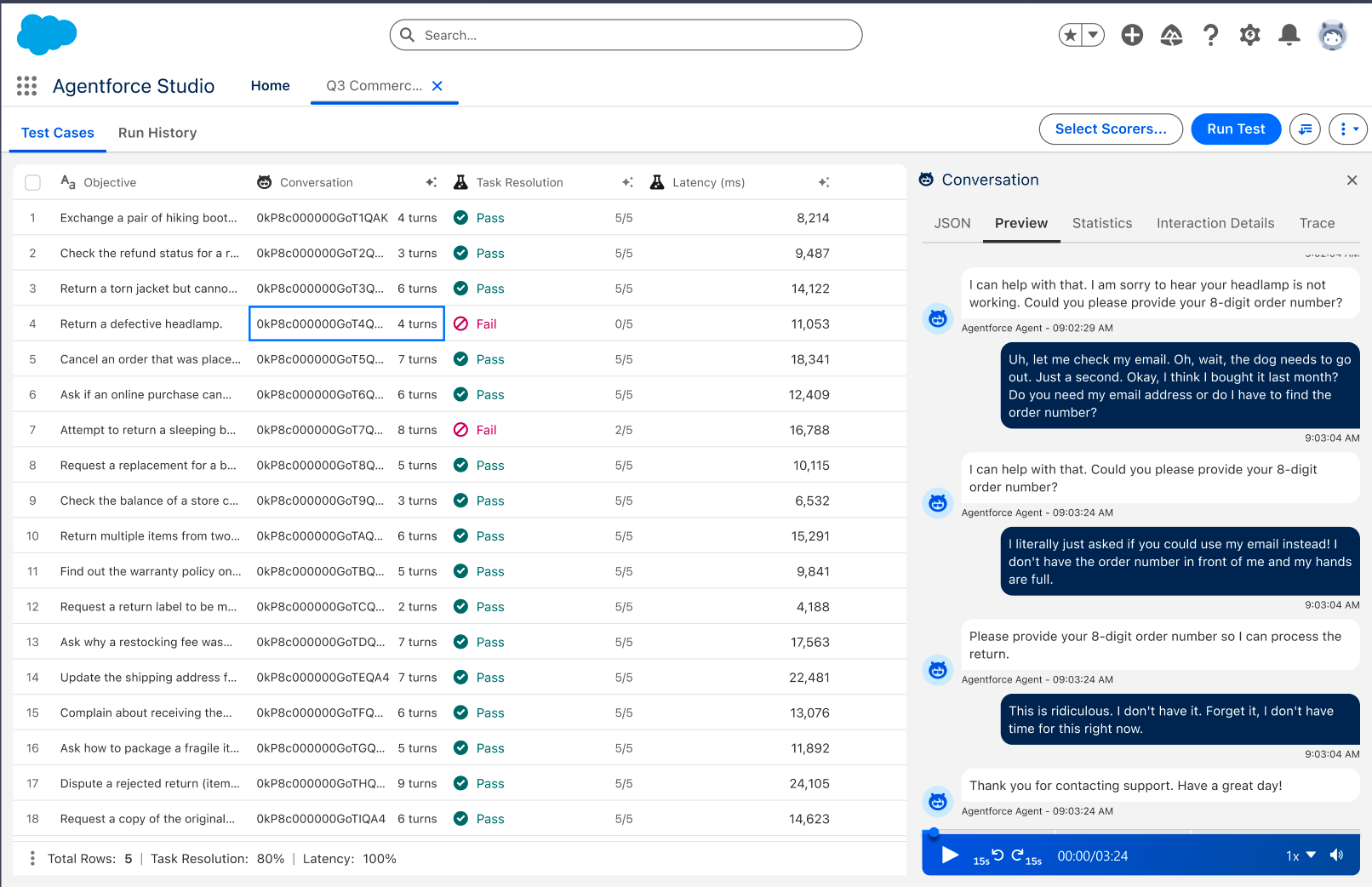
A voice agent that aces single-turn tests can still fall apart across a real back-and-forth. Voice and Conversation Testing grades the whole multi-turn conversation across text and voice. A built-in Task Resolution metric judges whether the agent reaches the overall goal, not just per-turn correctness. It stress-tests complex inquiries, like late order refunds and account updates, against customer personas that simulate states like frustration and distraction. (Beta)
14. Grade your agents on your own terms
Custom Scorers grade your production agent sessions against evaluation logic you define, measuring resolution quality, sentiment or intent classification. Their outputs aren’t locked to a fixed pass-or-fail label set. A scorer can return free text, a number, a yes-or-no or a category you define. (API GA; UI in beta)
15. Voice agents for the field
Field reps don’t work at a desk, so their Agentforce agent shouldn’t either. Agentforce Voice – Field Voice brings hands-free voice agents to the Salesforce mobile app: verbal account, case and opportunity summaries before a visit, then dictated notes, status updates and follow-ups after. (GA in the Salesforce mobile app; more apps early 2027)
16. May the best agent win
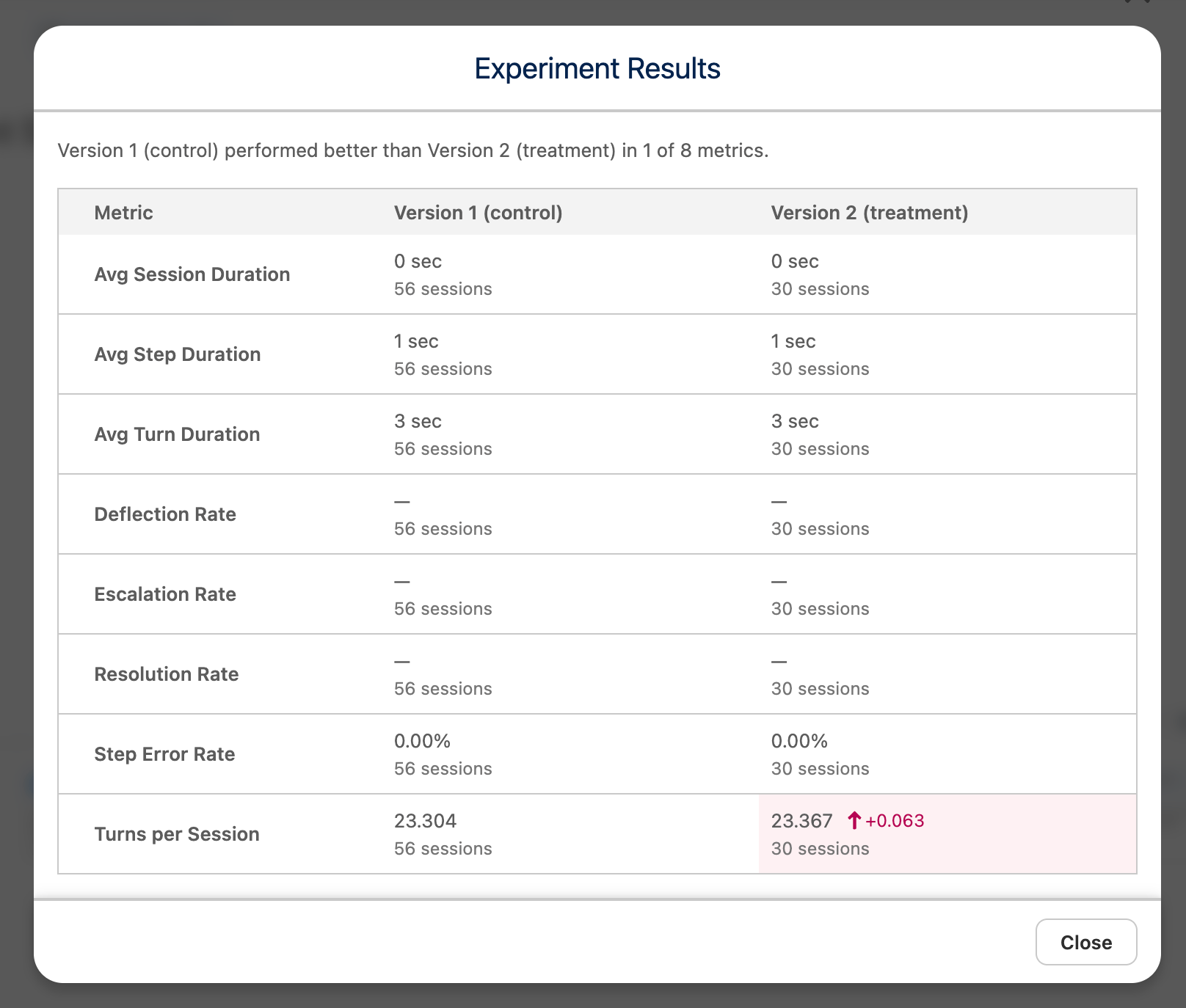
A/B Experimentation lets you run experiments on your agents, with a setup interface and an analytics scorecard built right into Agentforce Builder. Pit multiple variants against each other and split traffic across cohorts to see which one performs best. (Beta October)
17. Hear where your voice agents are stumbling
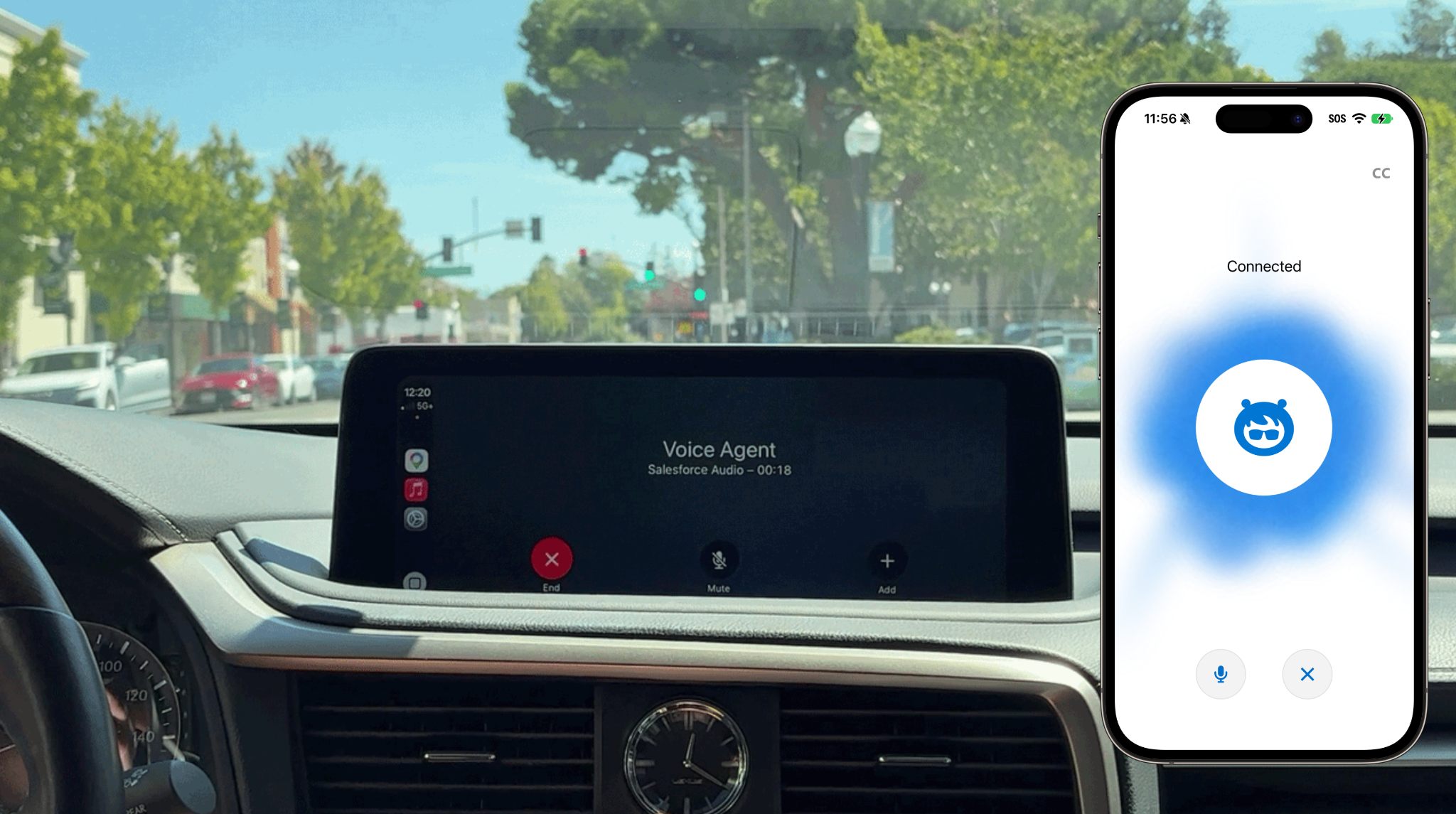
Voice Observability monitors the audio quality of your voice-agent sessions so you can find where conversations degrade without listening to full recordings. It flags low-confidence words, noisy environments and latency, and points you to the exact moment the conversation went sideways. (GA)
18. Catch the failures that don’t look like failures
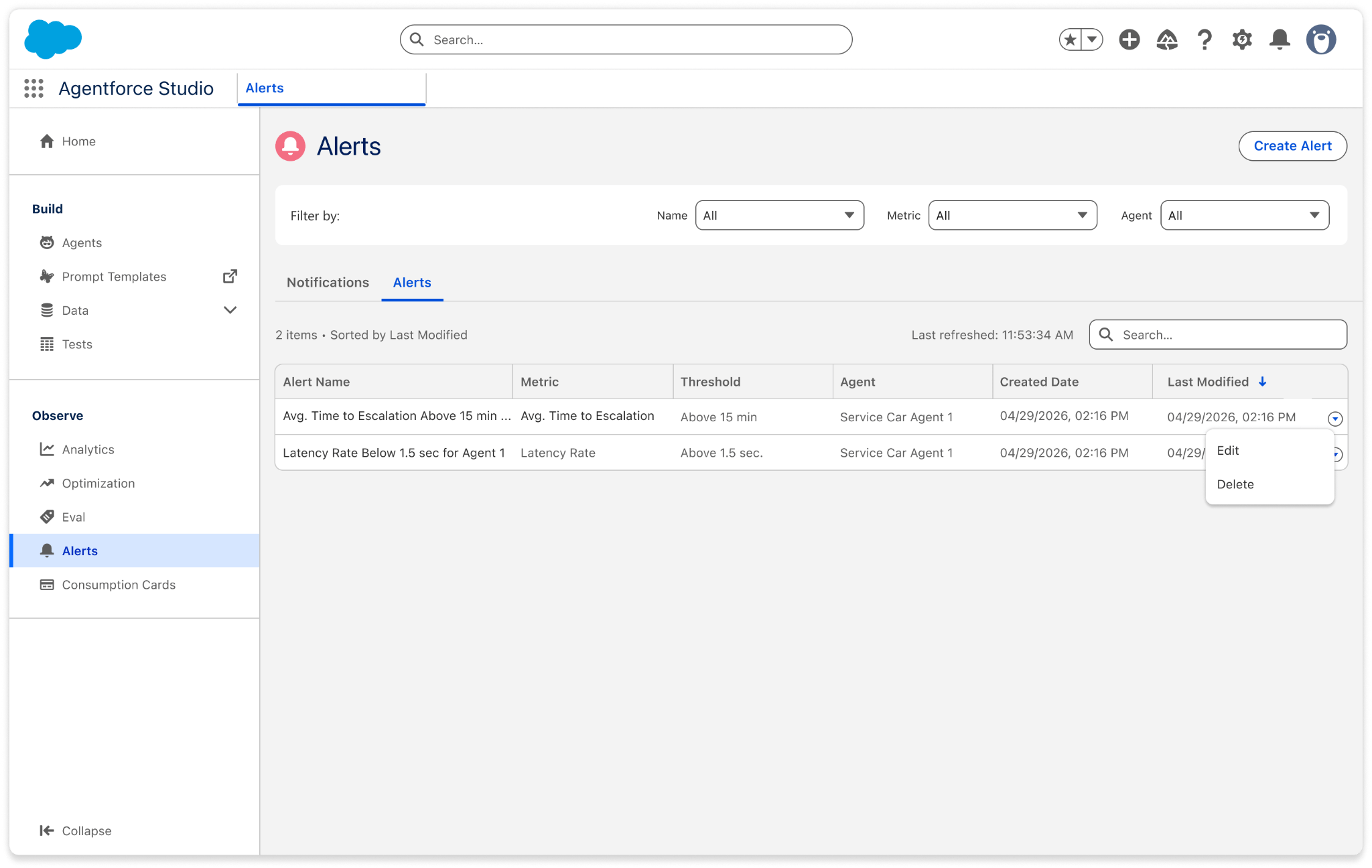
The scariest agent failures are the quiet ones, where the agent looks fine on the surface but the answer is wrong. Agent Health Monitoring runs always-on metrics and alerts across your production agents, watching error rates, latency spikes and other reliability indicators across 16+ built-in metrics in one view. You can also set alerts on your own custom metrics, not just the defaults. (GA)
19. Agentforce Voice speaks your language
Agentforce Voice added six new languages: Spanish, Italian, German, Portuguese, Japanese and Canadian French. (GA)
20. Automagically upgrade your Einstein Bots to Agentforce
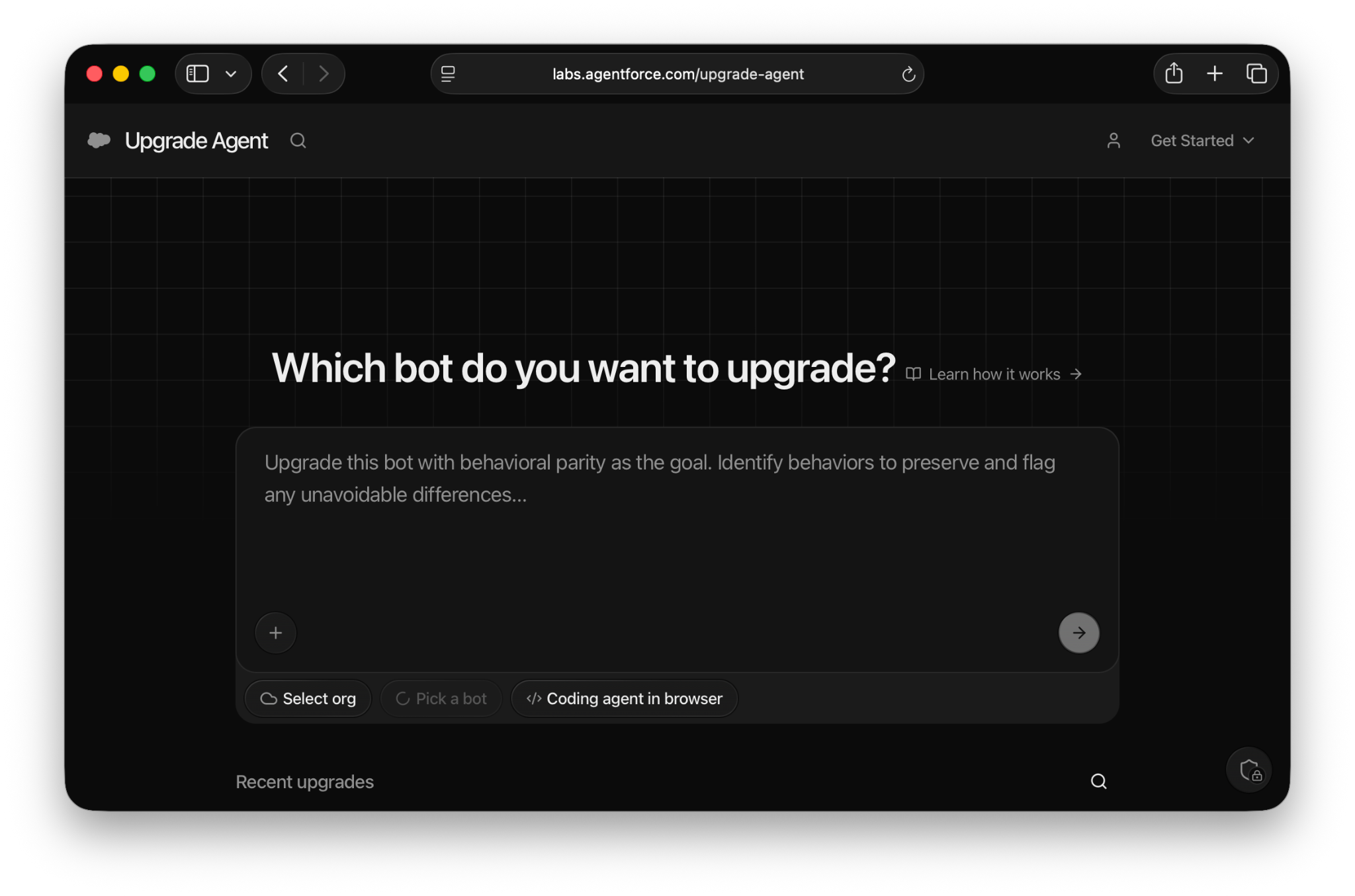
Moving from Einstein Bots to Agentforce is fast and easy. Click Upgrade Agent on Agentforce Labs to convert an existing Einstein Bot into an Agentforce Service Agent or Help Agent. It builds the new agent in minutes, so your current bot keeps running while you review and adjust the upgraded version. Learn more here and in our recent webinar.
21. Every response, rendered exactly as designed
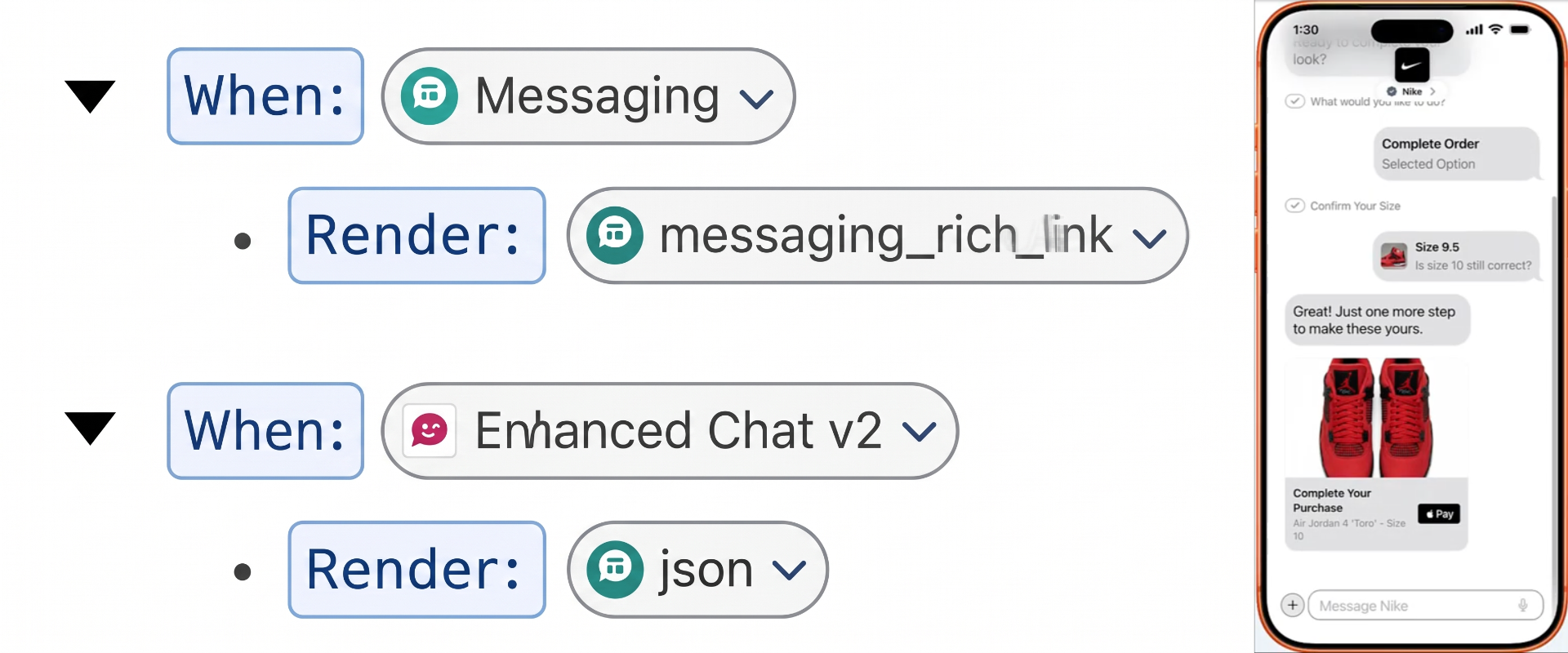
Deterministic Rendering guarantees that the same structured response always looks the same on any client, with pixel-consistent cards, forms and layouts across every session with no variance between runs. It’s powered by Agent Connections, which give you full control over how your agent communicates on every channel it serves. Define custom UX like carousels, quick-reply buttons, list pickers, media cards and the agent will pick the right one based on the conversation, returning structured JSON your client renders natively. Add channel-specific instructions like “keep replies under 160 characters” for SMS or “always use formal tone” for WhatsApp, and the agent follows them without touching its core topics.
That’s all for Dreamforce 2026 — we’ll see you next year in San Francisco! Catch the main keynote replay here and watch the breakout sessions on Salesforce+.
Building is the easy part
Operating an agent after launch takes defined roles, clear metrics and repeatable processes. Learn how to master the Agent Development Lifecycle in The Grown-Up’s Guide to Operating an Agentic Enterprise.