

Key Takeaways
As a business leader, what’s the first thing you do when you get to work? (After coffee, that is.) Do you log into Slack? Are you chatting with your team mates every day, but that’s really it? If you’re only using Slack for messaging, you’re missing out on most of its power.
Slack isn’t just a communication tool; it’s designed to be the operating system (OS) for your entire business. According to customer surveys, after adopting Slack, sales teams see a 36% average increase in win rate, service teams resolve cases 32% faster, and marketing teams make decisions 37% faster.
To help you tackle the growth challenges of running a small business or startup, we’re revealing five hidden Slack superpowers that speed up team productivity, increase revenue, and solve specific business problems.
Did you know that Slack is now integrated right into Salesforce?
For SMBs, the ultimate superpower is the seamless connection between the conversation (Slack) and the customer data (Salesforce).
When you connect your Salesforce data to Slack, you can create a specialized Salesforce Channel that pulls live CRM information right into the conversation. This also shows up in your Salesforce instance, allowing your sales team to collaborate with the latest information wherever they’re working.
For your sales team, this means:
- Instant, cross-functional collaboration around a specific account or opportunity.
- Real-time alerts on customer activity and data changes from Salesforce, so your team never misses an opportunity.
- The ability to update deal information and share insights with the team simply by sending a message in the channel.
Boost team productivity with Salesforce



This speeds up response times to customers, partners, and colleagues. What’s more, the rapid acceleration of the sales cycle is a key factor for revenue growth and operational agility for SMBs.
Did you know that Slack can stop context-switching?
For startups or small and medium-sized businesses (SMBs), the challenge is always the same: how many tools are you managing a day and how many times are you switching between them? As your brand grows, making sure you have effective time management and team collaboration is top priority.
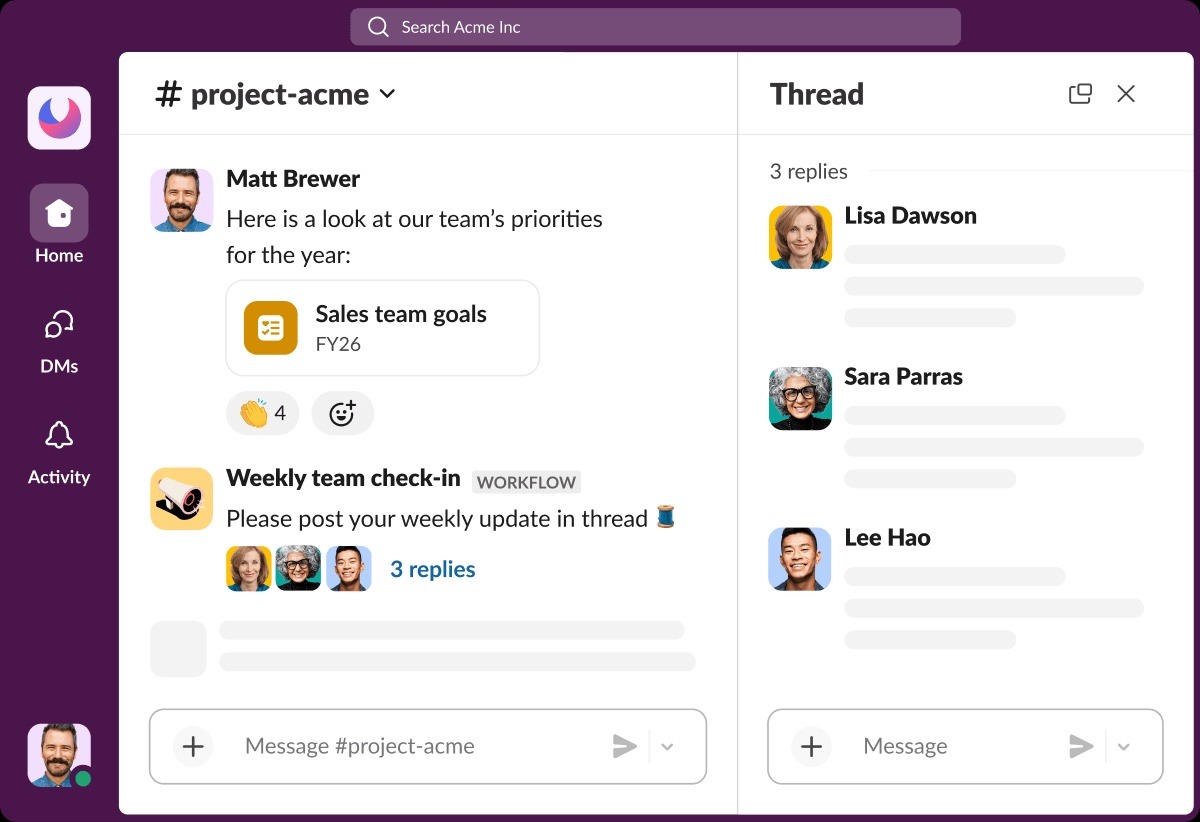
If you’re using a customer relationship management (CRM) tool, you minimize context-switching immediately with integrated apps like Slack. Keep things organized (and stop switching between apps a hundred times a day) with channels.
Together, with CRM and Slack, teams can communicate with each other seamlessly — never having to leave their work stations. No more multiple-tab switching (quick check, how many tabs do you have open in your browser right now?). Slack can help with that.

Did you know you have a global whiteboard with Canvas?
Canvases, Slack’s virtual whiteboards, are available in each channel, acting as a home for all the core information related to the project or team involved. Instead of forcing new hires or project members to scroll through weeks of history to find answers, you can share a fixed Canvas at the top of the channel with them (forever), and they can always come back on their own time.
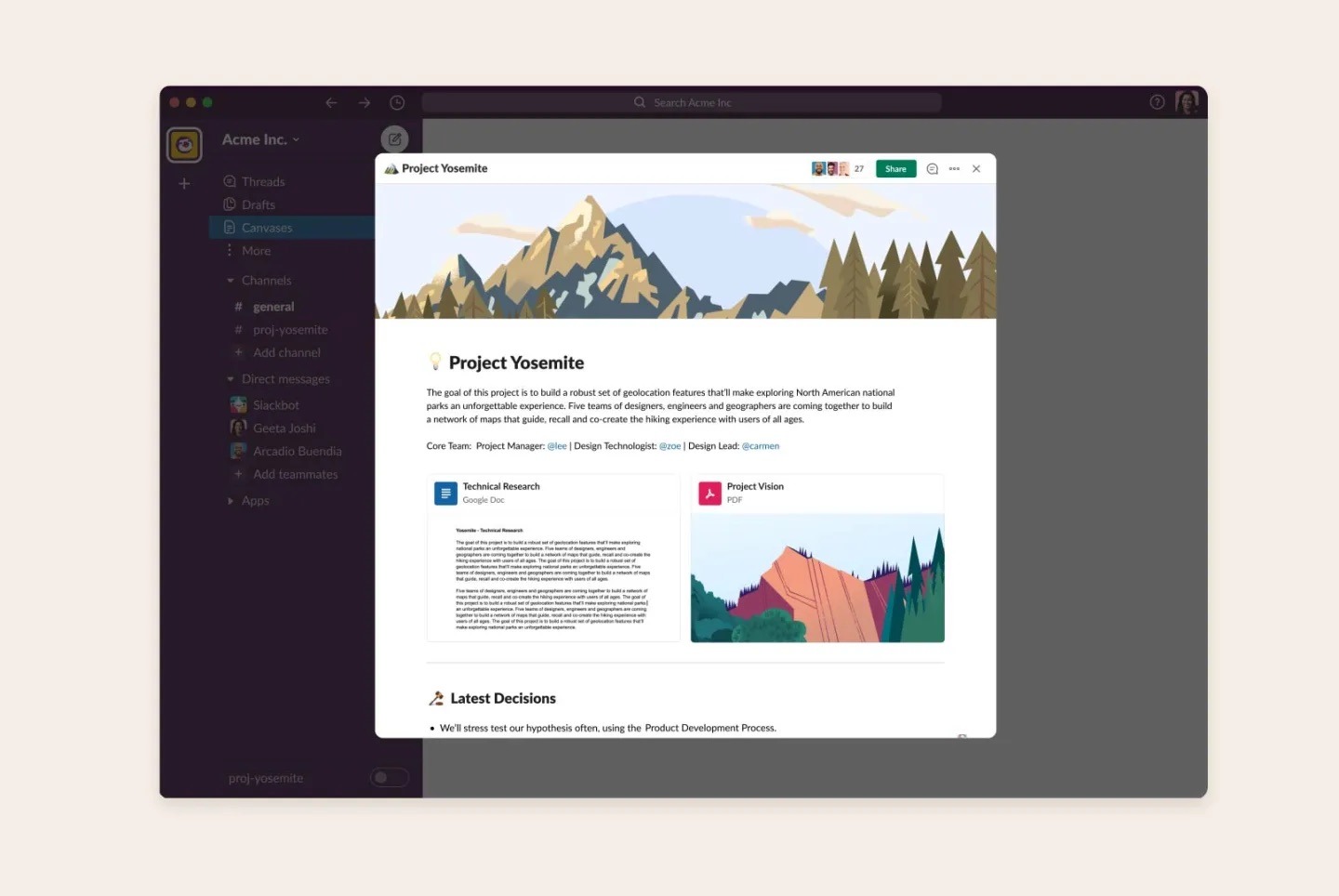
Did you know you can pin project briefs and goals, link to important files, resources, living FAQs, and onboarding guides — all in Canvas? This turns your channel into a single source of truth, helping new hires ramp up quickly by providing historical context.
Did you know your Slack search is AI-powered?
And, did you know that you can use AI-powered search? Your team’s entire message history, files, and decisions are stored in Slack, but you need an effective way to access them. You’ll find exactly what you need, fast, with Slack’s built-in advanced modifiers. Get started with these:
- From: @name: To find all messages from a specific person
- In: #channel: To search only within a specific channel
- Has: link: To find messages that contain a shared link
- Before or after date: To narrow your search to a specific time period
Try it out for yourself: Ask Slack search a question in natural language (like “What was the final decision on the Q3 budget?”) and receive a concise answer sourced directly from your company’s knowledge in Slack.
Boost team productivity with Slack
Bring together your team, your customers, and your tools to help take your business to the next level with Slack — it’s where business gets done.

Did you know that Slack can automate the “work of work”?
Many SMBs are constantly looking for new ways to achieve more with less and simplify busy work. This is where automation comes in as a key driver for reclaiming valuable hours spent on repetitive, manual tasks.
Workflow Builder in Slack is your first step to achieving this. It allows you to automate routine tasks by creating step by step workflows for important processes, like giving team’s access to new tools or asking for feedback. It’s a powerful tool that turns more work into less work.
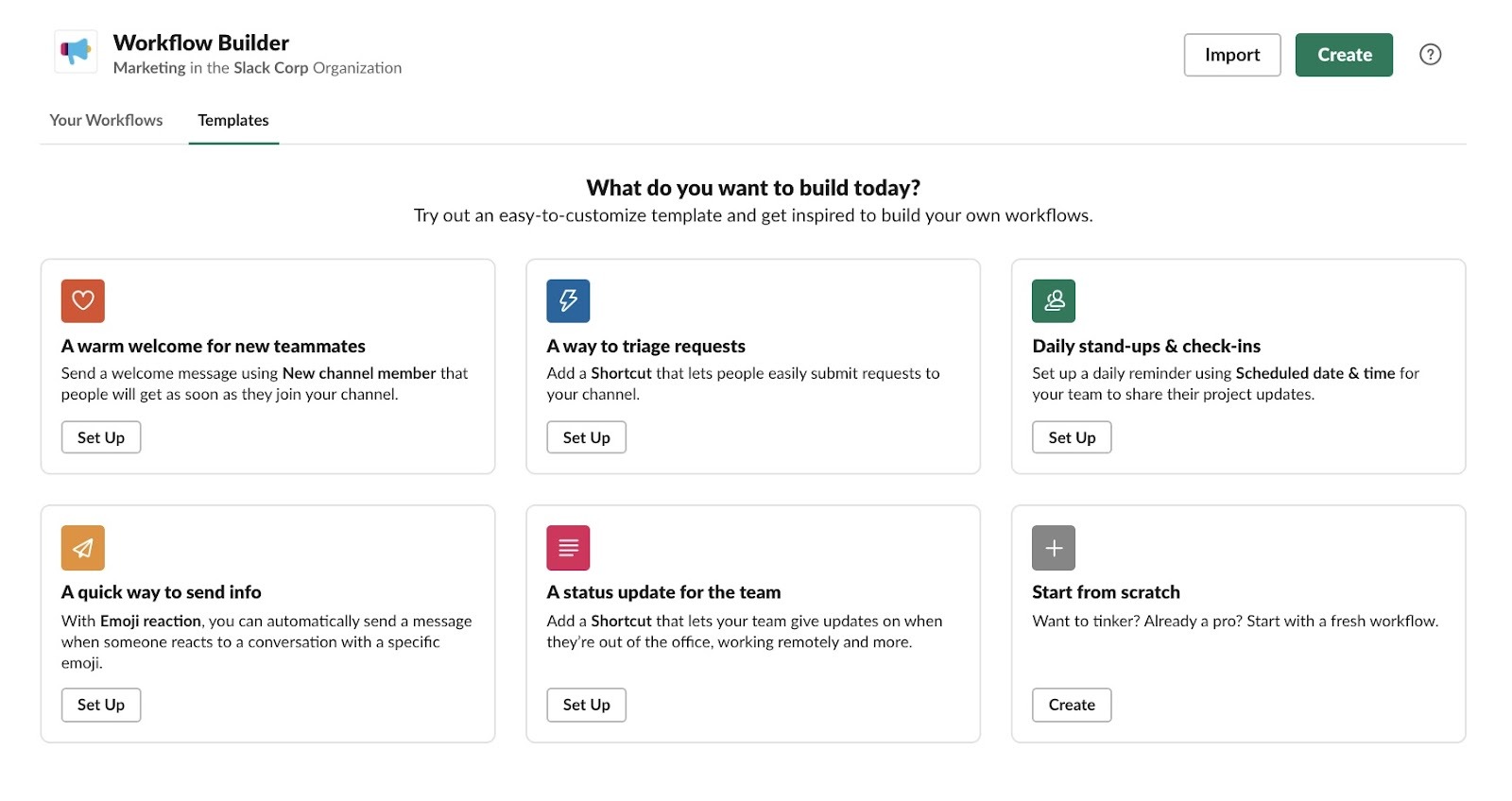
Did you know you can use Workflow Builder to:
- Onboard a new client: When a deal closes, automatically share a welcome message and a series of checklist items to a new #client-onboarding Slack channel (now embedded right in your CRM!).
- Centralize requests: Create a form that new team members use to submit IT requests, ensuring all the necessary information is collected up front and routed to the correct person.
Alongside Workflow Builder, Lists help you to manage tasks and projects directly within a channel. Unlike a simple to-do list, Lists can be used to coordinate complex workflows: aligning a product launch by using a List in the #product-launch channel to track the status of product development, marketing assets, and public announcements, or tracking the progress of new sales proposals.
Boost sales with a CRM made for growing businesses
Try Starter Suite for free to close more deals and win more customers, today.

Did you know that Slack can get rid of email for good?
There’s nothing more motivation-sapping than trying to find a specific email in a specific thread — from weeks ago. Slack makes sure you never have to do this again with Huddles and Slack Connect. Here’s how.
Huddles are phone calls you can make directly from Slack, either audio or video, including screen sharing. Simply toggle the headphone icon in any channel or DM to start a quick audio or video chat. AI-generated meeting notes can automatically summarize what was discussed in the Huddle, so you can focus on your meeting, not on whether someone is taking notes. You can also use video and audio Clips to record and share short video or voice updates, respecting different time zones and focus blocks.
Slack AI also makes catching up with conversations more manageable. AI-powered Summaries can instantly read lengthy conversations, threads, and channels, and present you with the key insights. Use it to catch up on a busy channel when you’ve been focused on deep work or OOO. This can translate to 97 minutes saved weekly per user, enabling your team to focus on building your business rather than digging for information.
All in on Slack, but still using email to communicate with vendors and partners? Slack Connect is here. Email chains with external partners can be a huge source of delay. Instead of relying on them, Slack Connect allows you to create a dedicated channel that is shared between your workspace and your external partner’s workspace. By moving client communication out of messy inboxes and into a shared, secure channel, you enable faster feedback loops and shared visibility on important documents. Say bye bye to the ping-pong effect and hello to getting stuff done.
Now you know — Slack can do that
You started by seeing Slack as a messaging app, but now you know it’s the operational hub for your entire business. It’s a tool for knowledge, automation, and most importantly, connecting your team to your most valuable asset: your customer data in Salesforce.
Start your journey with the Free or Starter Suite trial today. Looking for more? Explore Pro Suite. Already a Salesforce customer? Activate Foundations to try out Agentforce 360 today.
AI supported the writers and editors who created this article.
Frequently Asked Questions (FAQs)
Not at all. Slack is an incredibly powerful tool for small businesses and startups with features like Workflow Builder and Channels, it is specifically designed to help lean teams operate with the efficiency and structure of a much larger organization, helping to scale without complexity.
Slack moves communication out of cluttered inboxes and into organized channels, eliminating context-switching. Features like Huddles allow for instant, spontaneous voice and video calls, and Slack Connect replaces messy external email threads with secure, shared channels, speeding up collaboration with partners and clients.
A Slack Canvas is a persistent, organized space at the top of a channel that acts as a home for all core information, like project briefs, goals, files, and onboarding guides. For an SMB, it’s essential for fixing the “clutter” problem, ensuring new team members or project contributors can quickly find critical context without scrolling through weeks of messages.
Slack AI’s Summaries feature can instantly read through long conversations and channels, providing you with the key insights, which can save up to 97 minutes weekly per user. Furthermore, AI agents can automate routine tasks like updating sales records or generating meeting notes, allowing your team to focus on high-value work.
The integration allows you to create specialized Salesforce Channels that pull live CRM data — like customer activity and opportunity status — directly into the Slack conversation. Your team can then collaborate around the latest customer information in real-time and even update records directly from Slack, which accelerates the sales cycle and service response times.