


Imagine asking an AI agent to prepare an offer for a loyal customer. It finds their purchase history, spots an opportunity, and recommends the next product. But it misses the service case they’ve spent the past week trying to resolve. The offer might be relevant. The timing couldn’t be worse.
Your team would want to know about that case before reaching out. Your AI needs the same understanding. It needs current information, a way to connect the details, and clear rules about what it can access and use. Together, those elements give it trusted context.
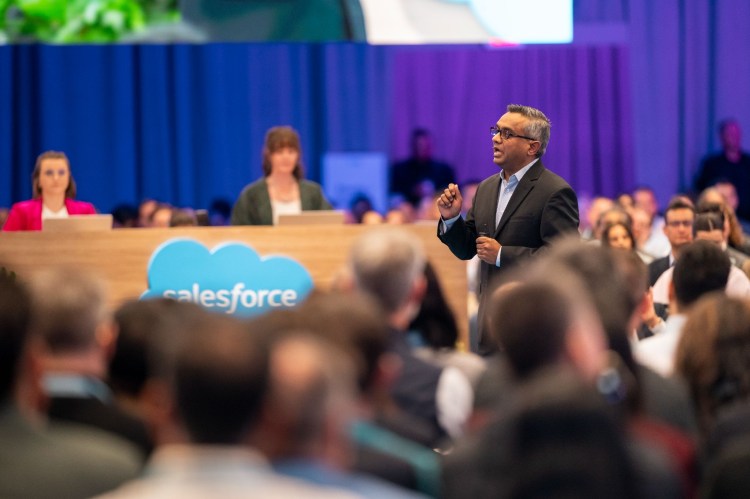
At Dreamforce, the Data 360 keynote put trusted context to work: an agent built customer profiles and an audience from a plain-English request, while the Agent Context Engine and Agentforce Coworker showed how the same foundation can support more of the work people do every day.
Here’s what stood out—and how to put it to the test.
Learn how to make context your AI advantage
Watch the full Data 360 Keynote: Context Is Your AI Advantage on Salesforce+.
Three ways Data 360 puts trusted context to work
At Dreamforce, that promise came to life in three areas: building customer audiences, giving agents a deeper understanding of the business, and helping employees get work done.
Create an audience by describing who you want to reach
Building a campaign audience often means translating a marketing idea into filters and rules. The Agentic CDP demo at Dreamforce showed a simpler way to begin: an agent unified customer profiles, then built a segment from a plain-English description.
The quality of that audience still depends on the customer information behind it. A purchase and a service case need to be matched to the same person, and their consent preferences need to be respected. Data 360 provides that foundation, so marketers can spend more time refining the audience and less time assembling it.
Learn more about the #1 customer data platform.
Give agents the knowledge behind your business data
Customer records tell only part of the story. Call transcripts, policy documents, and internal knowledge articles often contain the details an agent needs to give a useful answer. The Agent Context Engine is designed to make that knowledge available alongside structured data.
For each request, it brings together relevant information the agent is allowed to use. Memory can preserve approved facts from earlier interactions, helping the next conversation pick up where the last one left off. This gives teams building agents a way to draw on business knowledge while keeping permissions and continuity in view.
Visit the Agent Context Engine page for availability and next steps.
Help employees act on what the business knows
Agentforce Coworker brings these capabilities into a conversation employees can use to get work done. Built on Data 360, it connects business information and actions across Salesforce, Gmail, and other enterprise applications.
For a seller preparing for an account meeting, the opportunity is straightforward: spend less time searching across records and conversations, and more time preparing for the customer. Coworker puts the information and the ability to act on it in the same experience.
See the Coworker setup guide for details on turning it on and configuring user access.
Watch the Data 360 Roadmap: Activating Trusted Context Everywhere session on Salesforce+ for the full download on what is shipping next.
Quick Start: Agentforce Coworker


Keep the customer in view, wherever work happens
The work doesn’t stay in one application. A seller might review an account in Salesforce, discuss it in Slack, and use Claude to help prepare for a meeting. The customer history and business rules should remain useful throughout that process.
That’s where Data 360 Headless fits into the broader AIforce story highlighted at Dreamforce. AIforce brings Salesforce capabilities into the interfaces people use to work. Data 360 Headless makes trusted business context available to other agents and applications, so teams can use that understanding beyond Salesforce.
- Claudeforce brings live Sales Cloud and Slack data into Claude.
- Slackforce brings that same context into Slack.
- Agentforce Coworker puts it to work inside Salesforce itself.
There is a concrete developer path behind that promise. The Data 360 MCP Server exposes capabilities that authorized agents can use to map fields, inspect customer identity relationships, create segments, and activate campaigns. Zero Copy connections to supported platforms also let teams use external data without maintaining another copy.
Get Started with AIforce
Learn the concepts and use cases for bringing Salesforce capabilities to any agentic interaction or surface.



What does an agent need to understand your business?
Use the keynote’s five essentials to work out what’s missing when an agent gives an incomplete answer:
- Data: Does it have a current, consistent picture of the customer?
- Efficient access: Can it find the information needed to answer the question? Retrieval-augmented generation (RAG), for example, retrieves relevant source material to help ground an answer.
- Semantics: Does it understand your business definitions, such as what qualifies someone as an active customer?
- Memory: Can it use approved information from earlier conversations?
- Governance: Does it respect who can access the information and how it may be used?
Try it with one customer problem in four weeks
Try the audience example with your own data: can recent service information help your team avoid an ill-timed offer? Choose an available capability and use four weeks to test the result.
Week 1: Decide what success looks like.
Bring the campaign owner and data owner together. Measure how long audience preparation takes today and review a sample of customer matches for accuracy. Agree on what needs to improve.
Week 2: Connect the missing information.
Connect the service data, check that records match the right customers, and confirm that the information is current. Make sure the people and agents using it have the right permissions.
Week 3: Try it on real examples.
Review the proposed audience together. Does it exclude the customers it should? What happens when records conflict or information is restricted? Fix the gaps before using the audience more widely.
Week 4: Review the results.
Compare preparation time and matching accuracy with your starting point. Include the effort needed to set things up. Use the results to decide whether to expand the approach or improve it and test again.
Use the Data 360 fast-start playbook to help scope your next step. Data is the foundation; access, semantics, memory, and governance belong in the pilot from the start.
Take the next step after Dreamforce
Start with one customer moment where missing information changes the outcome. Bring the people who know the customer and the people who manage the data together, then use the pilot to find out whether better context makes a measurable difference.
Watch the 10-minute Dreamforce recap webinar
Sign up for the webinar to get a deeper dive on what’s live, what’s coming, and how to plan for what’s next.