

The old way of running a growing business meant a race against the clock, losing minutes to app-switching and digital noise. Welcome to the new way to work: Slack shortcuts. These powerful, quick actions transform your digital workspace into a focused hub, keeping you in the flow of work and ensuring that no lead or customer request ever falls through the cracks.
Managing your daily tasks should not require a dozen open tabs and constant searching. By using these Slack shortcuts, you can simplify how you communicate and handle data. We’’ll dig into how these quick tools help small and medium business (SMBs) and startups stay organized and move business forward, faster. Let’s get into them.
1. Save time with the slash command
Small teams often need to find information quickly without digging through folders. Using the slash command is one of the most effective Slack shortcuts because it acts as a universal search bar for your workspace. Instead of opening a new window, you simply type a command to pull up a file or start a meeting. This keeps your focus on the conversation at hand while getting you the answers you need. Try it out:
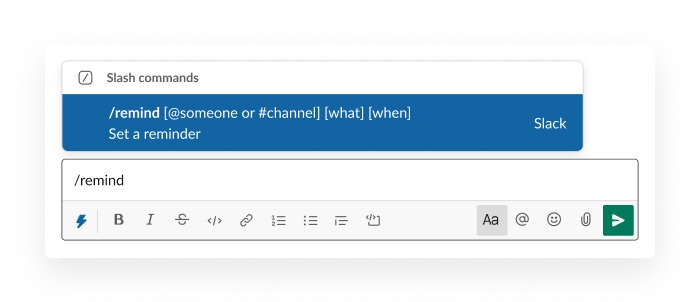
For a startup, staying agile is about reducing the clicks between an idea and an action. You can use these commands to pull data from your customer relationship management (CRM) without leaving the chat. When your sales and marketing teams have instant access to facts, they can make better decisions on the fly. This simple habit helps you maintain a high level of productivity.
2. Organize your day with the saved items list
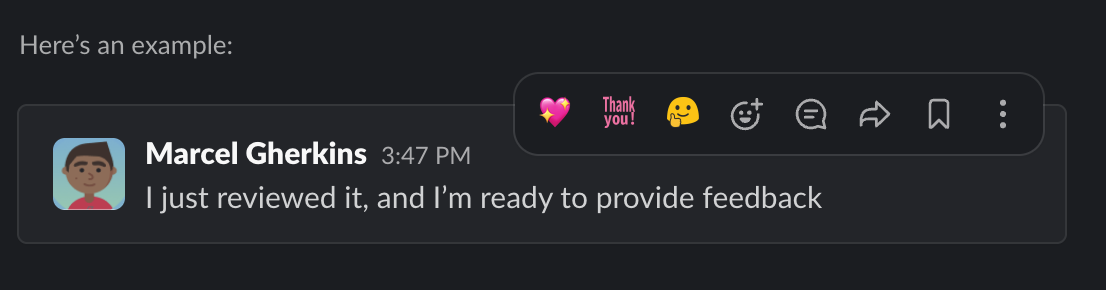
It’s easy for important messages to get buried in a busy channel. One of the best shortcuts in Slack is the ability to save messages for later follow-up. By clicking the bookmark icon on any post, you create a personal to-do list that lives right inside your communication hub. This ensures that a request from a client or a note from a teammate stays visible until you’re ready to handle it.

You may deal with a high volume of quick updates that can be distracting if addressed immediately. Using saved items allows you to practice better time management by batching your tasks. Your service team can save complex questions to research later while staying present for active chats. This approach helps you provide more thoughtful responses without feeling overwhelmed by the constant stream of pings.
3. Use message shortcuts for instant updates
Updating your business records should be as easy as sending a text. These message shortcuts connect your discussions directly to your operational tools. With a few clicks on a message menu, you can create a new task or update a lead status. This prevents the common problem of forgetting to log important details after a long meeting.
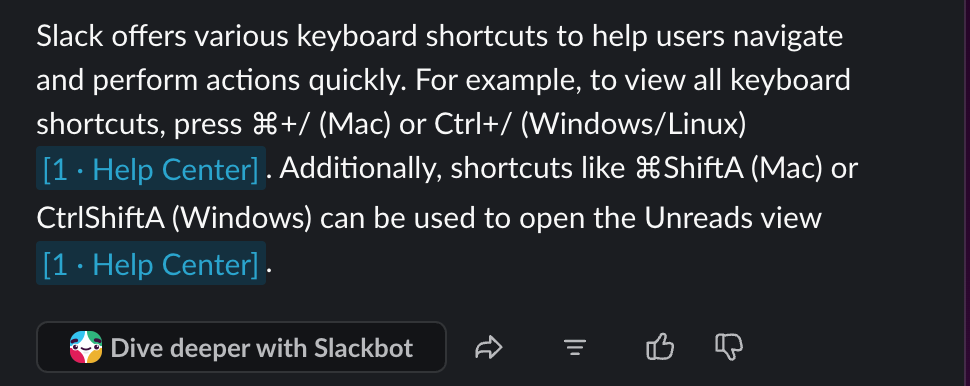
When your communication tool talks to your CRM, your entire commerce and sales team stays informed. Startups can use these shortcuts to ensure that every interaction is captured in real time. This level of organization is what allows a growing business to scale its operations without losing the personal touch. Using these Slack shortcuts for your team means your data is always fresh and reliable for the whole company.
4. Create custom workflow buttons for common tasks
Every small business has unique processes that they repeat every single day. You can build custom buttons that specifically serve your internal needs. Whether it’s an intake form for new creative requests or a quick way to report a bug, these buttons guide your team through the right steps. This removes the guesswork for new employees and keeps your workflows consistent as you grow.
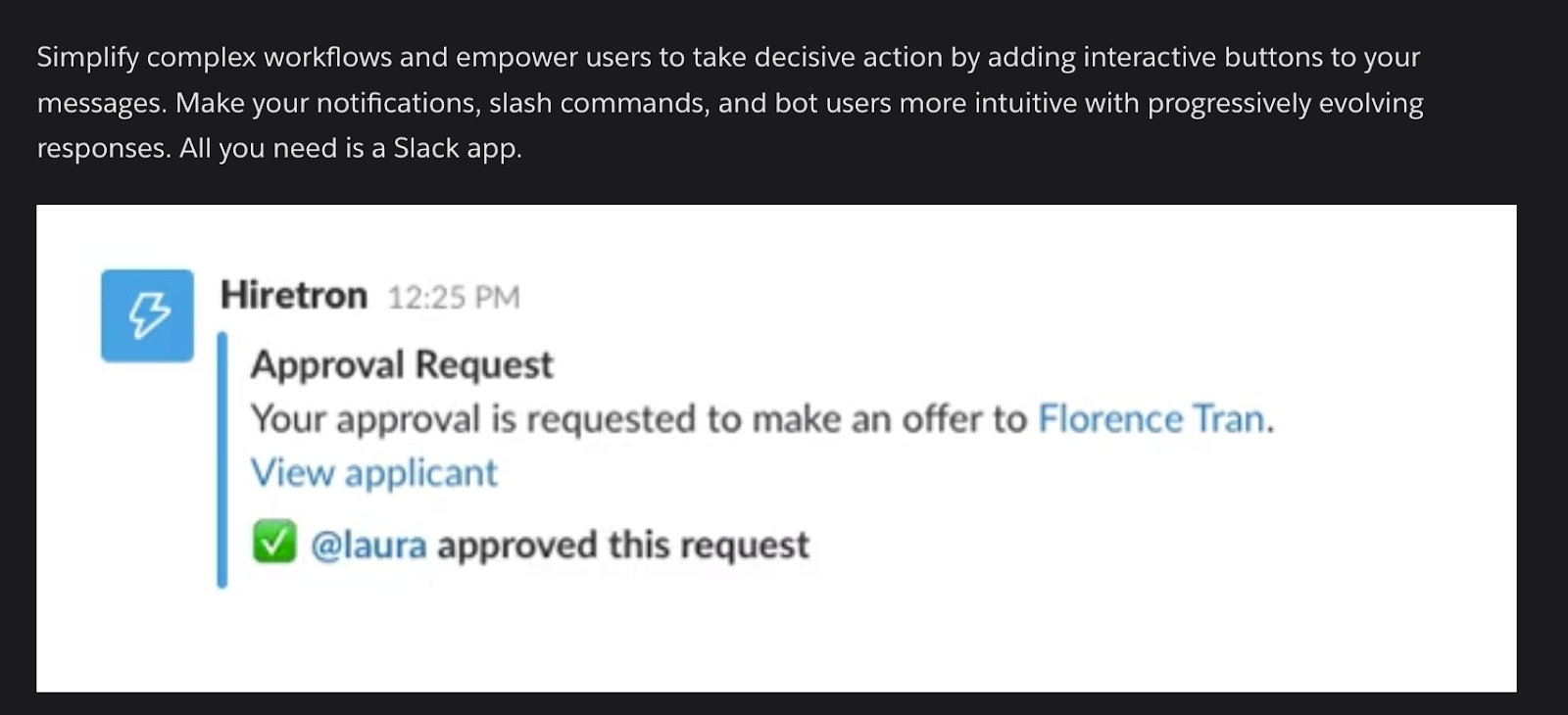
Pro Tip: Using artificial intelligence (AI) within these workflows can help automate the boring parts of your job. For example, an AI assistant can summarize a long thread or suggest the next best action for a sales rep. This helps you compete with larger companies by doing more with fewer resources. These custom Slack shortcuts turn your chat app into a powerful engine for your business.
5. Speed up communication with emoji reactions
Sometimes a full text response isn’t necessary to keep a project moving. Using emoji reactions is a subtle but powerful way to save time. A simple checkmark can signal that a task is done, while a pair of eyes shows a teammate that you’re currently reviewing their work. This cuts down on the number of “thank you” or “got it” messages that can clutter a channel.

Small teams thrive when they can communicate clearly without the extra noise. Establishing a common language for reactions helps your productivity and service groups stay aligned. When everyone knows what each symbol means, you spend less time reading and more time doing. These shortcuts are about making every interaction count so your startup can reach its goals faster.
Get Slack for Small Business.
Growing teams can take business to the next level.

Connect your team with Slack and AI CRM
As your business grows, you might need more than just shortcuts to stay ahead. Modern tools like Agentforce 360 bring a new level of intelligence to your daily work. These digital assistants can handle repetitive tasks across your sales and marketing teams so you can focus on big-picture strategy. By putting these agents to work, you ensure that your customer data is always being used to its full potential.
An SMB that uses smart agents can respond to customer needs at any time of day. This technology is built to work right alongside your existing tools, making it a natural step up from basic shortcuts. When you pair your favorite Slack shortcuts with advanced automation, you create a workspace that actually works for you.
Start your Slack and CRM journey with the Free or Starter Suite today. Looking for more customization? Explore Pro Suite. Already a Salesforce customer? Activate Foundations to try out Agentforce 360 today.
AI supported the writers and editors who created this article.
How do Slack shortcuts help my small business grow?
Shortcuts reduce the time your team spends on administrative tasks and app-switching. By speeding up how you find and log information, you can focus more energy on customer relationships and strategy.
Can I use these shortcuts on my mobile phone?
Yes, most slash commands and saved items work perfectly on the mobile app. This is helpful for startup founders who need to manage their business while on the move.
Do I need technical skills to set up custom shortcuts?
Many shortcuts are ready to use right away without any coding. For more advanced workflows, simple builders guide you through the process step by step.
Are these shortcuts secure for my business data?
Yes, these tools are built with enterprise-grade security to keep your company information safe. You control who has access to specific commands and data within your workspace.
Will these shortcuts work with my existing Salesforce setup?
Yes, they are designed to connect your communication and your business data seamlessly. This ensures that every update you make in chat is reflected in your main records.