



The fastest way to grow your business isn’t guessing what your customers want — it’s asking them.
For lean businesses, that’s a real competitive edge. While others are making assumptions based on things like dipped sales or a spike in support tickets, you can build a direct line to your audience that tells you exactly where your biggest opportunities are hiding.
A well-designed business survey turns customer feedback into one of your most valuable assets — giving your sales, marketing, and service teams the clarity they need to move faster, make smarter decisions, and deliver the kind of experience that keeps customers coming back. In this guide, we’ll walk you through how to build a survey process that actually gets responses and turns insights into action.
What’s a business survey and why does your SMB need one?
A business survey gathers honest feedback and direct data from customers to understand what they want and why they might be leaving. For a small or medium business (SMB), a well-planned survey provides meaningful, actionable insights that help sales, marketing, and service teams grow faster.
It moves your business past the ‘guessing game’ of growth by bridging the gap between assumptions and customer data, ultimately helping to build brand advocates and allowing you to scale your service effectively.
The survey setup for business success
First, you’ll have to set your business survey goals, identify who you’re trying to reach, and choosing the right question and distribution methods. Here are a few tactics to get you started:
Set your survey goals
Before you send out a single question, decide what you want to learn from your audience. For a lean team, this might mean asking about a new product feature, while an established company might focus on customer loyalty.
Having a clear objective ensures that you don’t waste your customers’ time with irrelevant questions. When you know your goal, your business survey becomes a tool for gathering actionable data rather than a generic form.
Identify your target audience
You don’t always need to poll every person who has ever bought from you. Sometimes it’s better to focus on your most active users or perhaps those who haven’t made a purchase in over six months.
Segmenting your audience allows you to tailor the language to their specific experiences with your brand. By reaching the right people, your business survey will yield much higher response rates and more accurate results. You can try this segmentation to start:
- Net Promoter Score (NPS) to measure overall brand loyalty.
- Customer Satisfaction (CSAT) to check how a specific interaction went.
- Customer Effort Score (CES) to see how easy it’s to work with your team.
Choose the right survey questions for your brand
The way you phrase things matters just as much as what you’re asking. We’ll offer some suggestions in the steps later on this article. For now, here are some tips to get started:
- Try a mix of multiple-choice questions for easy data analysis and open-ended questions to let people express their feelings in their own words.
- Avoid leading questions that push the person toward a specific answer.
- Keep the list short — ideally under five minutes — so that busy professionals are more likely to finish the entire business survey.
Select a distribution method
Startups have many ways to reach people, from email newsletters to text messages or even QR codes on packaging. Consider where your customers spend the most time and meet them there to make it easy for them to respond.
If you have a high volume of website traffic, a simple pop-up form after a purchase might be the best way to catch people while your brand is top of mind. No matter the method, ensure the design is mobile-friendly since most people check their messages on the go.
Pro tip: A sales customer relationship management (CRM) tool will help you create, launch and automate this survey workflow. More to come on this later.
The AI Service CRM for
small business is here.


How to conduct a business survey (and integrate it with your business tools)
Crafting and executing a business survey is easier with the right strategy and tools. Here are some recommended steps to kick off a survey that works for you and your business:
Step 1: Define your specific research question
Start by picking one problem you want to solve right now. Are you trying to find out why people are abandoning their shopping carts, or do you want to know if your pricing is too high?
Focusing on one area prevents “survey fatigue” and keeps your data clean. When you narrow your focus, the results of your business poll will be much easier for your team to implement.
Here are some examples of common business survey questions:
- How satisfied are you with our product or service?
- How likely are you to recommend our company to a friend or colleague?
- What’s the main reason you chose our product over a competitor?
- What feature could we add or improve to make your experience better?
- How easy was it to find the information you needed today?
Step 2: Draft your questions with clarity (and a little help from AI)
Write like you’re talking to a friend rather than a formal board of directors. Avoid acronyms or internal names for products that your customers might not recognize or understand.
Test your questions on a few team members first to make it certain nothing is confusing. A clear business survey leads to clear answers, which makes your next steps much more obvious.
Pro tip: Use artificial intelligence (AI) tools to help you craft the perfect way to ask questions by implementing your brand’s voice and tone, or guidelines.
Step 3: Set up your survey platform
You need a tool that can handle the data and provide simple charts to visualize the results. Look for platforms that integrate directly with your existing CRM system so you don’t have to export files manually.
Automating the survey data means your sales reps can see feedback directly on a lead record. This connection turns a simple poll into a powerful part of your entire business ecosystem. Here’s the short list of free survey platforms for small businesses:
- Salesforce: Integrates directly with your CRM to automatically update customer records with survey responses for easy follow-up and data flow automation.
- SurveyMonkey: Allows you to build mobile-ready surveys, automate distribution after specific customer interactions, and map results to custom objects.
- Google Forms: Provides free basic templates for quick and easy survey setup, ideal for businesses that are just getting started with collecting feedback.
Try out AI CRM for Small Business Service.
No credit card required, no software to install.

Step 4: Design and send the initial invitation
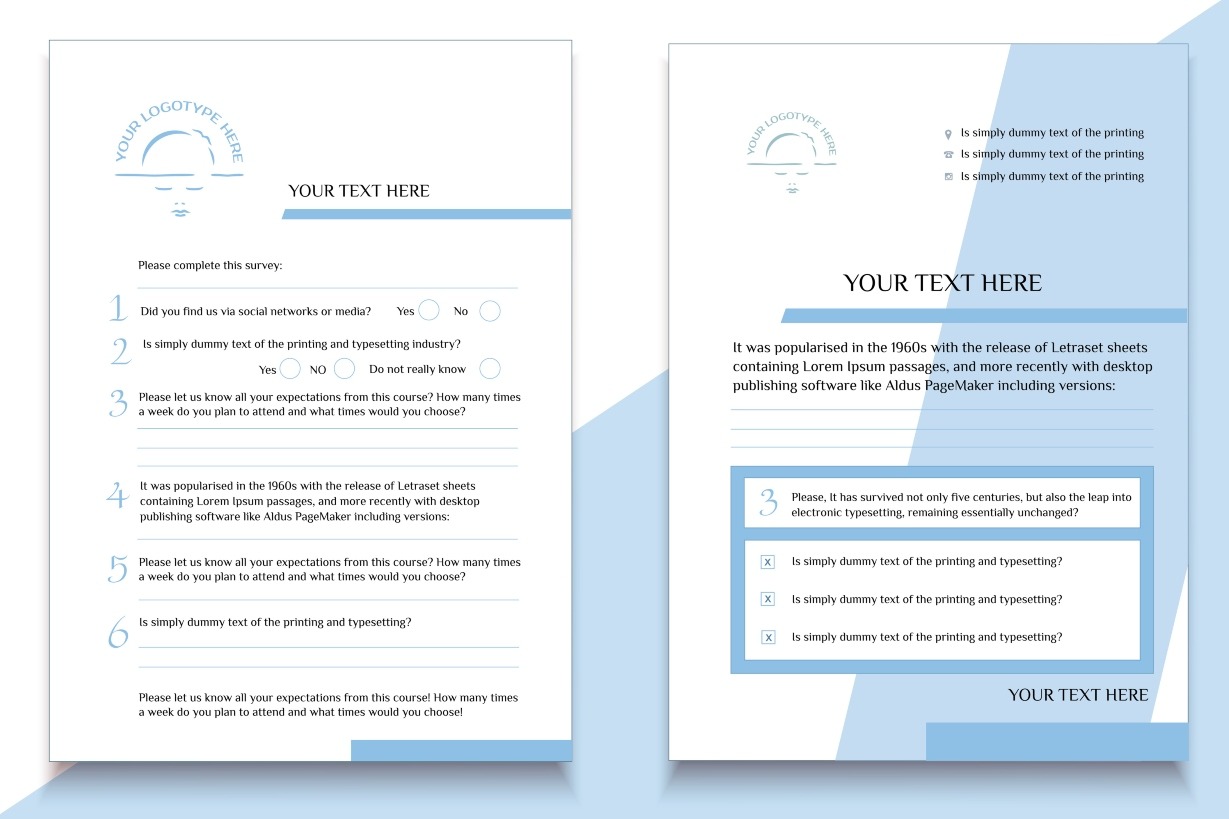
Design your survey with your branding, showcasing your authenticity and individuality. (This is the fun part).
You can use free tools like Canva to create the look and feel of your survey, giving plenty of room for the survey taker to complete it. Be sure to include your logo and business information. Here’s a great example of a branded business survey:
Timing is everything when you’re looking for high response rates. Sending an invite mid-morning, mid-week often works better than late on a Friday afternoon when people are signing off.
Explain why you’re asking for their help and how their feedback will lead to better experiences. People are more likely to participate in a business survey if they feel their voice actually leads to change.
Step 5: Send a gentle reminder
You can use your email marketing capabilities in your CRM tool to send reminders. Wait about 3-5 days before sending a follow-up to those who haven’t responded yet. Keep this message even shorter than the first one and reiterate that their time is highly valued.
Don’t overdo it — one reminder is usually enough to capture latecomers without annoying your audience. Respecting their inbox builds trust, which is the foundation of any long-term customer relationship.
Step 6: Analyze the raw data
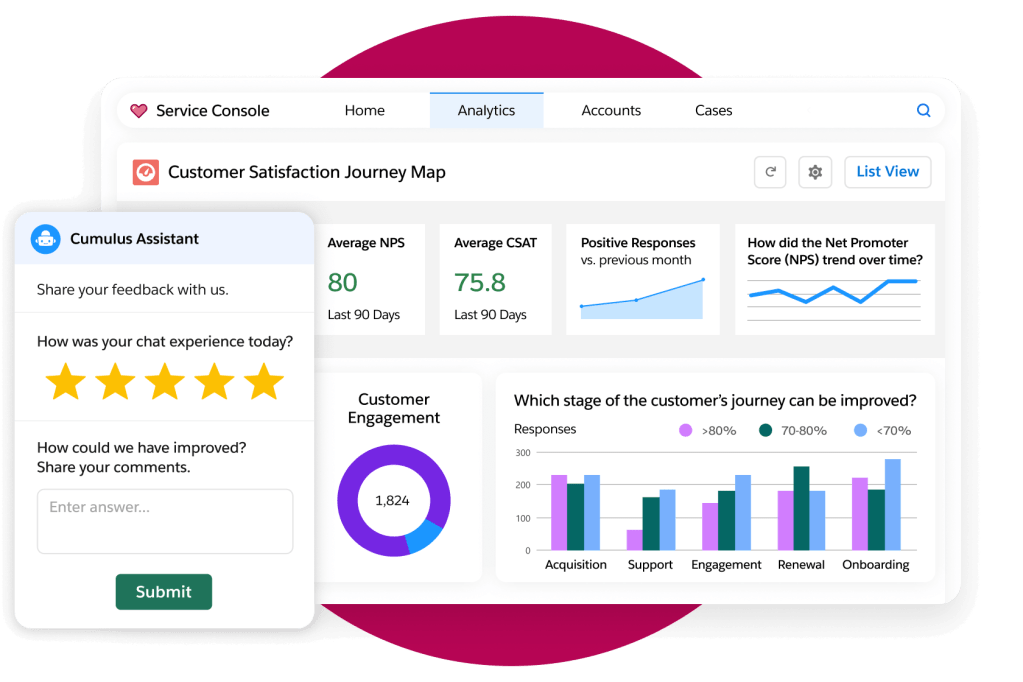
Once the responses start rolling in, look for patterns in the numbers. If 70% of respondents say your checkout process is slow, you have a clear priority for your web development team.
Pay close attention to the open-ended comments, as these often contain the “why” behind the numbers. Analyzing a business survey involves looking at both the big picture and the individual stories. When you store your feedback inside a CRM system, it becomes part of the customer’s permanent history. This allows your service agents to see if a person they’re helping recently reported a bad experience in a poll.
Activate AI for survey analysis
Analyzing thousands of comments by hand is impossible for a small team, but AI CRM makes it simple. AI can scan text to identify the sentiment of the responses — whether they’re positive, negative, or neutral.
This smart technology can also summarize the top three themes from your feedback in seconds. Using AI allows your SMB to get the same level of insight as a massive corporation without needing a team of data scientists.
Step 7: Share the findings with your team and iterate
Data is only useful if the people who can make changes actually see it. Create a simple summary for your sales, service, and marketing teams so everyone is on the same page.
Transparency within your company helps align everyone toward the same goals. When everyone understands the customer’s pain points, you can work together to build better solutions.
- Prioritize product updates: Use direct feedback to fix bugs or add the features your customers are asking for most.
- Refine your marketing: Adjust your messaging and channels based on where your customers spend time and how they describe your value.
- Improve customer service: Identify friction points in the customer journey to better train your support team.
- Enhance wellness initiatives: Use survey platforms to collect regular feedback for wellness pulse checks and habit tracking.
Step 8: Close the loop with customers
One of the biggest mistakes an SMB can make is asking for feedback and then never mentioning it again. Send a quick update to your participants to tell them what you learned and what you’re doing about it.
Even a simple “we heard you” goes a long way in building brand advocates. This step transforms your business survey from a data collection task into a relationship-building exercise.
Improve each business survey with Agentforce 360
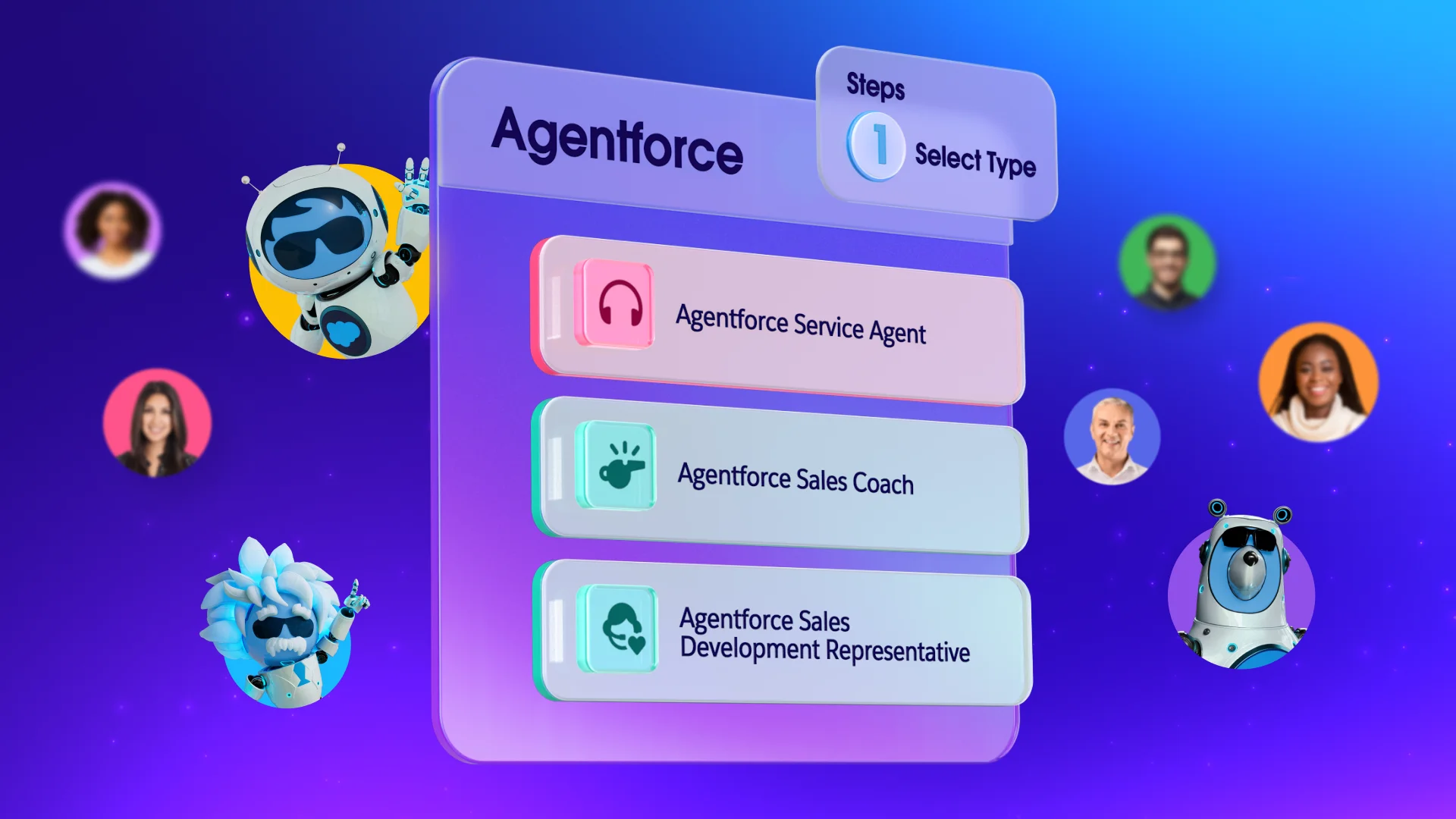
As your business grows, you can use Agentforce (Salesforce’s autonomous platform for AI agents) to automate the way you interact with customers based on their feedback. These digital assistants can follow up with customers who gave a low score to offer immediate assistance.
We wish you luck with your survey (and the best results you can get). Get started with Salesforce for free or activate Foundations to try out Agentforce today.
AI supported the writers and editors who created this article.
How often should a small business send out a survey?
It’s best to send surveys after key milestones, like a purchase or a support case resolution, rather than on a strictly timed schedule. This ensures the feedback is fresh and relevant to the customer’s recent experience.
What’s a good response rate for a customer survey?
For most small businesses, a response rate between 5% and 15% is considered very successful. You can improve these numbers by keeping your questions short and making sure the email subject line is engaging.
Can I use survey results for marketing materials?
Yes, if you have permission from the customer, positive feedback can be turned into powerful testimonials or case studies. Check out how to manage customer data effectively to keep this information organized and compliant.
How many questions should be in a startup survey?
Try to keep it between three and seven questions to ensure people actually finish it. Startups need quick insights, and a shorter form respects the customer’s time while giving you the most important data.
Should I offer an incentive for completing the survey?
While incentives like discounts can increase response rates, they can sometimes attract people who are only interested in the prize. Consider using small, relevant rewards if you are struggling to get enough data for your analysis.