
Trying out an employee agent for your business? You and just about every other business owner out there. What can it do? What can’t it do? We’ve been building and evaluating AI agents for a while now, and we’ve learned some things about how they work for your team.
Here are some quick tips to get the most out of your employee agent, plus tools and use cases to help you get going.
What’s an employee agent, again?
Taking a quick step back: An employee agent is an internal, AI-powered assistant designed to support your team — across sales, service, marketing, and operations — by making their daily workflows faster and more productive. Often, these agents will live inside your business tools, and work alongside your team as digital teammates.
Top 6 tips to get your employee agent growing
See what we did there? Growing? Okay, let’s get your employee agent going. These tips come from our knowledge on helping teams get up and running AI agents. These employee agents are here to help you, here’s how:
1. Pinpoint the single, high-impact bottleneck first
Find what takes up the most time for your team. Aim for a specific, measurable task. Here’s a great way to get started:
- Question: Which repetitive task takes the most time, has the highest error rate, and is essential to the business?
- Answer: Customer service: Automating the first-response for “Where is my order?” or “How do I reset my password?”
2. Map the employee agent’s journey
Time to map out the employee agent’s journey. What exactly would you like it to do? Treat the agent like a new teammate and write down its standard operating procedure (SOP). Every step should correspond to a clear action or output, and which tools or data are required to complete the task.
Here’s an example of an employee agent’s journey map:
- Activation: A new email ticket arrives with the subject “Invoice.”
- Step 1: Extract the vendor information from the PDF attachment.
- Step 2: Look up the vendor in the database to find the contract rate.
- Step 3: Compare the invoice amount to the contract rate.
- Step 4: Add to the record, tag as “Ready for approval” and notify the manager.
3. Choose the right integration tools
Along the way, you may need some tool connectors. Look for platforms that offer AI capabilities. Tools like AgentExchange connect thousands of apps and allow you to build complex multistep workflows without coding. If your team is invested in a specific suite like Google Workspace or use Slack, it’s all connected.
4. Feed it all your business knowledge
An AI agent is only as good as the training you give it, so give it the good stuff. Ground the agent in your team’s existing documents (SOPs, knowledge base articles, policy documents) so it has an internal “source of truth.” There are multiple playbooks on AI Anti-Hallucination practices as well as your brand guidelines to keep it authentic.
Connect your employee agent to your systems, like your CRM or Slack. Your digital teammate can be the connective tissue between your team and your customers. Encourage your team to update the AI agent regularly.
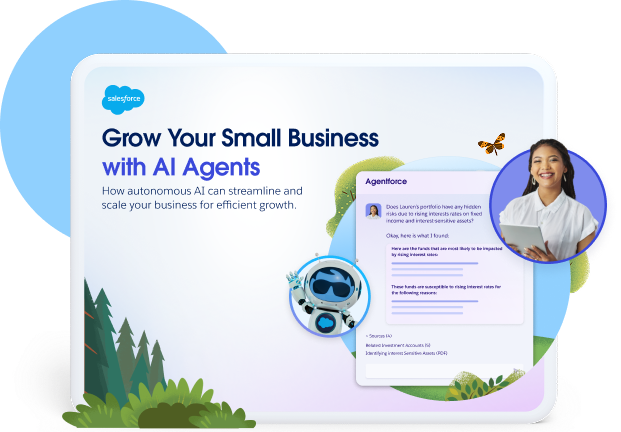
Grow Your Business With AI Agents
Learn how autonomous AI can scale your small business for free in our latest e-book.
5. Get messy with testing
Run your agent through real-world scenarios and measure its success. And remember, it’s okay to get messy.
- Test messy data: Feed it imperfect inputs like misspelled names and poorly formatted documents.
- Define success metrics: Use key performance indicators (KPIs) like time saved or employee comms and resolutions.
- Establish a human baseline: You’re training this to be exactly as your team would respond and act; take the time to give it your human voice.
6. Train your team and scale slowly
AI adoption is as much about change management as it’s about tech. It’s important to define what the agent does, when they should use it, and how to handle exceptions.
Once the first workflow is working, replicate the process. Create a template from the workflow, and use it together as a team. Continue to monitor the agent’s performance and adjust its logic (or prompt/instructions) as your business processes evolve. Free AI agent training is always available on Trailhead, Salesforce’s free online learning program.
Get Salesforce free for 30 days.
No credit card required, no software to install.

Employee agent use cases for small teams
These use cases are real-world examples of how growing teams are using employee agents to see real results. Let’s dig in.
AI Sales use cases
The built-in AI agent accelerates the sales cycle by automating everyday tasks. Here’s a few sales use cases:
- Quick insights: Instantly find and summarize customer data to stay informed without extensive searching.
- Meeting preparation: Use AI-enhanced summaries to quickly get up to speed before any client calls.
- Email communication: Train, create, and draft personalized sales emails and messages using AI agents.
AI Service use case
For service teams, an employee agent boosts productivity by connecting case management and communication. Here’s a few service use cases:
- Case summarization: Elevate quick insights by finding and summarizing cases instantly.
- Interaction prep: Prep for customer service calls with AI-powered summaries of cases.
- Case updates: Save time by asking the agent to create or update case records (like adding a case comment) with a simple prompt.
Now sit back and watch the AI magic happen
Once you get your employee AI agent workflows running, you can sit back and watch your tasks get handled, your team being more productive, and your customers being happy. Still need some more information? Here are some more resources to get you started:
- What is Agentforce for Small Business?
- What is An AI Agent For Small Business?
- Build an AI Agent
- Guide to Employee Agents with Agentforce
Ready to get your own employee agent up and running? Start your journey with Starter Suite today. Activate Foundations to try out Agentforce today.
AI supported the writers and editors who created this article.
What is an AI agent, and how does it benefit a small business?
AI agents are advanced, autonomous software tools powered by large language models that act as “digital employees.” For small businesses, they can perform repetitive tasks, helping with productivity and workflow automation.
Why should a small team focus on only one workflow to start?
Focusing on a single, high-impact bottleneck first, like automating the first response for “Where is my order?” This ensures an iterative, focused approach, leading to a quick and measurable return on investment (ROI) before scaling.
What kind of tools or data sources does an AI agent need to function?
An AI agent requires two things: Knowledge (grounding it in your team’s existing documents, SOPs, and internal data like CRM records) and tools (APIs and connectors) to take action in other systems (like accounting software or communication apps like Slack).
How do I measure the success or ROI of my first AI agent?
Success depends on your business goals and can be measured against your human baseline. Key metrics include Efficiency (time saved per day/week, such as reducing manual data entry hours) and Accuracy (error reduction rate, such as unpaid invoice).
What’s the recommended platform approach for small teams building AI agents?
Small teams benefit most from no-code or low-code platforms that integrate easily with their existing tech stack, such as all-in-one orchestration tools that allow building and managing agents within existing customer data.