GRL: The ‘Precision Filter’ You Didn’t Know Your CDP Was Missing
Move beyond basic segmentation. Discover how Salesforce Data 360’s GRL (Group, Rank, and Limit) moves you beyond basic inclusion/exclusion criteria to target the best-of-the-best customers—driving higher ROI without complex SQL queries.

As we step into the new year, it’s a great time to rethink how we use data to drive smarter decisions and more meaningful customer engagement. As customer data grows in volume and complexity, the ability to segment audiences with precision becomes a key differentiator for marketers and data teams. Marketers need to narrow their reach down to the right person, at the right moment, and they need to do it without waiting for a developer to write a custom query.
Historically, finding audiences like the “Top 10 highest-spending customers per city” or “The most recently active contact at each B2B account” meant working with a technical team to write complex SQL, build calculated insights, or perform manual spreadsheet filtering.
With the introduction of GRL (Group, Rank, and Limit) functionality in Salesforce’s Data 360 Segmentation, that technical dependency is obviated. GRL is turning data science into a point-and-click experience. Let’s see how it works.
What is Group, Rank, and Limit (GRL)?
GRL transforms broad audience segments into highly specific, actionable audiences groups. It allows you to organize records into meaningful groups, prioritize them based on defined business rules, and control segment sizes.
To grasp the concept, imagine you are running a Global Airline or Hotel Chain with millions of members. You have a limited number of seats or rooms for a Surprise and Delight upgrade campaign.
- Group (The Bucket): You gather members into buckets based on a common attribute. For instance, put all members who live in London in one bucket and all members in Tokyo in another.
- Rank (The Priority): Within each city’s bucket, you sort the members based on their loyalty (e.g., by Lifetime Points).
- Limit (The Quantity): You decide how many people from each city get the offer. For example, “Give me only the Top 5 highest-ranking members in every city.“
Built directly into the Salesforce Data 360 Segment Builder, GRL ensures you pull only the top-tier individuals who qualify for your most exclusive offers—all without writing a single line of SQL code.
Why is GRL a Game Changer?
Salesforce Data 360 handles billions of records. But with limited marketing budget, more isn’t always better. If you’re running a high-value campaign, you don’t want to over-saturate a single account by emailing 50 different people at the same company.
GRL (Group, Rank, and Limit) is a “Precision Filter” that moves beyond simple inclusion/exclusion logic. Most CDP segment filters ask a binary question: “Does this person meet the criteria?” Salesforce Data 360 GRL Segment is designed to answer a strategic question: “Among everyone who qualifies, who are the best ones to target right now?“
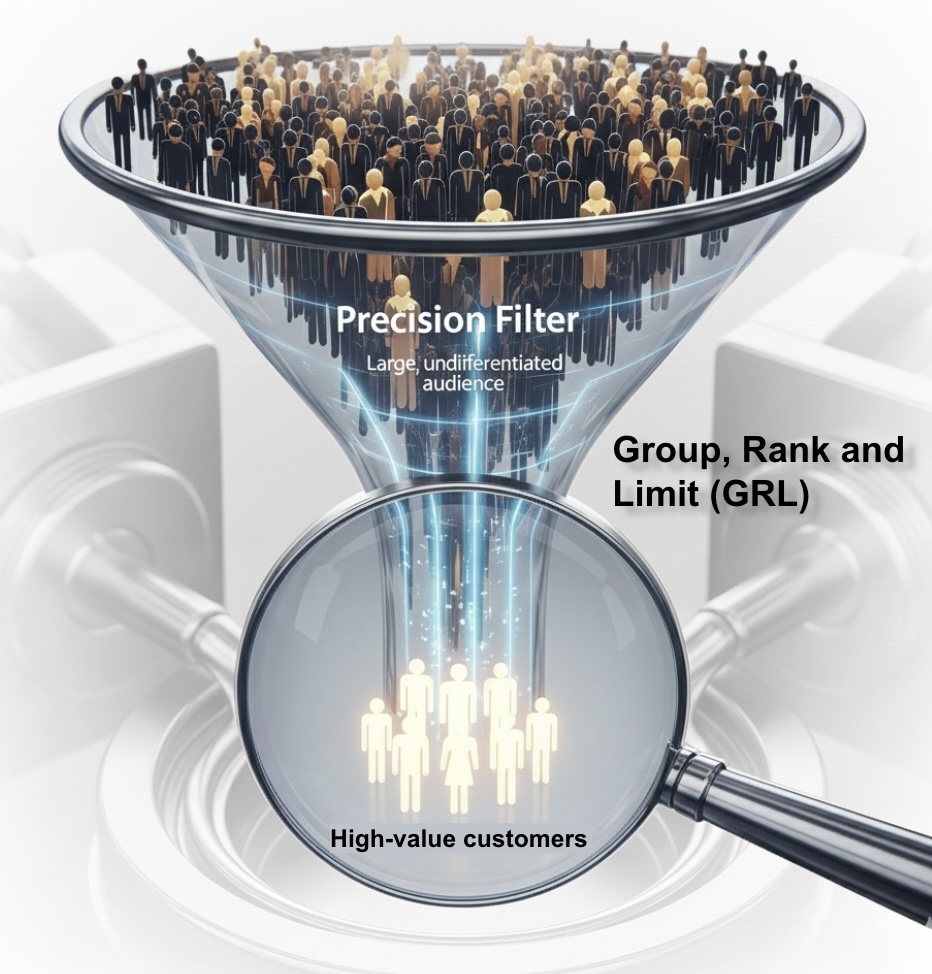
It is the difference between a list and a priority list. GRL ensures your segments are lean, targeted, and prioritized based on the metrics that actually matter to your business.
How GRL Works: The Three Simple Steps
GRL is accessible directly via the Rank and Limit tab in the segment canvas. It turns complex data filtering into a simple drag-and-drop experience on the filter criteria canvas. The visual interface guides you through adding attributes and selecting ranking rules, effectively replacing hours of manual coding with a few intuitive clicks:
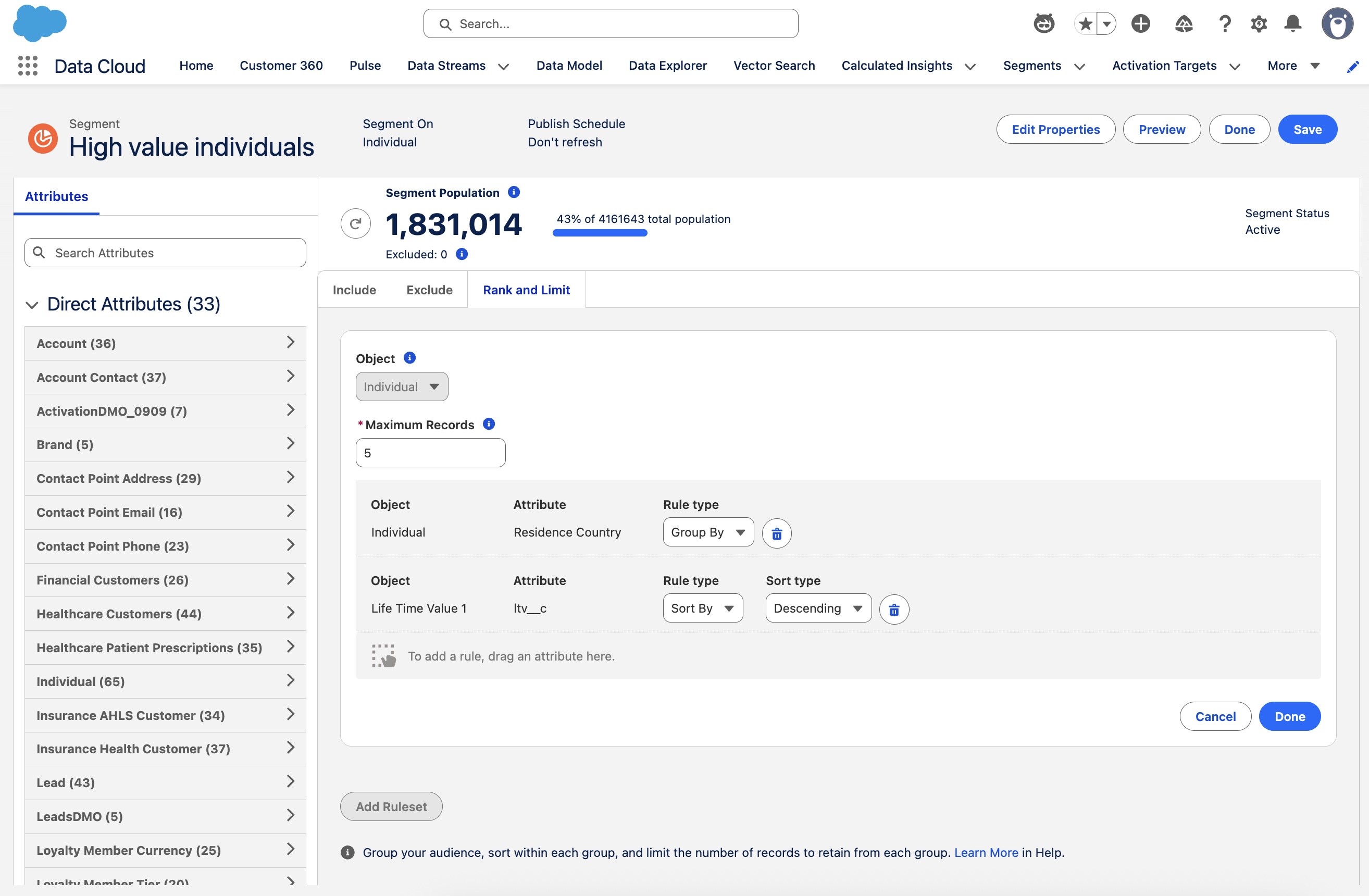
- Group (The Bucket): Choose how to cluster your data.
- Example: Group by City or Region.
- Rank (The Priority): Tell Data 360 how to decide who stays and who goes.
- Example: Rank by Customer Lifetime Value and select Descending Order.
- Limit (The Quantity): Set your ceiling.
- Example: Limit to 5 people per group.
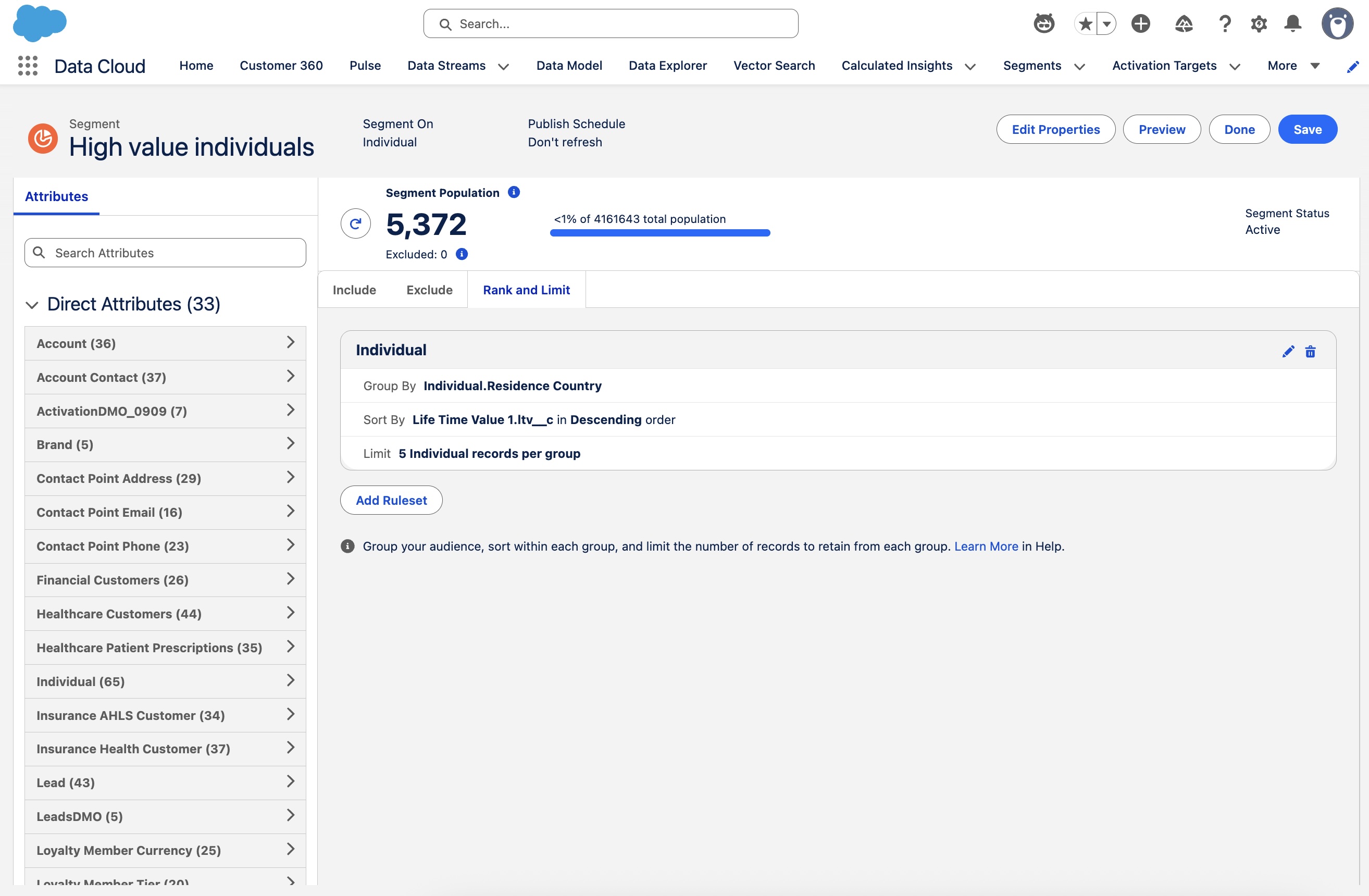
This simple point-and-click configuration now achieves what previously required a 20-line SQL script with nested PARTITION BY and ROW_NUMBER() clauses. GRL rules are applied on top of Include and Exclude filter criteria in the Segment definition.
Practical Examples of GRL Implementation
GRL is incredibly versatile, driving value in three typical marketing situations:
The following scenarios use standard and common custom objects and attributes (e.g., Waitlist Join Date), often modeled as custom DMOs in a Data 360 implementation.
Scenario 1: B2B Contact Prioritization (Group by Account)
Goal: When executing an Account-Based Marketing (ABM) campaign, the goal is precision over volume. Instead of sending messages to fifty employees at a target organization, you want to focus your efforts on two most recently active contact. For a segment based on Account Contact,
- Group: Account ID
- Rank: Last Engagement Date (in Descending order)
- Limit: 2 per Account
Result: A segment containing the two most engaged contacts at every target account. The criteria to identify the target account could be defined in Include and Exclude filter criteria sections.
Scenario 2: Early Bird Exclusive Product Launch (Group by Region)
Goal: When a brand releases a limited-edition product, such as a high-end sneaker or a new tech gadget, the waitlist can quickly swell to thousands of people. The most equitable approach is for the brand to prioritize and reward those who were the earliest to sign up. For a segment based on Unified Individual,
- Group: Sales Region
- Rank: Waitlist Join Date (in Ascending order)
- Limit: 50 per Sales Region
Result: A segment containing the top 50 customers who joined the waitlist earliest in the Northeast, the top 50 in the West, the top 50 in the South, and so on.
Scenario 3: Highest Propensity Offer (Group by Individual)
Goal: In financial services, a customer might qualify for multiple offers: a Credit Card Upgrade, a Personal Loan, and a High-Yield Savings Account. The financial institution strategically presents the most relevant or priority financial offer to the customer to reduce “choice paralysis” and maximize the probability of an “Apply Now” click. For a segment based on Product Offer,
- Group: Unified Individual
- Rank: Calculated Insight Propensity Score (in Descending order)
- Limit: 1 per individual
Result: A segment where a single, best-fit financial offer is selected for each target individual.
The Marketer’s Advantage
In Salesforce Data 360, GRL has quickly become a favorite because it empowers marketers to precisely target for the best outcomes with optimal use of resources.
- Rapid Time-to-Value: The intuitive, point-and-click interface eliminates the need for custom SQL or reliance on technical teams, allowing marketers to quickly build and launch sophisticated, high-value segments in minutes.
- Maximized Campaign ROI: GRL narrows segments to the best-of-the-best (e.g., highest-propensity customers), ensuring optimal use of marketing resources and driving higher conversion rates.
- Enhanced Customer Trust: By ensuring a single, coordinated message is delivered to the most relevant person, GRL prevents over-targeting, minimizes communication fatigue, and preserves customer relationship trust.
- Streamlined Operational Efficiency: Advanced ranking data logic is handled directly in the Segment canvas, eliminating the overhead of creating and maintaining additional assets like Calculated Insights, ancillary Segments, and ancillary Activations, which reduces complexity and overall per-campaign costs.
Conclusion
Group, Rank, and Limit (GRL) elevates Salesforce Data 360 Segmentation from simple filtering to sophisticated audience modeling. By systematically grouping data, defining performance metrics, and applying precise limitations, marketers can move beyond generic segments and execute campaigns that are finely tuned to the specific needs and value of every customer micro-segment. If you are leveraging Data 360, mastering GRL is key to unlocking its full potential for hyper-personalization and driving measurable ROI.
References
- Salesforce Help: Group, Rank, and Limit Segment Audience
- Salesforce Help: Refine Segments with Group, Rank, and Limit
- Salesforce Help: Create Segments in Data 360