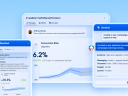

Most marketers can explain what a customer clicked. Far fewer can explain which offer actually moved revenue. This is especially the case when the engagement was a discount auto-applied at checkout or a code typed into the cart, as opposed to clicking on an offer tile to apply. That blind spot is expensive: unredeemed incentives, margin leakage and campaigns can have good email engagement metrics but are poor in connecting the dots to sales.
Salesforce Personalization, Marketing Cloud’s omni-channel personalization capability built on Data 360, is closing this loop with its new offer decisioning feature: recommendations that can use product and order behavior to learn what offer to surface next. The feature is available as an out-of-the-box objective in Salesforce Personalization called Maximize Revenue with Promotions that optimizes for driving purchases using the full behavioral profile available in Data 360.
Here’s what the feature does:
- Revenue-driven relevance, not vanity metrics. It ranks offers based on customer browsing behavior, cart, purchases and offer usage in context.
- Cross-catalog intelligence. It links your product and offer content catalogs to derive new browsing and cart signals.
- Support for short-lived campaigns. New and short-lived offers get a fair shot through metadata and exploration.
- Unified insights. Use Data360’s unified profile to train and power personalization in real time.
- Tightly coupled. You can define offers and manage eligibility criteria in Loyalty Management, use supported data bundles to auto-ingest them in Data 360, and then build personalized offer recommendations in Salesforce Personalization.
Connections is coming!
The blueprint for personalization has changed. Learn how you can incorporate agentic capabilities for your brand this June 3-4 in Chicago.



How Maximize Revenue with Promotions works
Traditionally, recommendation models are trained on direct engagement within a catalog: clicks and purchases on products drive product recommendations; mortgage loan article views drive related loan articles. The introduction of a secondary catalog breaks that pattern. The model uses the standard data model object for purchase engagement data in Data 360, which has been extended with new attributes that capture the application of an offer on that purchase event for Salesforce Personalization to learn indirect signals between the product and offer catalogs.
For new offers that haven’t accumulated event data – an item’s “cold start scenario” – the approach combines offer and product metadata to derive similarity-based embeddings to surface fresh offers that are not permanently buried by legacy winners.
And no matter if your offer content is authored in Loyalty Management or outside Salesforce, these recommendation features work alongside your campaign schedule and eligibility rules to ensure customers only see active offers that they are eligible to use with the use of Salesforce Personalization’s recommendation filters.
To see example recommendations filters for offers, see our help documentation.
5 ways to get started with Maximize Revenue with Promotions
1. Ingest offer content in Data 360
If offers are authored in Salesforce, use the Loyalty Management data bundle and/or the Global Promotions Data Bundles to map your offer content catalog to the Promotion data model object (DMO) along with eligibility criteria, and other metadata. If your offer content lives elsewhere, bring them in via your own streams and map to the same DMO contract.
2. Ingest behavioral data of purchases with applied offers
Ingest product engagements with offer references where they apply – order-level and line-level – plus product browse, shopping cart and website engagements. For the complete data contract, see the data streams and profile data graph requirements.
3. Model relationships explicitly
Use the new offer junction data model objects (Offer Product Order Engagement and Offer Sales Order Product Engagement) so offers applied to an order or order line item are related.
4. Build data graphs for training and filtering
Start with an item data graph rooted on the Promotion DMO and include fields and related DMOs that contain policy or eligibility criteria that you need for recommendation filters such as start/end dates, active flags, and segment eligibility. To improve the metadata available for cold-start scenarios, include the relationship to the product catalog.
Now build a profile data graph that includes the required engagement DMOs and fields above, so individuals carry a usable history of browse, cart and purchase behavior.
5. Configure the recommender
In Salesforce Personalization, configure an objective-based recommender and select Maximize Revenue with Promotions, then add filters (for example active windows for offer content) and include in a personalized experience.
The bottom line? This new model update gives marketers a way to treat the offer as a data-driven and ROI-boosting personalized experience rather than a blast campaign with surface analytics.
Insights are improved with Data 360 profiles, and Loyalty Management can plug in as a natural source of the offer system of record to enable Salesforce Personalization to optimize for revenue with recommended offers so Marketing and Loyalty teams can finally align uplift offer decisioning.
Get better visibility into your personalization
Marketing Cloud helps you personalize the right moments and get results with two-way conversations across the entire customer relationship.








![Conservation activists and special guests discuss Jane Goodall's legacy at Dreamforce 2025. [Image: Salesforce | Jakub Mosur]](https://www.salesforce.com/blog/wp-content/uploads/sites/2/2025/10/DF25-SF-251015_MA22636.jpg?w=128&h=96&crop=1&quality=75)