AI supported the writers and editors who created this article.
A content management system (CMS) is a software solution that enables authors, editors, and marketers to write, edit, approve, publish — and otherwise manage — digital content without writing code.
By Brett Bothe, Director, Product Marketing
Managing digital content used to mean filing a ticket and waiting for a developer to make and publish changes. Today's teams publish across websites, mobile apps, digital portals, and third-party channels — often in multiple languages, for multiple audiences, simultaneously. A content management system, or CMS, is the platform that makes that coordination possible and manages the content, access controls, and security rules that protect your entire digital ecosystem. This guide explains what a CMS is, how it works, what features matter at scale, and how to choose the right one for your organization.
A content management system (CMS) is a centralized platform for authoring, reviewing, and publishing content — including web pages, mobile app experiences, and digital portals. It gives both technical and non-technical team members a shared environment where content moves from draft to live without requiring custom code for each update.
The term "CMS" is often used interchangeably with "WCMS" (web content management system), but there's an important distinction. A CMS is the broader category: it manages all digital content types across many channels. A WCMS focuses specifically on web delivery. Enterprise teams managing content across email, apps, commerce storefronts, and partner portals typically need a full CMS rather than a web-only tool.
An enterprise CMS goes further still. They include or integrate with digital asset management (DAM) systems, analytics platforms, personalization engines, and customer data infrastructure — connecting content creation to the systems that determine what gets delivered, to whom, and when.
A CMS facilitates content creation for content delivery. Authors work in a visual interface; the platform handles publishing and distribution. That ease of use is what allows non-technical users to publish without developer involvement: no tickets, no code, no waiting.
The core content flow works in three steps:
Create and route. Authors create or update content inside the CMS and submit it through a review and approval workflow. Depending on the organization, this may involve editors, legal reviewers, brand approvers, or regional leads.
Approve and schedule. Once approved, content can be published immediately or scheduled for a future date and time. Scheduling is particularly useful for global teams managing content across time zones.
Deliver across channels. Published content is distributed to designated surfaces — websites, mobile apps, email campaigns, or external platforms — governed by templates and delivery rules that keep presentation consistent.
Visual editors are central to this flow. They allow authors to see how content will appear before it goes live, removing the need to involve a developer for routine updates.
Enterprise content management systems share a common set of capabilities, but the value of each feature depends on how an organization operates at scale.
How a CMS delivers content to end users is as important as what it can store and manage. Three delivery models dominate enterprise deployments: traditional, headless, and hybrid.
A traditional CMS couples content and presentation in one system. Templates are created for authors, and those templates require expertise, build, and setup time. Authors create content, and the CMS renders it directly onto web pages using built-in templates. This model is easy for editors to use and requires minimal technical setup. The tradeoff is channel flexibility: delivering content to a mobile app, a voice assistant, or a digital kiosk typically requires rebuilding rather than repurposing.
A hybrid CMS supports both models. Editors can build traditional page experiences using drag-and-drop tools while the same platform delivers content via API to other channels. Hybrid suits organizations that want to retain familiar authoring workflows while expanding delivery flexibility. The tradeoff: running two content approaches — page-based and structured — means the structural design work required for reliable multi-channel delivery is deferred, not eliminated.
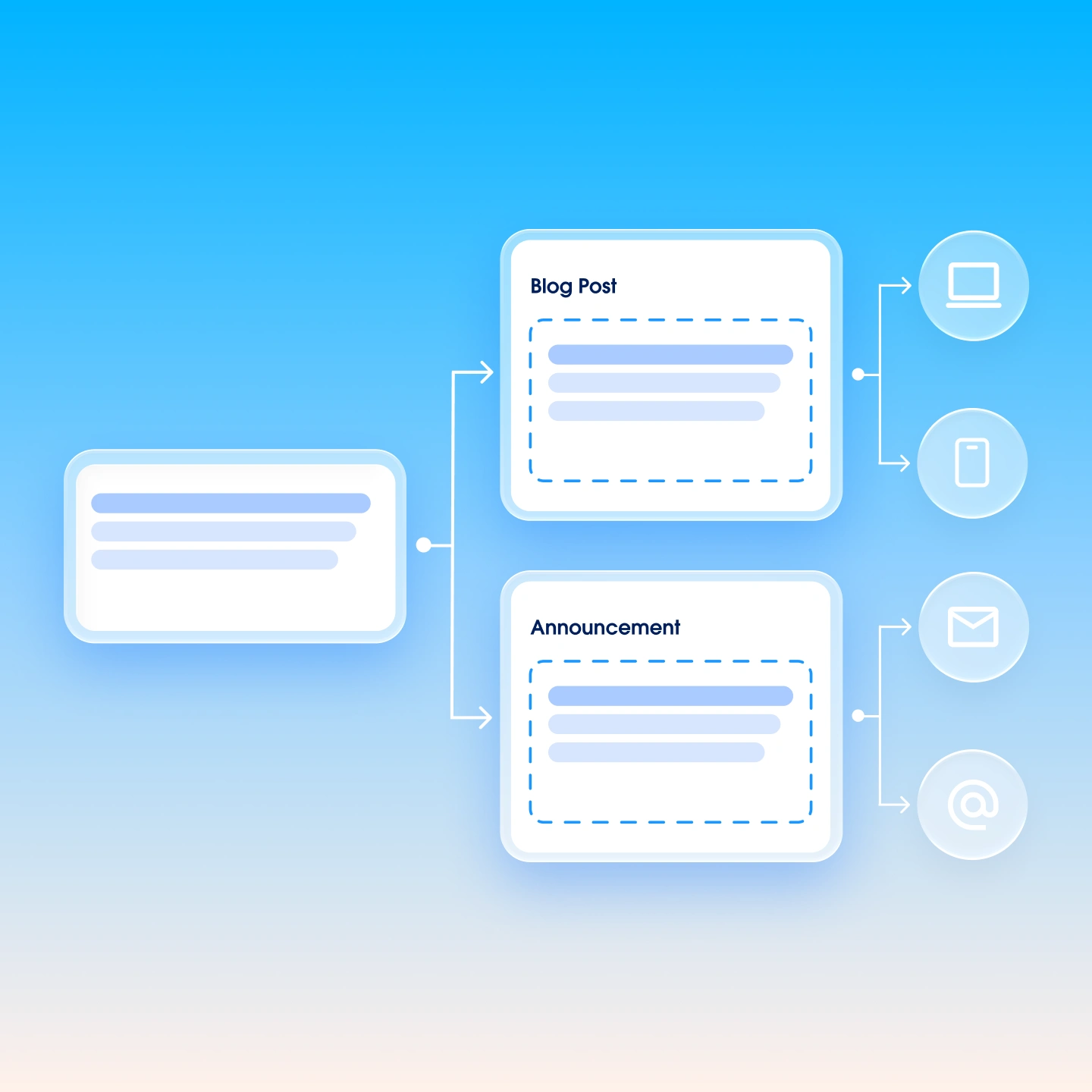
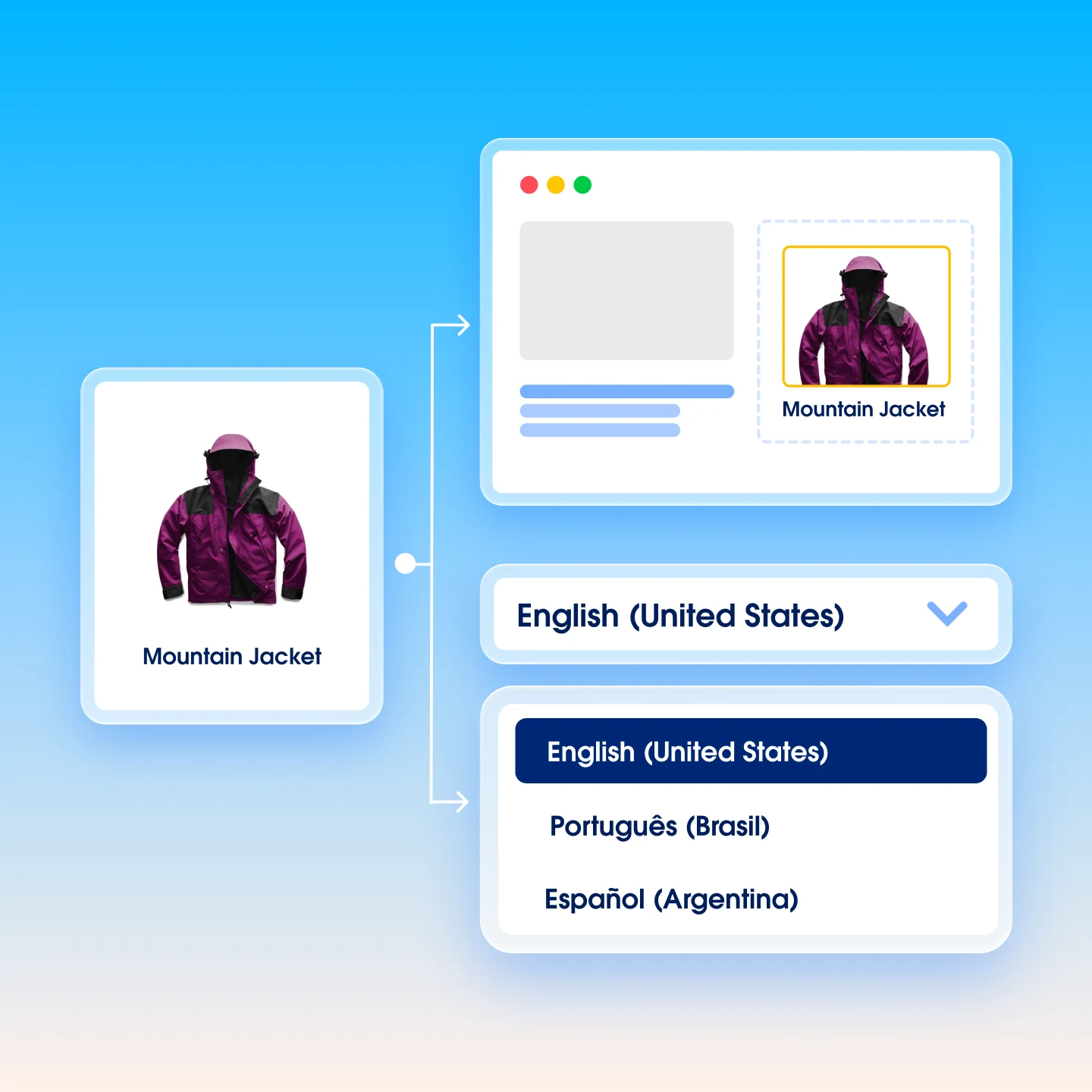
A headless CMS stores content in a presentation-agnostic format and delivers it via API to any front end or channel. A single content entry — a product description, a help article, an announcement — can render on a website, a mobile app, an email, and a digital kiosk without being recreated each time. The prerequisite is a deliberately designed content model: structured fields, defined content types, and clear reuse logic established before go-live.
According to the 2026 MuleSoft Connectivity Benchmark, 71% of all customer engagements occur in a digital format. That volume demands infrastructure. Managing content across dozens of markets, channels, and teams without a governing platform creates version control problems, inconsistent customer experiences, and publishing bottlenecks that slow every campaign and product launch. A CMS addresses five specific pain points enterprises face regularly.
Content sprawl across disconnected tools. Without a CMS, content lives in shared drives, email threads, and one-off systems — making version control nearly impossible. A CMS centralizes authoring and publishing in one governed environment.
Brand consistency across distributed teams. Template governance and role-based permissions mean regional teams and multiple contributors produce on-brand content without requiring constant oversight from a central brand team.
Complex editorial workflows. Built-in approval routing replaces manual coordination via email and spreadsheets, with clear accountability at every stage.
Personalization at scale. Modern content management systems integrate with customer data platforms and personalization engines to deliver audience-specific content without custom development for each variation. According to the 2026 State of Marketing report, 78% of marketers say they need more personalized content than they're able to produce — a CMS connected to content personalization infrastructure is the operational solution.
Developer dependency for routine updates. A CMS with a capable visual editor lets marketing teams publish and update content independently, keeping engineering focused on higher-complexity work.
A CMS doesn't operate alone. Enterprise content and experience stacks typically include several platform types, each with a distinct role. Understanding how they fit together prevents overlap, gaps, and redundant investment.
The CMS-to-DXP comparison deserves more than a table row for teams in active evaluation. A CMS governs content creation and publishing. A digital experience platform adds the customer data and journey orchestration layer on top — connecting content to behavioral signals, lifecycle stage, and real-time context. For enterprise B2B marketing teams, the relevant question isn't usually "CMS or DXP?" It's whether the CMS in place can grow to support the orchestration the team needs, or whether a DXP is required alongside it. Many organizations run both, with the CMS as the primary publishing layer drawing assets and data from the surrounding stack.
Selecting a CMS on feature checklists alone tends to surface platforms that look similar on paper. The criteria that actually differentiate options — and matter most at enterprise scale — are more specific.
Delivery model. Determine whether your strategy requires headless, hybrid, or traditional delivery. This is the foundational architecture decision that affects everything downstream, and changing it mid-deployment is expensive.
Integration capabilities. Assess how the CMS connects to CRM, marketing analytics, marketing automation, personalization engines, commerce platforms, and CDPs. A CMS that can't exchange data with the systems that power personalized experiences will create gaps regardless of its authoring features.
Authoring experience. Determine whether non-technical users can publish independently without opening a ticket. This isn't a convenience feature — it directly affects campaign velocity and how much of the team's time goes to coordination versus creation.
Scalability. Evaluate whether the platform can handle content volume growth, additional markets, and expanding contributor teams without degrading performance or governance.
Governance and compliance. Check for role-based permissions, content versioning, and audit trails. For regulated industries, also evaluate regulatory certifications — SOC 2, ISO 27001, and similar standards signal that the platform meets independent security and compliance benchmarks. These matter most for organizations with brand-critical content, global teams, or legal and compliance review requirements.
Vendor ecosystem and support. Review the partner network, available integrations, and support model for enterprise accounts.
Content structure and AI readiness. For teams with answer engine optimization (AEO) goals or multi-channel personalization requirements, content structure and AI readiness is a first-order selection criterion, not an afterthought. It's important to ensure content be modeled for reuse across channels rather than locked in page templates. Also, AI answer engines need to be able to extract and attribute it reliably through consistent schema markup and semantic output across thousands of pages. A CMS may need to connect to the customer data platform powering audience targeting too. These questions should help you evaluate how your CMS needs to support your AI goals.
Integration capabilities and authoring experience deserve extra scrutiny. The selection criteria that vendors often underemphasize are the ones that determine day-to-day operational reality for marketing teams: can a marketing manager publish a landing page independently without filing a ticket? And does the CMS connect natively to the customer data platform that powers audience targeting? These two criteria function as tiebreakers, not just items on a list.
Content personalization is where content management systems have evolved most significantly in recent years. Modern systems integrate directly with personalization engines and omnichannel marketing infrastructure, allowing teams to serve contextually relevant content to different audience segments without building custom logic for each variation. Marketers can target by behavior, geography, lifecycle stage, and more — and those rules can be updated without developer involvement.
The need is clear. According to the 2026 State of Marketing report, 84% of marketers say they sometimes run generic campaigns, and 86% say AI is raising customer expectations. Those two figures together describe the gap a personalization-connected CMS is designed to close: teams know they need to deliver more relevant content, but current production and delivery infrastructure makes it harder than it should be. AI digital marketing capabilities built into or connected to a CMS help close that gap — automating content variation, predicting audience preferences, and surfacing performance signals that inform the next round of publishing decisions.
A CMS delivers value in proportion to the processes and team structures built around it. The platform is an enabler. Organizations that deploy one without establishing clear editorial workflows, role-based responsibilities, content standards, and governance policies often find that the same content quality and consistency problems persist — they've just moved into a more sophisticated tool.
The content lifecycle — from brief to draft to review to publish to update — must be deliberately designed and staffed. When evaluating a CMS, the questions that matter most aren't always on the product page: How does it handle multi-step approvals across regions? How does it support teams working in different time zones? How easily can a non-technical author publish without filing a support request? The answers tend to reveal more about operational fit than any feature comparison.
A website builder is designed for creating and managing a single website, typically with limited customization and no API-based content delivery. A CMS is a broader content governance platform that manages multiple content types across multiple channels, supports complex workflows, and integrates with other enterprise systems. Website builders suit small teams or simple sites; a CMS suits organizations with high content volume, multiple contributors, and multi-channel distribution needs.
A headless CMS stores content as structured data and delivers it via API to any front end or channel — a website, mobile app, digital kiosk, or voice interface — from a single content repository. It is the right architecture when content needs to reach multiple channels or contexts without re-authoring. Learn more here.
Technical resources are usually needed for initial platform setup, custom integrations, and front-end development. Non-technical users can author content in their CMS's editor tool.
A CMS manages content creation, workflow governance, and publishing. A digital experience platform adds capabilities such as customer data, journey orchestration, and personalization on top. Many enterprise organizations run both: the CMS handles authoring and publishing while the DXP connects content to behavioral data and customer lifecycle logic. The distinction matters most for teams evaluating whether a standalone CMS can support the personalized, data-driven experiences their audience expects, or whether broader orchestration infrastructure is needed.
Most content management systems include built-in SEO tools for managing metadata, URL structure, canonical tags, and internal linking. These tools let marketing teams handle on-page optimization without filing developer requests. Enterprise platforms also support structured data markup, sitemap generation, and redirect management — all of which affect search performance at scale.
Content management systems built for AEO enable structured content formatting like schema markup, semantic tagging, and direct-answer page structure. This makes content machine-readable and citable by AI answer engines. These capabilities require a platform with purpose-built structured content support. An issue with legacy template-based systems is that they typically have nothing purpose-built for this. For marketing teams with AEO goals, platform support for structured content and schema should be one of your selection criteria. Make sure to evaluate it explicitly rather than assuming it is included.
The best CMS for an enterprise team depends on delivery model requirements, integration needs, and authoring experience expectations — not a universal ranking. Teams should evaluate platforms against their specific content volume, channel mix, and the workflows their contributors actually use. Integration with the existing marketing and analytics stack — including the customer data platform and personalization infrastructure — is often the most important criterion for B2B marketing organizations.